By AppHub Editorial Team · Updated August 3, 2026

brightwheel: Childcare App



Overview
Education
brightwheel
Free
Aug 25, 2014
5.70.3
12
No
May 12, 2026
Features
Brightwheel is an all-in-one childcare management software that saves time and simplifies operations for early education providers.
From billing and parent communication to curriculum and admissions, it combines everything you need in one easy-to-use platform.
Trusted by millions of educators and families and backed by a dedicated support team, brightwheel strengthens family connections and ensures seamless operations with reliable performance and robust security.
With brightwheel, you’ll ...
Brightwheel is an all-in-one childcare management software that saves time and simplifies operations for early education providers. From billing and parent communication to curriculum and admissions, it combines everything you need in one easy-to-use platform. Trusted by millions of educators and families and backed by a dedicated support team, brightwheel strengthens family connections and ensures seamless operations with reliable performance and robust security. With brightwheel, you’ll spend less time on admin, more time with children. Features include:
Download brightwheel: Childcare App
Get the official app from the trusted app stores. You will be redirected to the download page.
When you purchase through links on our site, we may earn an affiliate commission. Learn more
Ratings breakdown
10,900 reviewsDeveloper contact
Name
DSSV, Inc.
Address
548 Market St Pmb 95237 San Francisco, CA 94104-5401 United States
Website
https://mybrightwheel.comPhone
+1 707-563-1239
Support
support@mybrightwheel.com
Privacy
View policyFrequently Asked Questions
Is brightwheel: Childcare App free to download? high
Yes. The app metadata lists brightwheel: Childcare App as free.
Source: app_metadata
What do sampled users complain about in brightwheel: Childcare App? low
brightwheel: Childcare App has sampled reports of video, audio, or media playback problems. Only 1 sampled review supports this theme, so confidence is low.
Source: user_reviews
What do sampled users like about brightwheel: Childcare App? medium
brightwheel: Childcare App is praised by sampled reviewers as easy, useful, or convenient. 2 sampled reviews or 1 sampling buckets support this theme.
Source: user_reviews
How to Use
Brightwheel is an all-in-one childcare management software that saves time and simplifies operations for early education providers. (app_description)
Getting Started
Source: app_description_and_user_feedback_noted
- Install brightwheel: Childcare App from the appropriate app store.
- Open the app and start with the free experience.
- Review the main features described in the app listing.
- Check settings or support resources if you run into sampled issue patterns such as brightwheel: childcare app has sampled reports of video, audio, or media playback problems.
Key Features (from app listing)
Source: app_description
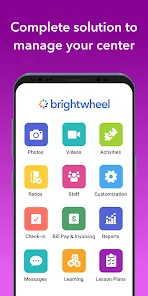
- User-friendly design: An intuitive interface that is quick to set up and easy for staff and families to use.
- Family communication: Connect with families in real-time and centralize messaging, newsletters, and alerts.
- Photo and video sharing: Snap photos, record videos, and tag students with one click.
- Daily reports: Log naps, meals, bathroom, and other activities. Families get a personalized feed and daily summary.
- Calendar: Share events, holidays, and important dates with both families and staff.
- Reporting: Detailed reports of every brightwheel feature for billing and licensing requirements.
Theme 'easy, useful, or convenient to use' identified in recent_reviews #2, recent_reviews #3. Review #2 praises easy, useful, or convenient to use. Review #3 praises easy, useful, or convenient to use.
How this content was created
Content type: pattern_analysis_of_user_reviews_and_metadata
AI generated: Yes
- Google Play user reviews (12-20 preferred; may be smaller if source data is limited per app), March 20, 2026 to June 26, 2025
- Google Play ratings distribution
- App Store listing metadata
- Review samples are not statistically representative of all user sentiment
- High-engagement negative reviews can overrepresent complaints
- Claims labeled 'low confidence' are based on single-review observations only
- No real-world app testing was conducted
- Feature availability may vary by region, device, and app version
Pros & Cons
Based on analysis of Google Play user reviews
Pros
- brightwheel: Childcare App is praised by sampled reviewers as easy, useful, or convenient. medium
Theme 'easy, useful, or convenient to use' identified in recent_reviews #2, recent_reviews #3. Review #2 praises easy, useful, or convenient to use. Review #3 praises easy, useful, or convenient to use.
Evidence (2)
“put the sort of bottles a child has. It would be much more useful to have a bottle only list of options as”Rating: 3★ March 11, 2026 1 likes“l uses this app and it has been delightful! It has been so easy to shoot a message to the administration if she is sick that morning or notifications for snow delays, etc. My favorite aspect”Rating: 5★ April 01, 2026 3 likes - brightwheel: Childcare App is praised by sampled reviewers for features, customization, or flexibility. low
Theme 'features, customization, or flexibility' identified in recent_reviews #5. Review #5 praises features, customization, or flexibility.
Evidence (1)
“o the number of ounces for some reason. There are too many features that require the desktop version, making the app usel”Rating: 3★ March 20, 2026
Cons
- brightwheel: Childcare App has sampled reports of video, audio, or media playback problems. low
Theme 'video, audio, or media playback problems' identified in recent_reviews #1. Review #1 mentions video, audio, or media playback problems.
Evidence (1)
“ upload photos from my computer to newsletter modules. The video feature often does not work in the app. When I go to send the video it will just send a message that media cannot be found. T”Rating: 2★ June 26, 2025 9 likes - brightwheel: Childcare App has sampled complaints about search, organization, folders, or finding content. low
Theme 'search, organization, folders, or finding content' identified in recent_reviews #2. Review #2 mentions search, organization, folders, or finding content.
Evidence (1)
“ except for the way meals are put in. The time it takes to search through our varied menu, to simply input the sort of bottles a child has. It would be much more useful to have a bottle only”Rating: 3★ March 11, 2026 1 likes
Recent Reviews
Bret Wood
2★I wish there was a way to rotate photos or add and upload photos from my computer to newsletter modules. The video feature often does not work in the app. When I go to send the video it will just send a message that media cannot be found. This app needs to be rebooted often in order for my class roster to show up. You cannot capture multiple moments at once. This is a one picture at a time and send to families kind of app. I have used other apps and this one is on the bottom of my list.
Tiffany Stubblefield
3★I'm fine with this app as a parent, and it's mostly just fine as an infant teacher as well, except for the way meals are put in. The time it takes to search through our varied menu, to simply input the sort of bottles a child has. It would be much more useful to have a bottle only list of options as opposed to searching through the sea of various other foods our center offers. Additionally, it would be really if parents could input drop-off notes, (last bottle, diaper, etc)
Mele de Mora
5★my daughter's school uses this app and it has been delightful! It has been so easy to shoot a message to the administration if she is sick that morning or notifications for snow delays, etc. My favorite aspect has been getting photos during the day of their activities with instant notifications. If I could make any changes it would be to allow the parents to comment on the photo posted rather than just giving it a heart, but otherwise it's fantastic!
Athena Cairo
5★Fantastic app to help with monitoring my child's activities and food/diapers at daycare. The only downside is there is a small service charge to pay through the app, but otherwise it works very well and seeing photos of my child throughout the day make me SO happy and helps to know the little one is being cared for well. It helps that the folks at her daycare are amazing, too!!
Tea Floyd
3★The constant updates that change the layout are useless and often the changes are ugly. There isn't a way to delete scheduled posts. The way to log bottles often adds an extra 0 to the number of ounces for some reason. There are too many features that require the desktop version, making the app useless as a lead most of the time.