By AppHub Editorial Team · Updated August 3, 2026
AlfredCamera Home Security app




Overview
House & Home
Alfred Systems Inc.
Free
Dec 17, 2012
2026.3.2
5.0
$1.99 - $59.88 per item
No
Feb 10, 2026
Features
We are the world’s most popular and top-rated security camera app for Android phones, with over 70 million families around the world choosing AlfredCamera to turn their old phones into powerful home security cameras, baby monitors, pet cams, and more.
AlfredCamera is an all-in-one home security camera app providing more features than a expensive CCTV security camera system. It's live cam with instant intruder alert is perfect as a security camera, baby monitor, nanny cam, pet monitor, dog monit...
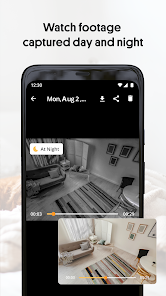
We are the world’s most popular and top-rated security camera app for Android phones, with over 70 million families around the world choosing AlfredCamera to turn their old phones into powerful home security cameras, baby monitors, pet cams, and more. AlfredCamera is an all-in-one home security camera app providing more features than a expensive CCTV security camera system. It's live cam with instant intruder alert is perfect as a security camera, baby monitor, nanny cam, pet monitor, dog monitor, and more. AlfredCamera is well-recognized as:⏩ “Most Innovative App” - Google Play (2016)⏩ “Most Popular Utility App” - Google Play (2019)⏩ “One of the Best App Options for Setting up Your Phone as a Security Camera” - CNET (Feb 2023)⏩ “Home Protection is Achieved at Low Cost and Without Many Complications” - Infobae (June 2021)FEATURESWhether you’re looking for a surveillance camera app or webcam app to keep an eye on your belongings, a baby camera app to look after your newborn, a pet cam app or dog camera app to entertain your lovely pets, the AlfredCamera home security camera app is the perfect solution for your smart home.✅ 24/7 LIVE STREAM: Watch high-quality live video from anywhere with Alfred's live camera stream. ✅ SMART INTRUDER ALERT: Get instant alerts when movement is detected✅ LOW-LIGHT FILTER: Enhanced visibility at night for your nanny cam, pet monitor.✅ WALKIE-TALKIE: Deter thieves, interact with visitors or pets, and soothe babies.✅ 360 CAMERA: Cover a larger area with both lenses.✅ ZOOM, SCHEDULE, SOUND DETECTION, REMINDER, TRUST CIRCLE, SIREN, and more... Works smoothly via WiFi, 3G, and LTE. SUPER EASY TO SET UPAlfredCamera is the easiest-to-install surveillance camera system with professional-grade features that allows you to DIY your own home security camera, pet cam, baby cam or nanny cam in few minutes:🔹 Install Alfred Camera App on two devices, your old phone becomes the camera, your current device is the viewer🔹 Scan a QR code to pair them.🔹 Cross-platform support: Android and iOS devices work together effortlesslyANYTIME, ANYWHEREUnlike traditional CCTV cameras or home surveillance cameras, Alfred is a portable CCTV camera, place it anywhere for extra security. It works great as a nanny cam, baby camera, or dog monitor while traveling, renting an Airbnb, or simply checking in during work hours.📷 SIMPLE SECURITY AT YOUR FINGERTIPSWith a crystal clear live camera stream, instant alerts and events recorded, Alfred will help you to always know what’s happening and keep evidences in any incident.✔️ Monitor pets when you're away with a reliable dog camera or pet cam✔️ Check on elderly family with real-time remote video access✔️ Sound alerts and night vision on your pet cam, baby camera, or dog camera✔️ Protect your home with smart motion-triggered alerts✔️ Create a smart CCTV system, your own pet cam, baby camera, or dog camera using just two phones and the Alfred app. SMART, CONVENIENT, ECO-CONSCIOUSFirst time choosing a CCTV camera app or home security system? The best home surveillance camera app you can ever find: reliable, versatile, and easy to use. Alfred is an essential component of any home improvement or smart home project if you are interested in building a smart home or experimenting with Google Assistant. Everyone is taking advantage of their old smartphones by turning them into video players, GPS navigators, or fitness devices. So why not use yours as a pet monitor, dog monitor, baby monitor, nanny cam, webcam, or IP cam? Alfred Premium, a subscription service, charges $5.99/month. The payment will be charged to your Google Play Account. The account will be automatically charged for renewal. You can manage your subscription and auto-renewal by going to Account Settings. Want to learn more about how to monitor your home? Please visit our official website https://reurl. cc/jvKWrMSome features of this app require Device Administrator permission.
Download AlfredCamera Home Security app
Get the official app from the trusted app stores. You will be redirected to the download page.
When you purchase through links on our site, we may earn an affiliate commission. Learn more
Ratings breakdown
945,000 reviewsDeveloper contact
Name
阿福股份有限公司
Address
110013台湾台北市信義區 信義路五段2號13樓
Website
https://alfred.camera/?utm_source=store&utm_medium=google_play&utm_campaign=developer_websitePhone
+1 415-650-5056
Support
support@alfred.camera
Privacy
View policyFrequently Asked Questions
Is AlfredCamera free to use? high
Yes, AlfredCamera is free to download and use. It offers a subscription called 'Alfred Premium' for $5.99/month, which likely provides additional features like unlimited cloud storage or advanced alerts. The app description notes users may need to click if still watching every 5 minutes in the free version, based on user reports.
Source: app_metadata, user_reviews
Why am I being charged unexpectedly? medium
Some recent users (from late 2025 and early 2026) report unexpected charges or difficulty canceling subscriptions. The Alfred Premium subscription auto-renews via your Google Play Account. You can manage or cancel auto-renewal in your Google Play Account Settings. If you believe you were charged in error, contact Alfred Systems support through their website, though users report long wait times.
Source: app_metadata, user_reviews
Does the app work on old phones? high
Yes, the app is designed to repurpose old Android phones into security cameras. It requires Android 5.0 or higher and can be paired with another device (or the same app on a different phone/tablet) via QR code. The app supports WiFi, 3G, and LTE connections.
Source: app_metadata
What happened to the 'I'm still watching' button? low
According to user reviews in January 2026, the app now displays a persistent 'I'm still watching' button every 5 minutes unless you purchase an upgrade. This appears to be a recent change that pushes users toward a premium subscription. This is not explicitly mentioned in the app description.
Source: user_reviews
Can I use AlfredCamera as a baby monitor? high
Yes, the app is explicitly marketed as a baby monitor. It offers live video streaming, two-way audio (walkie-talkie), motion detection alerts, and low-light/night vision. However, some users report occasional connection drops, which could be a concern for critical monitoring.
Source: app_metadata, user_reviews
How to Use
AlfredCamera transforms your old Android phones into a DIY home security camera system, accessible from anywhere via live streaming and motion alerts. (app_description)
Getting Started
Source: app_description_and_user_feedback_noted
- Step 1: Install the AlfredCamera app on two devices – one will act as the camera (e.g., an old phone), the other as the viewer (your current phone).
- Step 2: Open the app on both devices and follow the on-screen prompts to scan a QR code to pair them.
- Step 3: Place the camera device in the area you want to monitor (e.g., crib, front door, pet area).
- Step 4: On the viewer device, select the camera feed and adjust settings like motion detection, alerts, and night vision as needed. Be aware that some users report occasional connection drops, so check your setup reliability first.
Key Features (from app listing)
Source: app_description
- 24/7 live streaming: Watch high-quality video from anywhere with WiFi, 3G, or LTE.
- Smart intruder alert: Get instant motion-triggered alerts sent to your viewer device.
- Low-light filter (night vision): Enhanced visibility in low-light conditions for monitoring at night.
- Two-way walkie-talkie: Talk through the camera to deter intruders, comfort a baby, or interact with pets.
- 360-degree camera support: Use both lenses simultaneously for wider coverage.
- Cross-platform support: Works on Android and iOS, so you can mix devices from different ecosystems.
This tip responds directly to a verified user complaint from recent_reviews #2, which describes the 'I'm still watching' prompt as a persistent interruption unless you upgrade. It also references the subscription price from app metadata.
How this content was created
Content type: pattern_analysis_of_user_reviews_and_metadata
AI generated: Yes
- Google Play user reviews (5 (smaller than the preferred 12-20) per app), December 25, 2025 to February 21, 2026
- Google Play ratings distribution
- App Store listing metadata
- Review sample is limited to 5 recent reviews and is not statistically representative of over 945,000 total ratings.
- Only recent_reviews were available; no positive reviews or high-engagement (liked) reviews were included, skewing results toward complaints.
- Claims labeled 'medium' are based on patterns found in 2 of 5 reviews, which is a small sample.
- No real-world app testing was conducted; all claims are derived from user-written text.
- Feature availability and pricing may vary by region, device, and app version.
- The developer is identified as 'Alfred Systems Inc.' but the app's country of origin (mentioned in a user review) is not confirmed.
Pros & Cons
Based on analysis of Google Play user reviews
Pros
- Useful for turning old phones into security cameras with live streaming.
Theme 'Useful monitoring' identified in recent_review #1
- Popular with a large user base of over 70 million families.
Theme 'Large user base' identified in app description
- Offers features like walkie-talkie and low-light filter for enhanced monitoring.
Theme 'Feature-rich' identified in app description
Cons
- Free version is heavily limited with frequent 'I'm still watching' prompts every 5 minutes.
Theme 'Annoying free version limitations' identified in recent_review #2
- Subscription cancellation process is intentionally difficult and frustrating.
Theme 'Hard to cancel' identified in recent_review #2
- App has frequent connection drops and glitches, making it unreliable for monitoring.
Theme 'Connection issues' identified in recent_review #4
Recent Reviews
Craig Anderson
2★I only wanted the 2 day trial and tried to uninstall the app the following day. Only to constantly be told that there was an error connecting to WIFI but I have an unlimited data plan. I've been charged the $29.99 fee and my wait time to talk to you is always over 50 minutes. It's cool to link my other phone and use it as a security camera but that's it. Maybe if you upgrade me for no charge I won't try to get a refund. So I say touche.
Kimberly Adams
2★This updated version makes the user click the "I'm still watching" button every 5 minutes, unless you buy the upgrade. That's not an exaggeration. And since I've upgraded and now no longer need it, I cannot unsubscribe. USERS---Beware of Chinese apps, this is not the first one I've had a terrible time trying to cancel a subscription with. They make it so hard so you give up trying!
Mike Kowalski
1★This might be a good app. I found too many glitches trying to set it up and the pictures were too unreliable in orientation and availability. I was interested in a monitor to cover just a few hours between 6 and 10 in the evenings. It was easier to leave the camera on movie and record the entire period for review later than it was to use this app and it was more reliable. to me it's not worth any money.
Nik Nak
3★the only thing I don't like which could potentially be a really big deal, is that occasionally the camera will loose connection for periods of time. So as long as you don't have any issues when connection issues are happening all should be just fine. Except for the fact it's impossible to control the outcome in those types of situations
Josh Brien
1★paid for premium for the features, come to find out that they have another even higher tier of premium called "Premium Plus Annual" so you have to pay for an entire year, and instead of being 25 a year with the discount it's 40 a year after the discount. ridiculous that you need such a high tier for all of the best features of the app. I understand paying for the storage of 30 days instead of 14 days, but the other software locked features like AI detection is just anti consumer for bad reasons.