By App Discoverer Editorial Team · Updated October 1, 2026

CapCut - Video Editor





Overview
Video Players & Editors
Bytedance Pte. Ltd.
Free
Apr 10, 2020
16.9.0
6.0
$0.49 - $629.99 per item
No
Users Interact, In-App Purchases
Feb 25, 2026
Features
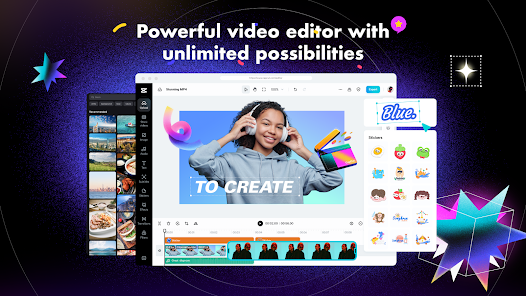
CapCut offers easy-to-use video editing functions, in-APP fonts and effects, advanced features such as keyframe animation, smooth slow-motion, chroma key, and stabilization, to help you capture and snip moments.
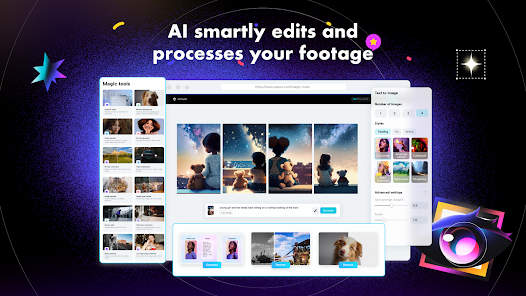
Create fancy videos with other unique features: auto captions, text-to-speech, motion tracking, and background removal. Show your personality and go viral on TikTok, YouTube, Instagram, WhatsApp, and Facebook!
FEATURES
Basic video editing
CapCut offers easy-to-use video editing functions, in-APP fonts and effects, advanced features such as keyframe animation, smooth slow-motion, chroma key, and stabilization, to help you capture and snip moments. Create fancy videos with other unique features: auto captions, text-to-speech, motion tracking, and background removal. Show your personality and go viral on TikTok, YouTube, Instagram, WhatsApp, and Facebook! FEATURESBasic video editing
Download CapCut - Video Editor
Get the official app from the trusted app stores. You will be redirected to the download page.
When you purchase through links on our site, we may earn an affiliate commission. Learn more
Ratings breakdown
12,500,000 reviewsData Safety
- No data shared with third parties Learn more about how developers declare sharing
- This app may collect these data types Location, Personal info and 5 others
- Data is encrypted in transit
- You can request that data be deleted
Permissions
- read calendar events plus confidential information
- add or modify calendar events and send email to guests without owners' knowledge
- read the contents of your USB storage
- modify or delete the contents of your USB storage
- read the contents of your USB storage
- modify or delete the contents of your USB storage
- take pictures and videos
- record audio
- view Wi-Fi connections
- view network connections
- change network connectivity
- full network access
- close other apps
Developer contact
Name
BYTEDANCE PTE. LTD.
Address
1 Raffles Quay #26-10 Singapore 048583
Website
https://www.capcut.comPhone
+44 20 8059 9766
Support
capcut.support@bytedance.com
Privacy
View policyFrequently Asked Questions
Is CapCut - Video Editor free to download? high
Yes. The app metadata lists CapCut - Video Editor as free, with in-app purchases $0.49 - $629.99 per item
Source: app_metadata
What do sampled users complain about in CapCut - Video Editor? low
CapCut - Video Editor has sampled complaints about payment, subscriptions, trials, or pricing. Only 1 sampled review supports this theme, so confidence is low. For example, one reviewer says: "upgrading my subscription. I submitted all requested proof, payment records, and explanations multiple times, but nothin"
Source: user_reviews
Is CapCut - Video Editor worth downloading in 2026? medium
Based on 5 sampled reviews spanning September 24, 2024 to February 12, 2026, CapCut - Video Editor has a 3.4/5 overall rating from 12.5M total reviews. Sampled reviews show 0 praised themes and 1 complaint themes. As with any app, experiences vary by device and use case.
Source: user_reviews, app_metadata, ratings_data
How to Use
CapCut offers easy-to-use video editing functions, in-APP fonts and effects, advanced features such as keyframe animation, smooth slow-motion, chroma key, and stabilization, to help you capture and sn (app_description)
Getting Started
Source: app_description_and_user_feedback_noted
- Install CapCut - Video Editor from the Google Play Store or Apple App Store.
- Open the app and begin with the free experience to explore its core functionality.
- Review the main features described in the app listing to understand what this app offers.
- Be aware of sampled user-reported issues: the app has sampled complaints about payment, subscriptions, trials, or pricing..
Key Features (from app listing)
Source: app_description
- Trim and shorten clips and split or merge videos.
- Adjust video speed from 0.1x to 100x, and apply speed curves to clips.
- Animate video clips with incredible zoom in/out effects.
- Highlight the best moments with the freeze feature.
- Explore transition options with awesome effects on and between clips.Advanced video editor
- Keyframe video animation is available for all settings.
How this content was created
Content type: pattern_analysis_of_user_reviews_and_metadata
AI generated: Yes
- Google Play user reviews (12-20 preferred; may be smaller if source data is limited per app), September 24, 2024 to February 12, 2026
- Google Play ratings distribution
- App Store listing metadata
- Review samples are not statistically representative of all user sentiment
- High-engagement negative reviews can overrepresent complaints
- Claims labeled 'low confidence' are based on single-review observations only
- No real-world app testing was conducted
- Feature availability may vary by region, device, and app version
Pros & Cons
Based on analysis of Google Play user reviews
Pros
- Good community and helpful users if you find the right people.
Theme 'Positive community' identified in recent_review #5
Evidence (1)
“My only highlight is the community, if you find the right people, they're nice.”Rating: 2★ September 24, 2024 3,133 likes - Useful for basic video editing with many features.
No direct evidence in recent reviews.
- Widely used and popular for creating edits.
Theme 'Long-time usage' identified in recent_review #1
Evidence (1)
“I have been using capcut to make edits for YEARS now back when it was an actual free editing app like it claimed to be”Rating: 1★ February 12, 2026 2,251 likes
Cons
- Many features, including simple effects and transitions, are locked behind a costly Pro subscription.
Theme 'Paywalled features' identified in recent_review #1
Evidence (1)
“now just about everything, even the simplest effect or transition is locked behind pro to the point where all the free transition methods I've learned over the years can't be used”Rating: 1★ February 12, 2026 2,251 likes - App is glitchy with random text formatting issues and lagging, often requiring Pro to fix.
Theme 'Glitchy and laggy' identified in recent_review #2 and #4
Evidence (2)
“absolutely infuriating. the app would randomly decide that spaces were optional in between words...”Rating: 1★ November 03, 2025 47,813 likes“Whenever I make a video it lags almost the whole time and my phone just lags after. The only way to fix it is to get the pro membership”Rating: 3★ August 20, 2024 3,011 likes - Customer support is unresponsive and fails to resolve billing issues like duplicate charges.
Theme 'Poor customer support' identified in recent_review #3
Evidence (1)
“I’m extremely disappointed with CapCut customer support. Since December, I’ve been trying to resolve a duplicate charge after upgrading my subscription.”Rating: 1★ February 16, 2026 103 likes
Recent Reviews
Jasper B
1★absolutely horrible. I have been using capcut to make edits for YEARS now back when it was an actual free editing app like it claimed to be, now just about everything, even the simplest effect or transition is locked behind pro to the point where all the free transition methods I've learned over the years can't be used so I have no choice but to try to learn a different app because I am not paying 21$ a month for something that was literally free a couple months/a year ago.
Beth Johnson
1★absolutely infuriating. the app would randomly decide that spaces were optional in between words, and trying to fix that problem always made the entire process either completely difficult or just so messed up that I had to delete the video and try again. Plus, it would sporadically decide not to apply any chosen fonts to my text. sometimes it'd be an uppercase, sometimes it be in lowercase. but as far as I could tell, it's decisions were completely random. not remotely worth the money.
Joyce
1★I’m extremely disappointed with CapCut customer support. Since December, I’ve been trying to resolve a duplicate charge after upgrading my subscription. I submitted all requested proof, payment records, and explanations multiple times, but nothing has been resolved. Support keeps asking me to resend everything to the same email again and again. This is frustrating and unprofessional. Months later, there is still no solution. I simply want my refund and proper customer support.
Jack St John
3★I like the app and all, but they NEED to fix the lagging. Whenever I make a video it lags almost the whole time and my phone just lags after. The only way to fix it is to get the pro membership which is 10 dollars a month. If they could just fix that, and not make it so you have to get the pro version, this would be 5 stars. It could also just be my phone, but I'm 99 percent sure it's the app.
angelina novyk
2★I used to be really happy with this app. Its okay, but it became really money-hungry and not only that, but it also basically has no good audios. I've also been having the problem where I just can't comment. Like that feature is completely gone. All it says is "commenting isn't available in your region" and same with some templates. My only highlight is the community, if you find the right people, they're nice. Just fix your problems Capcut. . .