By App Discoverer Editorial Team · Updated October 1, 2026
Minecraft Education
Overview
Education
Mojang
Free
Jul 24, 2020
1.21.132.1
8.0
No
Feb 12, 2026
Features
THIS APP IS FOR SCHOOL AND ORGANIZATIONAL USE.
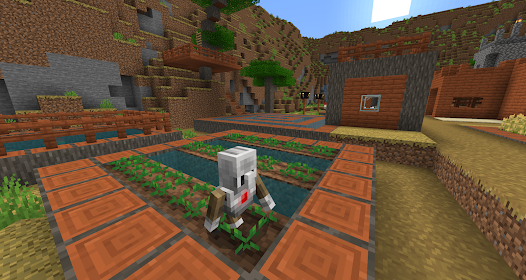
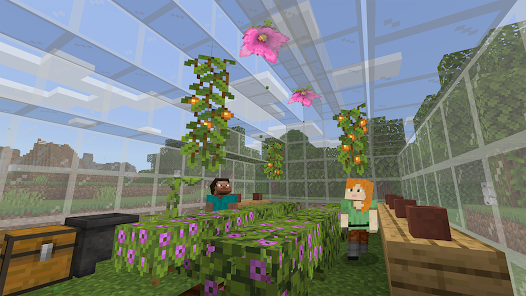
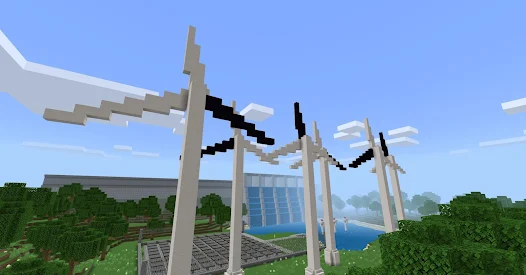
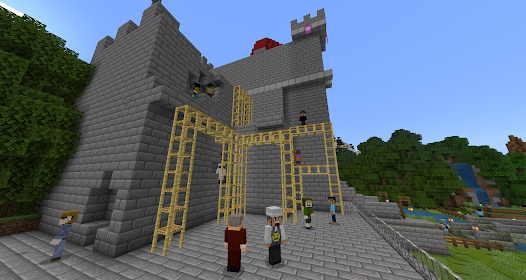
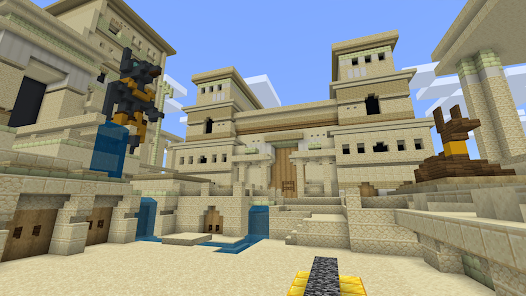
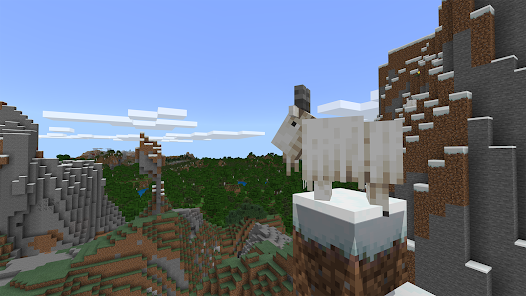
Minecraft Education is a game-based platform that inspires creative, inclusive learning through play. Explore blocky worlds that unlock new ways to tackle any subject or challenge.
Dive into subjects like reading, math, history, and coding with lessons and standardized curriculum designed for all types of learners. Or explore and build together in creative open worlds.
USE IT YOUR WAY With hundreds of ready-to-teach lessons, creative challenges...
THIS APP IS FOR SCHOOL AND ORGANIZATIONAL USE. Minecraft Education is a game-based platform that inspires creative, inclusive learning through play. Explore blocky worlds that unlock new ways to tackle any subject or challenge. Dive into subjects like reading, math, history, and coding with lessons and standardized curriculum designed for all types of learners. Or explore and build together in creative open worlds. USE IT YOUR WAYWith hundreds of ready-to-teach lessons, creative challenges, and blank canvas worlds, there are lots of ways to make Minecraft Education work for your students. It’s easy to get started, no gaming experience necessary. PREPARE STUDENTS FOR THE FUTUREHelp learners develop key key skills like problem solving, collaboration, digital citizenship, and critical thinking to help students them thrive now and in the future workplace. Spark a passion for STEM. GAME-BASED LEARNINGUnlock creativity and deep learning with immersive content created with partners including BBC Earth, NASA, and the Nobel Peace Center. Inspire students to engage in real-world topics with culturally relevant lessons and build challenges. KEY FEATURES
Download Minecraft Education
Get the official app from the trusted app stores. You will be redirected to the download page.
When you purchase through links on our site, we may earn an affiliate commission. Learn more
Ratings breakdown
136,000 reviewsDeveloper contact
Name
Microsoft Corporation
Address
1 Microsoft Way Redmond, WA 98052 United States
Website
http://aka.ms/mcedusupportPhone
+1 800-642-7676
Support
support@minecrafteducationedition.zendesk.com
Privacy
View policyFrequently Asked Questions
Is Minecraft Education a free app? high
Yes, Minecraft Education is free to download. However, it is designed for school and organizational use, and a subscription license is required to play. The license can be purchased with admin access to a Microsoft 365 Admin Center account.
Source: app_metadata, app_description
Can I play Minecraft Education on my Android device with friends? high
Yes. The app features multiplayer mode that enables collaboration in-game across platforms, devices, and hybrid environments. A user review also mentions being able to add friends to parties for building challenges.
Source: app_description, user_reviews
Is Minecraft Education just like the regular Minecraft game? high
Based on user reviews and the description, it is very similar to regular Minecraft but with added educational features. Users describe it as 'really just Minecraft' and 'like Minecraft, but with Education features.' It includes core gameplay like building, crafting, survival, and creative modes.
Source: user_reviews, app_description
What are the system requirements for Minecraft Education on Android? high
According to the app listing, Minecraft Education requires Android 8.0 or higher.
Source: app_metadata
I'm having trouble logging into the app. What should I do? medium
One user reported an issue where entering their school email results in a 'Something went wrong' message. The app's troubleshooting advice typically suggests checking your internet connection. For persistent login issues, it's best to contact your school's tech lead or IT administrator, as they manage the Microsoft 365 accounts needed for licensing.
Source: user_reviews, app_description
How to Use
Minecraft Education is a game-based learning platform designed for schools and organizations, offering lessons and creative worlds for subjects like reading, math, history, and coding. (app_description)
Getting Started
Source: app_description_and_user_feedback_noted
- Step 1: Ensure your device runs Android 8.0 or higher, then download and install the app from the Google Play Store.
- Step 2: To use the app, you need a school or organization subscription. Obtain a Minecraft Education license through your school's Microsoft 365 Admin Center account.
- Step 3: Launch the app and sign in with your school email account (provided by your institution).
- Step 4: Explore the available libraries of 'Hundreds of ready-to-teach lessons, creative challenges, and blank canvas worlds' to find content that fits your class or personal learning goals.
Key Features (from app listing)
Source: app_description
- Multiplayer mode enables collaboration in-game across platforms, devices, and hybrid environments
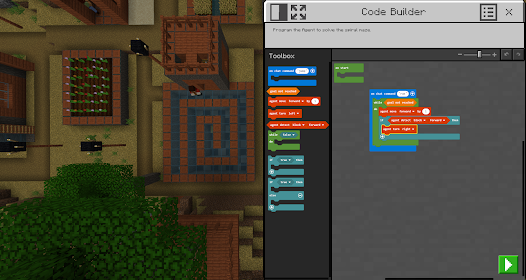
- Code Builder supports block-based coding, JavaScript, and Python with an intuitive interface and in-game execution
- Immersive Reader helps players read and translate text
- Camera and Book & Quill items allow documentation and export of in-game creations
This tip is derived from user review #5 describing a login error ('Something went wrong') and the app description which states 'Minecraft Education licenses can be purchased with Admin access to a Microsoft 365 Admin Center account.' The tip addresses the potential mismatch between the user's action and the backend licensing setup.
How this content was created
Content type: pattern_analysis_of_user_reviews_and_metadata
AI generated: Yes
- Google Play user reviews (12-20 preferred; may be smaller if source data is limited per app), Date range of available reviews: February 23, 2024 to March 24, 2026
- Google Play ratings distribution
- App Store listing metadata
- Review samples are not statistically representative of all user sentiment
- High-engagement negative reviews can overrepresent complaints
- Claims labeled 'low confidence' are based on single-review observations only
- No real-world app testing was conducted
- Feature availability may vary by region, device, and app version
- The sample for this analysis was limited to 5 recent reviews; likelihood of missing important patterns (e.g., complaints about bugs or praise for specific educational content) is higher than usual.
Pros & Cons
Based on analysis of Google Play user reviews
Pros
- Provides a fun, creative, and calming experience similar to regular Minecraft
Theme 'Enjoyable and calming gameplay' identified in recent_review #1, #3, and #4
- Offers educational features like lessons and creative challenges integrated into gameplay
Theme 'Educational integration' identified in recent_review #2, #3, and #4
- Allows multiplayer collaboration and building with friends in a school setting
Theme 'Multiplayer and social features' identified in recent_review #2 and #3
Cons
- Login issues with school email prevent access to worlds and projects
Theme 'Login difficulties' identified in recent_review #5
- Requires payment for full access, unlike regular Minecraft
Theme 'Payment requirement' identified in recent_review #3
- Some users experience technical issues like loading errors
Theme 'Technical issues' identified in recent_review #5
Recent Reviews
Keila Baez
5★this app keeps me calm evey day and I love playing you should play It because there's a lot of things you can Build. You can kill animals to eat. You can go in survival mode, you can go into creative mode, it's really fun and if you keep going, you're going to find new stuff that you could build, and you can belt underground, you can build up like on the ground, but I'd rather build underground, because it's more easier for me, because then there's more space O k bye.
Axelilin (Axelilen)
5★Exactly the experience I needed! I wanted for so long for my school to add my favorite games into the curriculum, and they did! Now I zoom to my computer just to hop on the school server first and honestly it's great. Having different blocks in the game too is awesome, I just recently downloaded some texture packs and it was a great experience. But with the new blocks, I was able to make so many mini games. I even posted it on the internet. And now, I have like $24.61¢ worth of minecoin, thanks!
Danika Luvene
5★It is Very good, and you could be very carative. And it's fun because it is really just Minecraft. And I have a lot of pumpkin. Escape different obstacles and being able to add my friends to my parties. And we could build stuff and have buil challenges. And do all types of stuff. You get downloaded on basically it device and you are to pay for it in a special victory as regular Minecraft. That's why I like it so much. It is Very good, and you could be very carative. And it's fun and In the zoo
Ezeckiel Burnett
5★I love Minecraft Education! it's like Minecraft, but with Education features. I can dive into a world of building, crafting, and survival in the ultimate sandbox builder, but with Education features. I can gather resources, survive at night, and build whatever I can imagine with one block at a time. I'll explore and craft my way through a completely open world with friends, build a block city, start a farm, and more! And for the education side, with hundreds of lessons, and creative challenges!
Carter Backman
3★It's a good game. If you're looking for a free version of Minecraft that isn't a ripoff, download this. But I sometimes have some trouble logging into my worlds. I put in my school email, it does some loading then the same screen always pops up: Something went wrong. Try checking your internet connection. I do but it doesn't help. Please fix this issue so that I can access my project.