By App Discoverer Editorial Team · Updated October 1, 2026

Pandora - Music & Podcasts




Overview
Music & Audio
Pandora
Free
No
Features
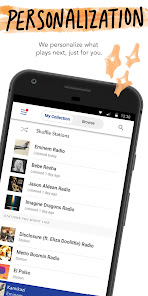
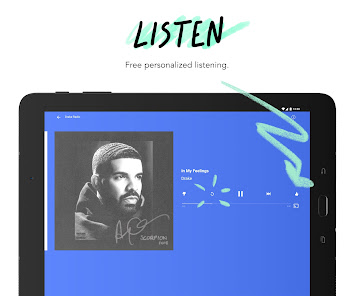
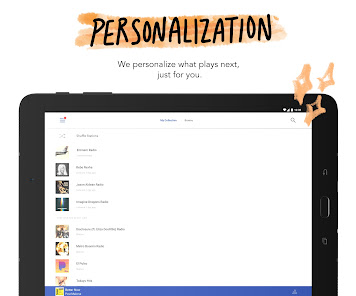
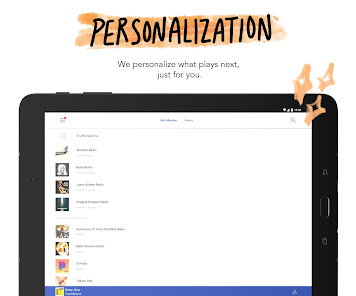
Pandora gives you a personalized listening experience that continually evolves with your tastes.
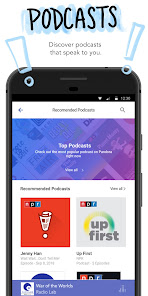
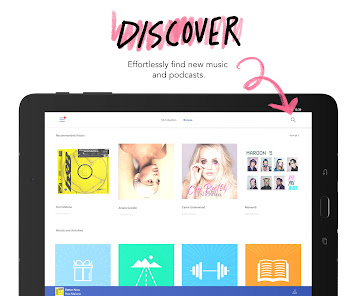
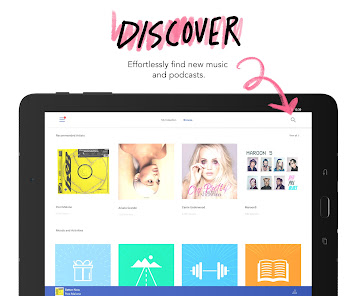
Create stations from your favorite songs, artists or genres, search or browse to find recommended stations for your mood or activity, and discover podcasts that speak to you. Download today and get instant access to your favorite artists and podcasts, while staying up to date on the most recent singles and releases. From rap and pop to rock and country, play your favorite artists and stay up to dat...
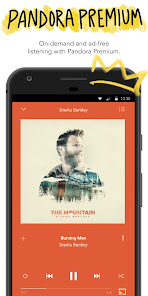
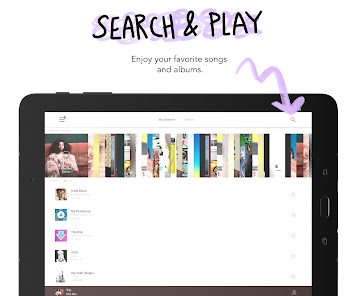
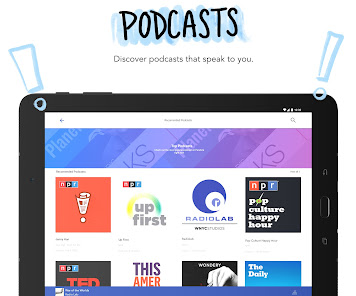
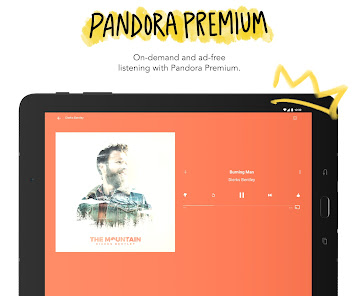
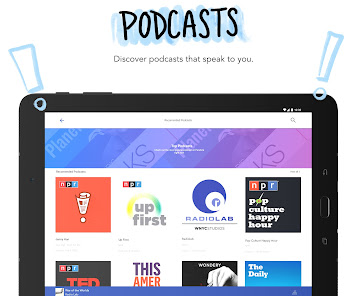
Pandora gives you a personalized listening experience that continually evolves with your tastes. Create stations from your favorite songs, artists or genres, search or browse to find recommended stations for your mood or activity, and discover podcasts that speak to you. Download today and get instant access to your favorite artists and podcasts, while staying up to date on the most recent singles and releases. From rap and pop to rock and country, play your favorite artists and stay up to date on today’s top hits and releases. Start streaming all of the current global hits and enjoy your own personalized music experience. Take Pandora with you wherever you go with Android Auto for your daily commute or your next road trip. Enjoy your own personalized music or podcast experience from anywhere on the world’s most powerful music discovery platform. The new voice mode lets you search, play, pause, skip adjust volume & thumb up music with a simple voice command. Start streaming your favorite artist, song, genre, or podcast instantly today for free in your car. Take your favorite stations with you—right from your wrist using Wear OS. Perfect for workouts, walks, or when you’re traveling light. No phone? No problem. Stream music directly over Wi-Fi or cellular. With Podcasts on Pandora, find your favorites and listen to personalized recommendations that actually make sense. Just search on your mobile phone or tablet and play to start listening, then tap + to add to your collection. Find something new by simply browse and tap recommended podcasts including SiriusXM shows, on-demand whether you're on Pandora Premium, Plus or Radio. Looking for more? Meet Pandora Modes
Download Pandora - Music & Podcasts
Get the official app from the trusted app stores. You will be redirected to the download page.
Official Links
When you purchase through links on our site, we may earn an affiliate commission. Learn more
Ratings breakdown
3,360,000 reviewsDeveloper contact
Name
Sirius XM Radio LLC
Address
1221 Avenue OF The Americas FL 35 New York, NY 10020-1015 United States
Website
http://www.pandora.comPhone
+1 800-689-6881
Support
pandora-support@pandora.com
Privacy
View policyFrequently Asked Questions
Is Pandora free to use? high
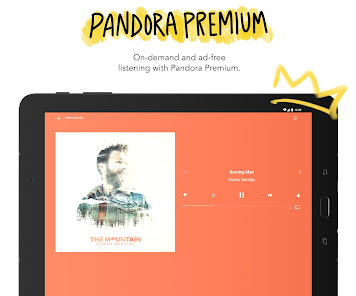
Yes, Pandora offers a free, ad-supported tier. You can create stations and listen to music with short ads. For ad-free listening, offline downloads, and on-demand playback, subscriptions are available: Pandora Plus at $5.99/month and Pandora Premium at $10.99/month.
Source: app_metadata, app_description
Does Pandora work offline? medium
Yes, but offline listening is a subscription feature. Pandora Plus and Premium subscribers can download music for offline listening. Free users cannot download songs. Note: Some users report a bug where the app automatically enters offline mode even with network signal.
Source: app_description, user_reviews
Can I listen to Pandora in my car? high
Yes, Pandora supports Android Auto, allowing you to control the app from your car's display for daily commutes or road trips.
Source: app_description
Does Pandora have podcasts? high
Yes, Pandora includes podcasts alongside music. You can search for podcasts, get personalized recommendations, and add them to your collection for free.
Source: app_description
What are Pandora Modes? high
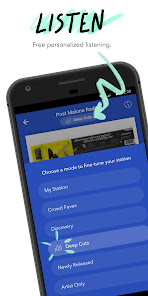
Pandora Modes let you customize your station's sound. You can choose from six modes: My Station, Crowd Faves, Deep Cuts, Discovery, Newly Released, and Artist Only to change the type of music you hear.
Source: app_description
How to Use
Pandora is a personalized music and podcast streaming service that creates stations based on your favorite songs, artists, or genres, and offers on-demand playback and offline listening with a subscription. (app_description)
Getting Started
Source: app_description_and_user_feedback_noted
- Download the Pandora app from Google Play and open it.
- Sign up for a free account or log in with your existing Pandora account.
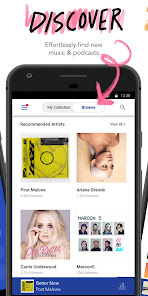
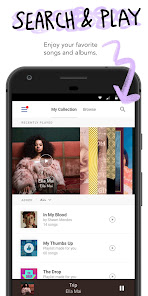
- Start by typing a song, artist, genre, or podcast in the search bar, or browse curated recommendations.
- Tap the play button on a station or podcast to begin listening. Use thumbs up/down to personalize your experience.
Key Features (from app listing)
Source: app_description
- Personalized radio stations based on songs, artists, or genres.
- Pandora Modes: six ways to customize your station (My Station, Crowd Faves, Deep Cuts, Discovery, Newly Released, Artist Only).
- Podcast discovery with personalized recommendations and on-demand listening.
- Voice mode for hands-free control: search, play, pause, skip, and adjust volume.
- Android Auto integration for in-car listening.
- Wear OS support for streaming directly from your smartwatch.
- Offline listening (with subscription) and higher audio quality.
This tip is responsive to the verified user complaint about the app automatically entering offline mode (Review #3, recent_reviews, rating 2). Force-closing and restarting is a standard troubleshooting step for persistent network-related app bugs.
How this content was created
Content type: pattern_analysis_of_user_reviews_and_metadata
AI generated: Yes
- Google Play user reviews (12-20 preferred; may be smaller if source data is limited per app), February 2025 to February 2026
- Google Play ratings distribution
- App Store listing metadata
- Review samples are not statistically representative of all user sentiment.
- High-engagement negative reviews can overrepresent complaints.
- Claims labeled 'low confidence' are based on single-review observations only.
- No real-world app testing was conducted.
- Feature availability may vary by region, device, and app version.
- Only 5 recent reviews were available; no high-engagement or mixed sample buckets were provided, limiting the analysis scope.
Pros & Cons
Based on analysis of Google Play user reviews
Pros
- The app's music discovery algorithm is praised by a long-term user as one of the best streaming app features. low
Theme 'algorithm quality' identified in 1 recent review. Review #2 (1-star) specifically praises the playlist algorithm as 'amazing' despite a low rating.
Evidence (1)
“The only reason I'm giving 2 stars is because the algorithm of the playlists are amazing.”Rating: 1★ February 14, 2026 79 likes - The free ad-supported tier is considered better than competitors like Spotify by one user, who values short ads for 30-minute music blocks. low
Theme 'ad model satisfaction' identified in 1 recent review. Review #1 (5-star) explicitly compares Pandora favorably to Spotify, noting a short ad gives 30 minutes of uninterrupted music.
Evidence (1)
“I use the standard and I only have to listen to one short add and I get 30mins of music, but after a while of listening to an add and playing 30 mins of music they say something like "We know you love our music"”Rating: 5★ February 21, 2026 71 likes
Cons
- App freezes and crashes frequently, reported by a long-term user as a recent and ongoing issue. low
Theme 'freezing/crashing' identified in 1 recent review. Review #2 (1-star) states the app 'constantly freezes' as a primary frustration.
Evidence (1)
“It constantly freezes. And it”Rating: 1★ February 14, 2026 79 likes - A persistent bug forces the app into offline mode automatically even with a strong network signal, requiring manual intervention. low
Theme 'offline mode bug' identified in 1 recent review. Review #3 (2-star) describes the app automatically entering offline mode despite full cellular bars, and the mode 'refuses to turn off' for a period.
Evidence (1)
“nearly every time I open the app without fail, it will automatically put me in offline mode even though I have full bars. it's very frustrating and it refuses to turn off of offline mode for at ”Rating: 2★ February 11, 2026 33 likes - In-app errors prevent users from adding favorite artists as stations or to existing stations, with a generic 'unexpected error occurred' message. low
Theme 'artist station error' identified in 1 recent review. Review #4 (3-star) reports being unable to add many favorite artists due to a persistent error, and requests a feature to request specific songs/artists.
Evidence (1)
“I can't add the majority of my favorite artists as stations or as variety to stations. Just keep being told "an unexpected error occurred."”Rating: 3★ April 26, 2025 602 likes - Users cannot unlike songs they previously liked, and the 'liked songs' tab does not provide an option to remove songs, with songs often displayed out of date. low
Theme 'unlike song bug' identified in 1 recent review. Review #5 (3-star) reports being unable to unlike songs liked years ago, no remove option in the 'liked songs' tab, and a delay in updates.
Evidence (1)
“it doesn't let me unlike songs I had liked years ago, just tells me there's been an issue. The "liked songs" tab also doesn't give you an option to unlike songs in general, and it's always out of date.”Rating: 3★ February 02, 2025 467 likes - The free tier's ad experience includes a message after the standard ad+music cycle that some users may find intrusive or confusing, as reported by a positive reviewer. low
Theme 'ad messaging' identified in 1 recent review. Review #1 (5-star) notes that after a period of using the free tier, the app displays a message: 'We know you love our music', which could be perceived as a soft interruption.
Evidence (1)
“after a while of listening to an add and playing 30 mins of music they say something like "We know you love our music"”Rating: 5★ February 21, 2026 71 likes
Recent Reviews
Rosalyn Mulder
5★I listen to music every day! This app is what I use and I think its better than Spotify. I use the standard and I only have to listen to one short add and I get 30mins of music, but after a while of listening to an add and playing 30 mins of music they say something like "We know you love our music" and they won't let you play your own playlists or chose songs, but you can still listen to the stations you have. I understand but I love music so I just get a little sad when that happens.
Lorenzo S
1★I've been using Pandora for a long time, since it first came out. It was the best streaming app in my opinion, but not anymore. The only reason I'm giving 2 stars is because the algorithm of the playlists are amazing. Other than that, I would give it 0 stars if I could. It constantly freezes. And it happens all day. So I can't use this app anymore. I'm going to another music streaming app. Edit: I came back here to adjust my rating. I would give it 0 stars but 1 star is the lowest I can go.
Rainbow Squiddy
2★the app is overall great and I enjoy being able to listen to music at work, however I have one big issue. nearly every time I open the app without fail, it will automatically put me in offline mode even though I have full bars. it's very frustrating and it refuses to turn off of offline mode for at least 5 minutes, it's gotten to the point where I am about ready to cancel my subscription and never use this app again!! deleting and reinstalling the app, clearing the cache does nothing.
Christina Bennetts
3★It's fine, but I can't add the majority of my favorite artists as stations or as variety to stations. Just keep being told "an unexpected error occurred." I understand there's a lot of music and more every day, but it would be nice if you added an option in app to request certain songs or artists to be added. As it stands Pandora is pretty useless to me without most of my favorite songs. Edit. The issue isn't something that needs "troubleshooting". You just haven't added most of my fav artists.
Samantha Smith
3★I've been using this app since I was about 11... and it doesn't let me unlike songs I had liked years ago, just tells me there's been an issue. The "liked songs" tab also doesn't give you an option to unlike songs in general, and it's always out of date. Hit like on a song but I have to wait weeks until it shows. The amount of pop ups is also starting to get ridiculous. My "top artists" are still from when I let my coworker use my pandora for a few hours two years ago???