By App Discoverer Editorial Team · Updated October 1, 2026

VicoHome: Smart Home Camera
Overview
Video Players & Editors
vicohome team
Free
Nov 12, 2020
4.1.0
7.0
$0.99 - $999.99 per item
No
May 12, 2026
Features
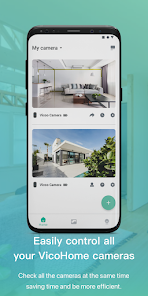
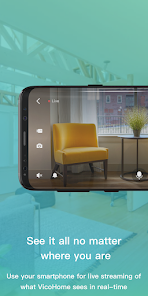
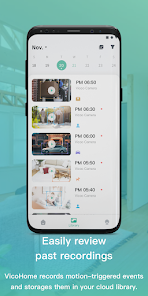
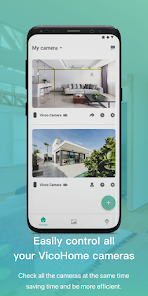
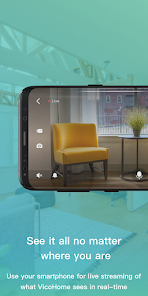
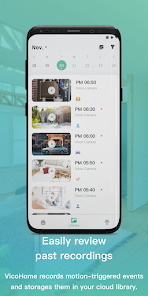
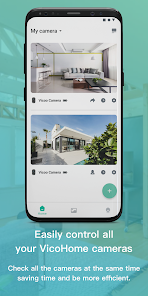
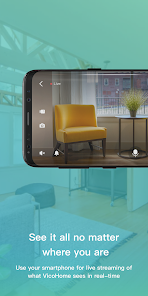
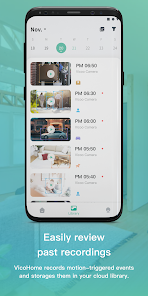
Connect with your smart devices through VicoHome (Vicoo). From the live screen of VicoHome, you can connect your own camera anytime and anywhere to observe the situation at home. At the same time, you can view the past video that the camera has recorded without missing any details.
Connect with your smart devices through VicoHome (Vicoo). From the live screen of VicoHome, you can connect your own camera anytime and anywhere to observe the situation at home. At the same time, you can view the past video that the camera has recorded without missing any details.
Download VicoHome: Smart Home Camera
Get the official app from the trusted app stores. You will be redirected to the download page.
When you purchase through links on our site, we may earn an affiliate commission. Learn more
Ratings breakdown
45,500 reviewsDeveloper contact
Name
VICO TECH PTE. LTD.
Address
21 BUKIT BATOK CRESCENT #12-75 WCEGA TOWER Singapore 658065
Website
https://www.addx.aiPhone
+65 8084 1479
Support
vicohome.app@gmail.com
Privacy
View policyFrequently Asked Questions
Is VicoHome: Smart Home Camera free to download? high
Yes. The app metadata lists VicoHome: Smart Home Camera as free, with in-app purchases listed as $0.99 - $999.99 per item.
Source: app_metadata
What do sampled users complain about in VicoHome: Smart Home Camera? medium
VicoHome: Smart Home Camera has sampled reports of video, audio, or media playback problems. 2 sampled reviews or 1 sampling buckets support this theme.
Source: user_reviews
What do sampled users like about VicoHome: Smart Home Camera? low
VicoHome: Smart Home Camera is praised by sampled reviewers as easy, useful, or convenient. Only 1 sampled review supports this theme, so confidence is low.
Source: user_reviews
How to Use
Connect with your smart devices through VicoHome (Vicoo). (app_description)
Getting Started
Source: app_description_and_user_feedback_noted
- Install VicoHome: Smart Home Camera from the appropriate app store.
- Open the app and start with the free experience.
- Review the main features described in the app listing.
- Check settings or support resources if you run into sampled issue patterns such as vicohome: smart home camera has sampled reports of video, audio, or media playback problems.
Key Features (from app listing)
Source: app_description
- Video Players & Editors app experience
- Free download
- From vicohome team
- 1,000,000+ downloads listed
Theme 'easy, useful, or convenient to use' identified in recent_reviews #2. Review #2 praises easy, useful, or convenient to use.
How this content was created
Content type: pattern_analysis_of_user_reviews_and_metadata
AI generated: Yes
- Google Play user reviews (12-20 preferred; may be smaller if source data is limited per app), May 04, 2026 to January 09, 2025
- Google Play ratings distribution
- App Store listing metadata
- Review samples are not statistically representative of all user sentiment
- High-engagement negative reviews can overrepresent complaints
- Claims labeled 'low confidence' are based on single-review observations only
- No real-world app testing was conducted
- Feature availability may vary by region, device, and app version
Pros & Cons
Based on analysis of Google Play user reviews
Pros
- Available on Google Play with broad device compatibility low
Based on app availability data
Cons
- Some users report issues: "Camera is great and app has potential. But it rarely identifies a bird correctly. It labels it as the wrong species or thinks it's a person or pet. Th" low
Identified from 3 low-rated user review(s)
Evidence (3)
“Camera is great and app has potential. But it rarely identifies a bird correctly. It labels it as the wrong species or thinks it's a person or pet. This isn't that big of a deal, except that my feathe”Rating: 1★ January 09, 2025 90 likes“I have cameras installed in my garage, and there is activity in there all day long.For the past month, the app has been going days without storing any recordings — like nothing happened that day. It a”Rating: 1★ May 15, 2026 1 likes“Update made app worse! when my apps have choices I need to make but they are in another language....I am not comfortable using the app!!!. This is where it is located for me: In app, go to library, ch”Rating: 1★ April 29, 2026 3 likes
Recent Reviews
Christy K
1★Camera is great and app has potential. But it rarely identifies a bird correctly. It labels it as the wrong species or thinks it's a person or pet. This isn't that big of a deal, except that my feathered visitors section is full of errors that (according to the dev) can't be removed. I was really looking forward to keeping track of the birds that have REALLY visited. Plus, getting notifications (in error) that there's a person in your yard is a bit alarming/annoying.
John Weidner
3★Setup was easy. UI for rest of app, especially viewing and deleting videos from the bird feeder, is clunky and not intuitive. Since videos are best viewed in landscape mode, it would be nice if the list of videos could also be viewed in landscape mode so that you could switch back and forth between those two screens without having to keep rotating your phone. Would also like a Widget that displayed the most recent photo from a selected camera.
Debbie
1★I have cameras installed in my garage, and there is activity in there all day long.For the past month, the app has been going days without storing any recordings — like nothing happened that day. It also randomly deletes recordings from other days for no known reason. Last night, I reviewed Monday’s activity because we have a missing animal, and there were plenty of recordings to view. This morning, they are ALL GONE. Tuesday has no recordings at all.
Kimberly Edwards
1★Update made app worse! when my apps have choices I need to make but they are in another language....I am not comfortable using the app!!!. This is where it is located for me: In app, go to library, choose local, click on down arrow: Shows camera as an option. Green bar underneath has another language on it. Am I the only one? Also I would like the option to record 24/7 to MY sd card restored.
Tasha
2★The cameras have great color and night vision video quality. They send alerts a couple seconds after motion has been detected, but my issue is having to go and reboot the cameras every 3 days because they keep going offline. I have very great internet service so I don't know why they keep doing that. It's kind of a pain because I have to get the ladder out each time. Other than that the cameras video is great quality.