By AppHub Editorial Team · Updated August 3, 2026

Tile: Making Things Findable










Overview
Lifestyle
Tile Inc.
Free
Dec 16, 2014
2.143.0
9
$2.99 - $99.99 per item
No
Apr 2, 2026
Features
Tile by Life360 helps you keep track of your things. Find misplaced things nearby and far away. Add a Premium plan for the most robust finding experience for all your Tiles.
FIND KEYS, WALLETS & MORE
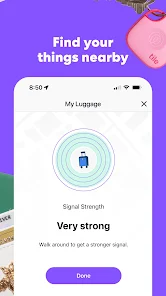
FIND NEARBY-
FIND FAR AWAY -
Tile by Life360 helps you keep track of your things. Find misplaced things nearby and far away. Add a Premium plan for the most robust finding experience for all your Tiles. FIND KEYS, WALLETS & MORE
Download Tile: Making Things Findable
Get the official app from the trusted app stores. You will be redirected to the download page.
When you purchase through links on our site, we may earn an affiliate commission. Learn more
Ratings breakdown
264,000 reviewsDeveloper contact
Name
Life360, Inc.
Address
1900 S Norfolk St Ste 310 San Mateo, CA 94403-1171 United States
Website
http://www.thetileapp.comPhone
+1 415-212-9210
Support
support@tile.com
Privacy
View policyFrequently Asked Questions
Is the Tile app free to use? high
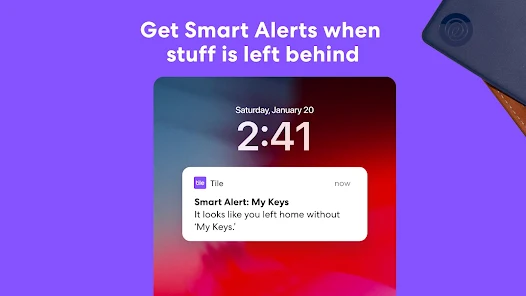
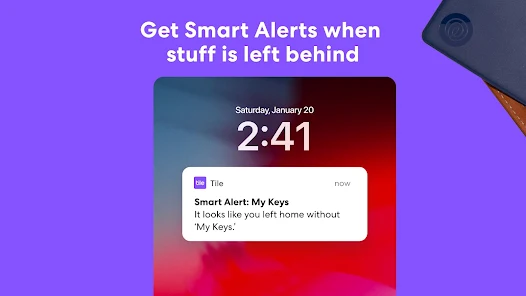
The Tile app is free to download, but requires a purchase of Tile hardware. Basic functionality like finding nearby Tiles and using the Tile Network is free. Premium plans are offered for features such as Smart Alerts (leave-behind notifications), with a 30-day free trial for new users.
Source: app_metadata, app_description
You have subscription complaints for basic features? low
One recent review, out of a small sample of 5, criticizes the requirement for a subscription to use the 'leave behind' notification feature, calling it a downside. The app description confirms that Smart Alerts are a Premium feature.
Source: recent_reviews, app_description
Does the Tile app work with Amazon Alexa or Google Assistant? high
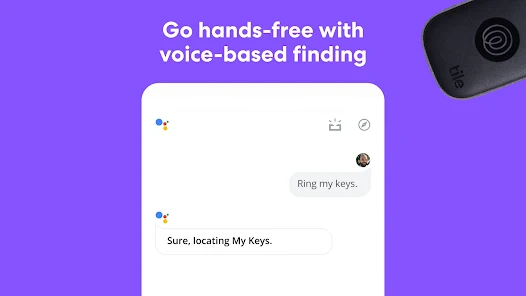
Yes. The app listing states Tile works with Amazon Alexa and Google Assistant. You can sync your Tile account in the Alexa App or Google Home app to ask your smart home device to find your Tiles.
Source: app_description
Why can't my phone connect to my Tile? low
The app uses Bluetooth Low Energy (BLE) to communicate with Tiles. One recent user review reports that the phone fails to connect even a 'few feet away' from the Tile, and the 'find' button may not appear. While this is noted as a potential issue, ensuring Bluetooth is enabled and the app has location permissions is recommended.
Source: user_reviews, app_metadata
How to Use
Tile by Life360 is a Bluetooth tracker app that helps you find misplaced keys, wallets, and other items using your phone, the Tile Network, and smart home devices. (app_description)
Getting Started
Source: app_description_and_user_feedback_noted
- Step 1: Purchase a compatible Tile device (e.g., Mate, Slim, Pro).
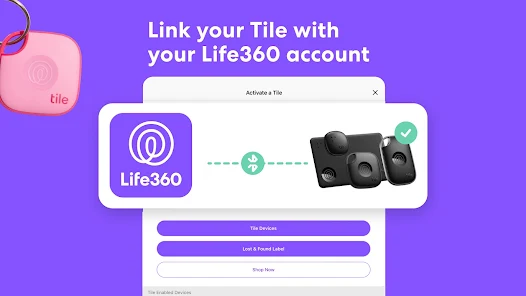
- Step 2: Download the Tile app from the Google Play Store and create a Tile account.
- Step 3: Ensure Bluetooth and Location Services are enabled on your Android device, as the app uses BLE and GPS.
- Step 4: Follow the in-app instructions to pair your Tile device with your phone.
- Step 5: If you want features like Smart Alerts for leaving things behind, consider starting a free trial of a Premium Plan.
Key Features (from app listing)
Source: app_description
- Bluetooth finding: Ring your Tile when it's within Bluetooth range.
- Map view: See your Tile's most recent location when out of Bluetooth range.
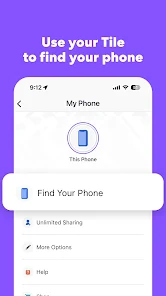
- Phone finder: Double-press your Tile to make your phone ring, even on silent.
- Tile Network: Use millions of other Tile users to help locate a lost item.
- Smart Home Integration: Works with Amazon Alexa and Google Assistant.
- Loss Alert (Premium): Get notified if you leave a Tile behind.
- Item Reimbursement (US Premium): Get reimbursed if a lost item can't be found by Tile.
This tip is directly responsive to a verified user complaint. Review #3 (recent_reviews, May 2025) states that updating the app to fix a missing 'find' button caused the button to disappear from a second Tile as well.
How this content was created
Content type: pattern_analysis_of_user_reviews_and_metadata
AI generated: Yes
- Google Play user reviews (5 per app), December 4, 2024 – March 19, 2026
- Google Play ratings distribution
- App Store listing metadata
- Review sample is not statistically representative of all user sentiment.
- Only 5 recent reviews were available. This is a very small sample.
- No high-engagement negative or positive reviews were available, which limits the ability to understand the most impactful issues or praised features.
- No ratings_distribution data provided, so overall health of ratings cannot be used as context.
- Claims labeled 'low confidence' are based on single-review observations only.
- Claims labeled 'medium confidence' are based on two reviews within the same sample bucket.
- No real-world app testing was conducted.
- Feature availability may vary by region, device, and app version.
Pros & Cons
Based on analysis of Google Play user reviews
Pros
- The Tile app effectively helps find lost items when they are in busy areas with many users.
Theme 'Effective in busy areas' identified in recent_review #2
Evidence (1)
“Mostly, this app is good, and if your Tile is in a busy area with plenty of potential users around, you'll get useful location pings”Rating: 4★ September 18, 2025 38 likes - The app integrates with smart home devices like Amazon Alexa and Google Assistant for hands-free finding.
Feature mentioned in app description
Evidence (1)
“Tile works with Amazon Alexa & Google Assistant, so finding is easier than ever.”Rating: 5★ N/A - The app provides a map view showing the Tile's most recent location for finding items far away.
Theme 'Map location feature' identified in recent_review #2 and #3
Evidence (2)
“when you click on the most recent location, you're presented with a page full of circles and no way of knowing for sure which one was the most recent.”Rating: 4★ September 18, 2025 38 likes“when I go to the map view, it appears to be frozen - I can't zoom or pan the map to help find the location.”Rating: 1★ May 26, 2025 56 likes
Cons
- The app frequently fails to connect to Tiles, even when they are nearby, preventing them from ringing.
Theme 'Connection failures' identified in recent_review #1
Evidence (2)
“You can be just a few feet away from them and your phone won't connect. You won't get the 'find' button to even show up on your app half the time”Rating: 1★ February 26, 2025 94 likes“the 'find' but was missing on one, so I updated the app, and now it's missing on both.”Rating: 1★ May 26, 2025 56 likes - The app's map view is often frozen or unresponsive, hindering location tracking.
Theme 'Map view issues' identified in recent_review #3
Evidence (2)
“when I go to the map view, it appears to be frozen - I can't zoom or pan the map to help find the location.”Rating: 1★ May 26, 2025 56 likes“when you click on the most recent location, you're presented with a page full of circles and no way of knowing for sure which one was the most recent.”Rating: 4★ September 18, 2025 38 likes - The app requires a subscription for basic features like 'leave behind' notifications, which feels like a cash grab.
Theme 'Subscription required for basic features' identified in recent_review #5
Evidence (1)
“Tile makes you buy a subscription for the functionality of being notified when something is left behind. I'd give it 4 stars otherwise, but everybody (including Tile) is just looking to milk you for more constantly.”Rating: 1★ March 19, 2026 3 likes
Recent Reviews
Greg Matthews
1★Does NOT work. You can be just a few feet away from them and your phone won't connect. You won't get the "find" button to even show up on your app half the time so you can't ask them to ring, and even when you do press the find button, it won't even ring. The app just sits there with an animation as if it's making the tile ring but no sound comes out. Even if it's sitting right in front of you unobstructed! COMPLETE junk and a waste of money. Great idea, HORRIBLE execution. Don't even bother.
Pam Jgmail
4★Mostly, this app is good, and if your Tile is in a busy area with plenty of potential users around, you'll get useful location pings BUT. They need to make the most recent location marker a different color because when your Tile has passed a place frequently, when you click on the most recent location, you're presented with a page full of circles and no way of knowing for sure which one was the most recent. It's unnecessarily annoying! Just make it red or yellow or something!
Isaac Frazier
1★basic functions are not working. I have 2 tiles. the "find" but was missing on one, so I updated the app, and now it's missing on both. Also, when I go to the map view, it appears to be frozen - I can't zoom or pan the map to help find the location. So the 2 most basic functions of the app appear to be broken. Hopefully they devs get this fixed soon... I'm about to leave on a trip where I was planning to use my tiles, but now may be forced to find another option. disappointing.
Richard Long (Richard Long)
4★TLDR: Great Product. App login/account creation needs improvements. Creating an account in the app is kind of a PITA. I already had an account which I forgot about but when I put in my email and password to make a new account it just said "Email and Password don't match" instead of "This account already exist" so it took me 5 minutes to figure out how to login rather than the 30 seconds it should've taken me. Which after finally logging in it literally took 15 seconds. It was awesome.
Reed R
1★Everything works ok. The range isn't that great. The buttons on the devices are susceptible to being pressed erroneously in pocket. Tile makes you buy a subscription for the functionality of being notified when something is left behind. I'd give it 4 stars otherwise, but everybody (including Tile) is just looking to milk you for more constantly. I already spent money on the product. I probably won't be buying any more Tiles based on that. Otherwise, I've been pretty happy with it.