By AppHub Editorial Team · Updated August 3, 2026

USPS MOBILE®



Overview
Business
United States Postal Service®
Free
Oct 23, 2023
6.2.1
6.0
No
Feb 24, 2025
Features
To all USPS Mobile® app customers, we recommend downloading the updated USPS Mobile® application. This USPS Mobile® application was created to be compatible with newer Android phones. We have also fixed bugs within the app. To receive updates to your USPS Mobile® app, please download the app here.
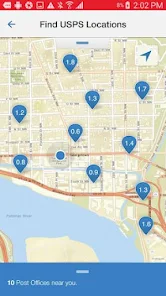
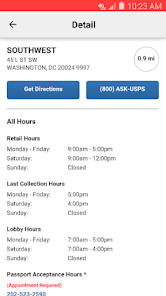
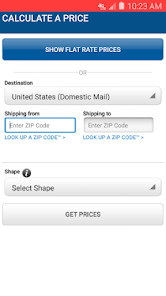
Access popular USPS. com® tools on the go with the “USPS Mobile®” app: calculate shipping prices (limitations apply), find a Post Office ™, look up a ZIP Code™, schedule a next-day pickup, request USPS...
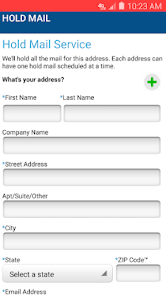
To all USPS Mobile® app customers, we recommend downloading the updated USPS Mobile® application. This USPS Mobile® application was created to be compatible with newer Android phones. We have also fixed bugs within the app. To receive updates to your USPS Mobile® app, please download the app here. Access popular USPS. com® tools on the go with the “USPS Mobile®” app: calculate shipping prices (limitations apply), find a Post Office ™, look up a ZIP Code™, schedule a next-day pickup, request USPS to hold your mail, access Informed Delivery® to track packages and digitally preview incoming mail, and more.
Download USPS MOBILE®
Get the official app from the trusted app stores. You will be redirected to the download page.
When you purchase through links on our site, we may earn an affiliate commission. Learn more
Ratings breakdown
71,600 reviewsDeveloper contact
Name
UNITED STATES POSTAL SERVICE
Address
4200 Wake Forest Rd Raleigh, NC 27609 United States
Website
http://www.usps.comPhone
+1 919-673-1217
Support
mobilesupport@usps.gov
Privacy
View policyFrequently Asked Questions
Is USPS MOBILE® free to download? high
Yes. The app metadata lists USPS MOBILE® as free.
Source: app_metadata
What do sampled users complain about in USPS MOBILE®? low
USPS MOBILE® has sampled reports of bugs, crashes, lag, or reliability problems. Only 1 sampled review supports this theme, so confidence is low.
Source: user_reviews
What do sampled users like about USPS MOBILE®? low
USPS MOBILE® is praised by sampled reviewers as easy, useful, or convenient. Only 1 sampled review supports this theme, so confidence is low.
Source: user_reviews
How to Use
To all USPS Mobile® app customers, we recommend downloading the updated USPS Mobile® application. (app_description)
Getting Started
Source: app_description_and_user_feedback_noted
- Install USPS MOBILE® from the appropriate app store.
- Open the app and start with the free experience.
- Review the main features described in the app listing.
- Check settings or support resources if you run into sampled issue patterns such as usps mobile® has sampled reports of bugs, crashes, lag, or reliability problems.
Key Features (from app listing)
Source: app_description
- Look up a ZIP Code™ for any U.S. or Canadian address.
- Business app experience
- Free download
- From United States Postal Service®
- 1,000,000+ downloads listed
Theme 'easy, useful, or convenient to use' identified in recent_reviews #2. Review #2 praises easy, useful, or convenient to use.
How this content was created
Content type: pattern_analysis_of_user_reviews_and_metadata
AI generated: Yes
- Google Play user reviews (12-20 preferred; may be smaller if source data is limited per app), March 09, 2026 to April 14, 2025
- Google Play ratings distribution
- App Store listing metadata
- Review samples are not statistically representative of all user sentiment
- High-engagement negative reviews can overrepresent complaints
- Claims labeled 'low confidence' are based on single-review observations only
- No real-world app testing was conducted
- Feature availability may vary by region, device, and app version
Pros & Cons
Based on analysis of Google Play user reviews
Pros
- USPS MOBILE® is praised by sampled reviewers as easy, useful, or convenient. low
Theme 'easy, useful, or convenient to use' identified in recent_reviews #2. Review #2 praises easy, useful, or convenient to use.
Evidence (1)
“There's definitely some convenient tools though. The ability to stop mail, change your address, buy stamps, find zip codes and check prices. But, whenever I go to add a tracking number, I ha”Rating: 3★ May 05, 2026 1 likes - USPS MOBILE® is praised by sampled reviewers for working well or feeling reliable. low
Theme 'works well or feels reliable' identified in recent_reviews #4. Review #4 praises works well or feels reliable.
Evidence (1)
“e some time, especially the Informed Delivery function. It works well. The biggest issue is that there are often letters/cards/etc that are not logged in regardless of their size, shape, or ”Rating: 4★ April 01, 2026 10 likes
Cons
- USPS MOBILE® has sampled reports of bugs, crashes, lag, or reliability problems. low
Theme 'bugs, crashes, freezing, lag, or slow performance' identified in recent_reviews #1. Review #1 mentions bugs, crashes, freezing, lag, or slow performance.
Evidence (1)
“Very slow and doesn't propagate all your tracking right away, and some features like "informed delivery" still takes you to web browser. It doesn't stay within the app so you can make more s”Rating: 1★ April 14, 2025 130 likes - USPS MOBILE® has sampled complaints about search, organization, folders, or finding content. low
Theme 'search, organization, folders, or finding content' identified in recent_reviews #2. Review #2 mentions search, organization, folders, or finding content.
Evidence (1)
“The ability to stop mail, change your address, buy stamps, find zip codes and check prices. But, whenever I go to add a tracking number, I have to wait several seconds or it won't populate i”Rating: 3★ May 05, 2026 1 likes
Recent Reviews
Mario German
1★Very slow and doesn't propagate all your tracking right away, and some features like "informed delivery" still takes you to web browser. It doesn't stay within the app so you can make more specific changes like to account info, or to specific tracking number, or even file a dispute or make a complaint about a courier not following delivery instructions like you can with Amazon. Those changes can only be done via web version which negates the whole purpose of even using this app. Do better!
Nick Wright (YellowOni)
3★There's definitely some convenient tools though. The ability to stop mail, change your address, buy stamps, find zip codes and check prices. But, whenever I go to add a tracking number, I have to wait several seconds or it won't populate if I submit it. Speaking of submitting, when you go to enter a number on the landing page, you have to use the enter button to submit it. The submit button on screen doesn't work. The area to add tracking numbers on the tracking page, doesn't work at all.
4Eva NewYork59
2★In the beginning, it was very useful...Now? I don't know why my Informed Delivery part of the app has not worked in several days???. This is very frustrating when I depend on the app to inform me of my mail that's coming and also, having trouble with my mail being misplaced.... I don't know what is going on, but all of the other apps within the UPS site works fine.... such as: zip code lookup,, hold mail, etc. I keep getting a error message whenever I try to click on the informed del.
Kevin Kelly O'Brien
4★I've been using it for quite some time, especially the Informed Delivery function. It works well. The biggest issue is that there are often letters/cards/etc that are not logged in regardless of their size, shape, or configuration, thus not included in the Informed Delivery email; with today's technology any package should be able to have a pic of its label taken and have the pic processed into the ID system so we know what is on the way. Package/mailer tracking starts when label is generated.
r n
1★difficult to add tracking numbers. you can put the number in but, on my android, the magnifying glass icon doesn't move it along. I hit done and about 9 times out of ten I have to repeat. sometimes it goes into tracking, others it doesn't. they're no way too add tracking numbers on the tracking page itself unless you have the bar code, but I want to track incoming stuff, so that doesn't work either. terrible app that really serves no purpose because it's so fussy.