By App Discoverer Editorial Team · Updated October 1, 2026
FlipaClip: Create 2D Animation
Overview
Art & Design
Visual Blasters LLC
Free
Apr 2, 2012
4.2.21
7.0
$5.99 - $39.99 per item
No
Feb 25, 2026
Features
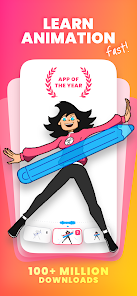
Bring your drawings to life with FlipaClip app — the ultimate 2D animation maker and cartoon drawing app loved by millions! FlipaClip lets you draw, animate, and create short animated movies and flipbooks.
Discover why millions of influencers and creators love this animation maker — it’s the easiest way to bring drawings, cartoons, anime, and stories to life. Whether you want to learn how to draw anime, draw animation, create memes, stick animations, or start your next cartoon series. Turn you...
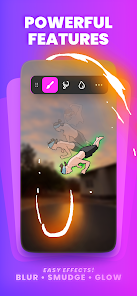
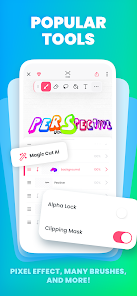
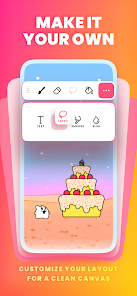
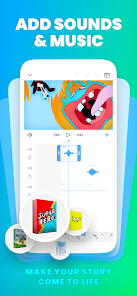
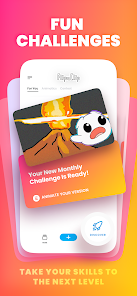
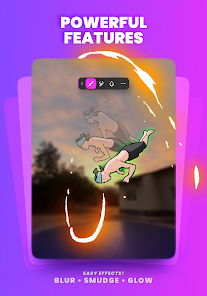
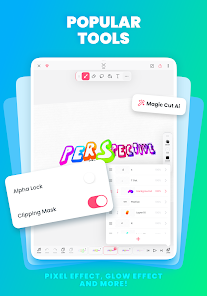
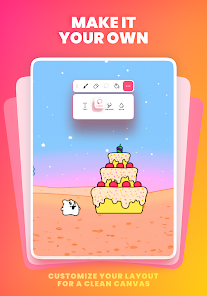
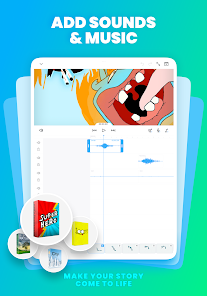
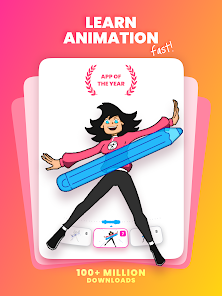
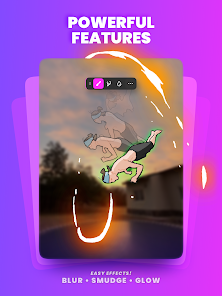
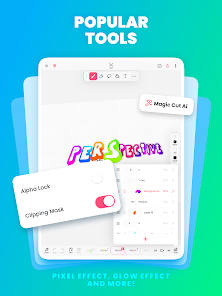
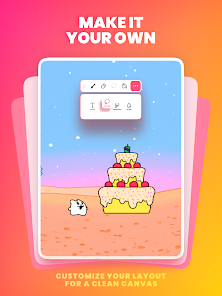
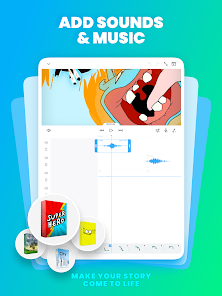
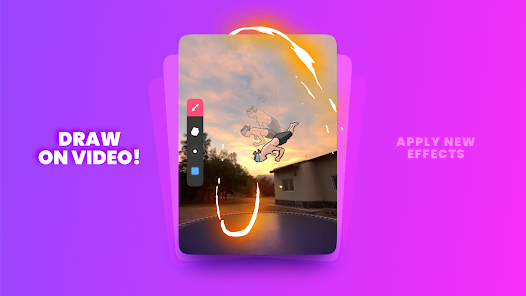
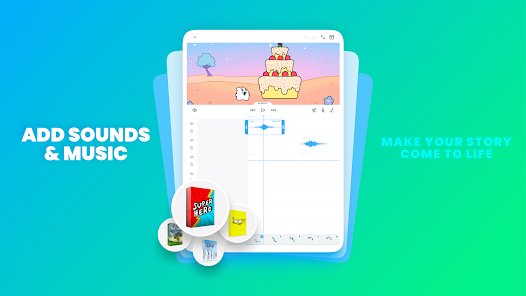
Bring your drawings to life with FlipaClip app — the ultimate 2D animation maker and cartoon drawing app loved by millions! FlipaClip lets you draw, animate, and create short animated movies and flipbooks. Discover why millions of influencers and creators love this animation maker — it’s the easiest way to bring drawings, cartoons, anime, and stories to life. Whether you want to learn how to draw anime, draw animation, create memes, stick animations, or start your next cartoon series. Turn your drawings into short movies and animations in seconds!. Our 2D animation app combines the simplicity of a flipbook animation with professional-grade animation editor tools. Draw frame by frame, edit every detail, and export your animation as a video or GIF. From beginners learning how to draw to professionals building storyboards.🎨 DRAW AND CREATEFlipaClip offers a full suite of drawing tools designed for artists and beginners alike. Use brushes, fill, lasso, eraser, ruler, text, and shape tools to sketch your ideas. Paint on custom canvas sizes and create frame-by-frame animations that feel alive. Pressure-sensitive stylus support (Samsung S Pen, SonarPen) makes drawing precise and natural. Whether you’re into cartoon making, anime drawing, stick animation, draw my life, or stop motion animation, you can easily draw and animate anything—from simple doodles to professional scenes. Make movies and animations in seconds! The app works perfectly as a flipbook animation editor and easy animation app for creators of all ages.⚡ ANIMATION TOOLS THAT INSPIRE-Frame-by-frame animation timeline for total control-Onion skin tool for smooth transitions-Up to 10 layers (3 free) for complex drawings-Glow effect and blending modes (free)-Import photos or videos to create rotoscope animations-Export in MP4, GIF, or PNG sequences with transparency-Try Magic Cut, our new AI-powered tool that instantly slices images and objects from your frames. Every feature in this animation maker is built to help you learn how to animate quickly. Whether you draw anime, cartoons, memes, or Gacha Life stories, FlipaClip is your go-to 2D animation app.🎧 ADD MUSIC, VOICE & SOUND-Animations come alive with sound! Try AI Voice Maker to add natural, lifelike narration to your movies.-Add up to 6 free audio tracks-Import custom sound effects or songs-Sync every beat perfectly with your animation timelinePerfect for cartoon makers, YouTubers, TikTok creators, and influencers.🌍 JOIN THE FLIPACLIP COMMUNITYMore than 80 million users draw and animate with FlipaClip every month. Join weekly animation challenges, seasonal contests, and in-app events. Explore thousands of 2D animations shared with #MadeWithFlipaClip on YouTube, TikTok, Instagram, and Discord. Inspire others and grow as a creator while mastering how to draw and make animations.🧑🎨 WHY FLIPACLIP STANDS OUT-Award-winning animation app (Google Play App of the Year)-Intuitive 2D animation maker for beginners and pros-Ideal cartoon maker for memes, stick figures, or anime clips-Great for learning animation, storyboarding, or flipbook projects-Now you can use AI with our Voice Maker y Magic CutFlipaClip is the easiest way to start animating your world. If you’ve ever wanted to draw, animate, and make cartoons, this easy animation app gives you everything!💾 SAVE AND SHARE YOUR WORKMake movies, and export your animations as MP4 or GIF and share it instantly on TikTok, YouTube, Instagram, Twitter, Facebook, or Discord. Create animations anywhere, anytime, and keep improving your skills in this all-in-one animation maker and cartoon drawing app. Start your creative journey today with FlipaClip — the most loved 2D animation maker, cartoon creator, and flipbook animation app on Google Play. NEED SUPPORT? Share any issues, feedback, ideas at http://support. flipaclip. com/Also on Discord https://discord. com/invite/flipaclip
Download FlipaClip: Create 2D Animation
Get the official app from the trusted app stores. You will be redirected to the download page.
Official Links
When you purchase through links on our site, we may earn an affiliate commission. Learn more
Ratings breakdown
767,000 reviewsDeveloper contact
Name
VISUAL BLASTERS, LLC
Address
382 NE 191st St Miami, FL 33179 United States
Website
https://www.flipaclip.comPhone
+1 786-233-9005
Support
flipaclip@visualblasters.com
Privacy
View policyFrequently Asked Questions
Is FlipaClip a good app for beginners to learn animation? high
Yes, multiple user reviews highlight that FlipaClip is good for beginners and intuitive to use for those new to frame-by-frame animation. The app's description also emphasizes its ease of use for learning.
Source: user_reviews, app_metadata
Why is my animation pixelated when I import images or use the lasso tool? medium
Recent user reviews report a recurring issue with pixelation. When you import an image into the app or use the lasso tool to select and move items, the image can become pixelated and blurry over time. This is a known user complaint.
Source: user_reviews
Can I add music and sound effects to my animations for free? low
The app's description mentions an 'AI Voice Maker' and the ability to add up to 6 free audio tracks. However, a recent user review with high engagement complains that importing your own audio files requires a monthly subscription payment.
Source: user_reviews, app_metadata
Is FlipaClip a free app? high
FlipaClip is free to download. It does not contain ads. The app offers in-app purchases ranging from $5.99 to $39.99 per item, which unlock additional tools, layers, and features like the ability to import audio.
Source: app_metadata
How to Use
FlipaClip is a 2D animation and flipbook maker that lets you draw, animate, and create short movies frame by frame. (app_description)
Getting Started
Source: app_description_and_user_feedback_noted
- Step 1: After downloading, open FlipaClip and start a new project to access the drawing and animation canvas.
- Step 2: Use the drawing tools (brush, fill, lasso, eraser, text, and shape) to create your first frame. You can draw simple doodles or more detailed scenes.
- Step 3: Add new frames to your timeline and use the 'onion skin' tool to see a ghost of the previous frame, helping you make smooth transitions for your animation.
- Step 4: To share your creation, export the animation as an MP4 video or GIF file directly from the app to your device or social media.
Key Features (from app listing)
Source: app_description
- Frame-by-frame animation timeline for detailed control
- Layer system (up to 10, with 3 free) for complex drawings
- Onion skin tool for smooth animation transitions
- Import photos or videos for rotoscoping (tracing over them)
- Export in MP4, GIF, or PNG sequences with transparency
- AI-powered 'Magic Cut' tool to slice images from frames
- Add up to 6 free audio tracks with a timeline for syncing
This tip responds to a verified user complaint about pixelation from the lasso tool in recent_reviews, and suggests an alternative feature (Magic Cut) mentioned in the app description.
How this content was created
Content type: pattern_analysis_of_user_reviews_and_metadata
AI generated: Yes
- Google Play user reviews (12-20 preferred; may be smaller if source data is limited per app), Date range of available reviews: March 27, 2025 to January 21, 2026
- Google Play ratings distribution
- App Store listing metadata
- Review samples are not statistically representative of all user sentiment
- Claims labeled 'low confidence' are based on single-review observations within a limited sample
- No real-world app testing was conducted
- Feature availability may vary by region, device, and app version
- This analysis is based solely on 5 recent reviews and app metadata, lacking high-engagement buckets for more robust cross-referencing.
Pros & Cons
Based on analysis of Google Play user reviews
Pros
- Excellent for beginners and young animators learning frame-by-frame animation.
Theme 'Great for beginners' identified in recent_review #1
Evidence (3)
“This app is so good, and it's evolving so much... Ive used it for 5+ yrs.”Rating: 4★ March 27, 2025 887 likes“it's so good for young frame-by-frame animators who want to create, or even professional animation!”Rating: 4★ January 21, 2026 14 likes“It's okay for beginners. But it's a lot like drawing in paint.”Rating: 3★ January 12, 2026 8 likes - Intuitive and easy-to-use interface for creating simple animations quickly.
Theme 'Intuitive interface' identified in recent_review #5
Evidence (2)
“great app. Even though I'm not good at animating in the slightest, it's still intuitive and easy to use.”Rating: 2★ January 17, 2026 6 likes“It's okay for beginners. It's a plus if you want something easy”Rating: 3★ January 12, 2026 8 likes - Variety of tools including brushes, lasso, and layers support creative animation.
Theme 'Good tool variety' identified in recent_review #3
Evidence (2)
“it has a variety of tools, however, I wish there were better brushes”Rating: 4★ January 21, 2026 14 likes“a variety of tools... I really like it but this app is a bit limited!”Rating: 4★ January 21, 2026 14 likes
Cons
- Importing audio requires a paid subscription, limiting basic functionality for free users.
Theme 'Audio import paywall' identified in recent_review #2
Evidence (1)
“you can't import audio without having to pay a monthly subscription”Rating: 2★ January 15, 2025 365 likes - Repeated lasso selection causes severe pixelation and blurriness in images.
Theme 'Pixelation with lasso' identified in recent_review #1
Evidence (2)
“when you put in a image it pixelates it... when you do with the lasso it doesn't apply to other frames”Rating: 4★ March 27, 2025 887 likes“you can't re-select an item to move it around... every time you do that, the image grows more and more pixelated until it becomes blurry.”Rating: 3★ January 12, 2026 8 likes - Account recovery and password reset system is broken, causing loss of access.
Theme 'Account recovery issues' identified in recent_review #5
Evidence (1)
“tried resetting my password, but the email never went through. I tried multiple times, but to no prevail.”Rating: 2★ January 17, 2026 6 likes
Recent Reviews
Rainbow Skittles
4★This app is so good, and it's evolving so much, the only problem I have is the pixelation just normally, but it does look smooth from far overall, but a few more problems I have is when you put in a image it pixelates it, and when you put in a video you can't resize it and when you do with the lasso it doesn't apply to other frames, and that you need to enable the new stage to get the smudge and blur tools, I wish it could be added to the old stage, overall it's so good, Ive used it for 5+ yrs.
Oliver Jones
2★I would say overall very good app except for the fact that you can't import audio without having to pay a monthly subscription like why can't we just add audio without having to pay for it like at this point your just getting rid of the audio option and people just want to add audio not more money wasted from their account. I am very disappointed.
Sapphirah Cherry
4★THIS APP OMG... it's so good for young frame-by-frame animators who want to create, or even professional animation! it has a variety of tools, however, I wish there were better brushes, or that you could make brushes, like Ibis Paint X does, where you can make custom brushes and sell them. I feel just in general we need better brushes and maybe more tools to use such as the liquify tool! I really like it but this app is a bit limited!
Sarah Albrecht
3★It's okay for beginners. But it's a lot like drawing in paint. It's a plus if you want something easy, but you can't re-select an item to move it around. Instead, you have to lasso it, but every time you do that, the image grows more and more pixelated until it becomes blurry. The only other way is to copy the original image every time or have a million original images.
A O
2★First of all, great app. Even though I'm not good at animating in the slightest, it's still intuitive and easy to use. BUT. I had previously uninstalled the account and had forgotten my password. I reinstalled and tried resetting my password, but the email never went through. I tried multiple times, but to no prevail. Therefore, I can no longer access my account.