By App Discoverer Editorial Team · Updated October 1, 2026

AI Video Editor - VideoShow AI



Overview
Video Players & Editors
VIDEOSHOW Video Editor & Maker & AI Chat Generator
Free
Aug 31, 2013
11.0.3.0
6.0
$0.99 - $179.99 per item
No
Feb 3, 2026
Features
VideoShow
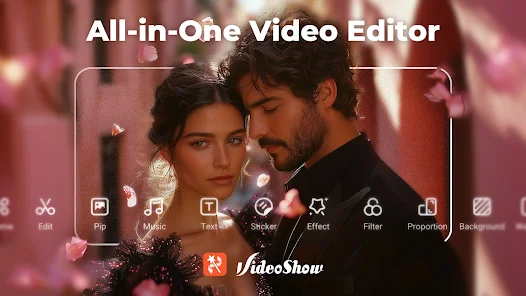
VideoShow makes AI video editing easy and fun! Create stunning videos with AI Effects, stickers, filters,transitions, and music. Personalize your vlogs, memes, and stories with scroll texts, FX, GIFs, and live dubbing. Now powered by advanced AI models — VEO 3, Pixverse, Vidu, Kling, and Hailuo — VideoShow boosts creativity like never before. Generate videos from photos or text, apply smart effects, capture precious moments like we...
VideoShow
Download AI Video Editor - VideoShow AI
Get the official app from the trusted app stores. You will be redirected to the download page.
Official Links
When you purchase through links on our site, we may earn an affiliate commission. Learn more
Ratings breakdown
5,980,000 reviewsDeveloper contact
Name
VIDEOSHOW PTE. LTD.
Address
11 North Buona Vista Drive #08-09 The Metropolis Singapore 138589
Website
http://videoshowapp.comPhone
+65 9645 9302
Support
videoshow@videoshowapps.com
Privacy
View policyFrequently Asked Questions
Is AI Video Editor - VideoShow AI free to download? high
Yes. The app metadata lists AI Video Editor - VideoShow AI as free, with in-app purchases $0.99 - $179.99 per item
Source: app_metadata
What do sampled users complain about in AI Video Editor - VideoShow AI? low
AI Video Editor - VideoShow AI has sampled complaints about payment, subscriptions, trials, or pricing. Only 1 sampled review supports this theme, so confidence is low. For example, one reviewer says: "he weird, if not shady sales tactics. I was offered a 3 day trial and charged immediately. I have a screen capture of th"
Source: user_reviews
What do sampled users like about AI Video Editor - VideoShow AI? low
AI Video Editor - VideoShow AI is praised by sampled reviewers for good value, free features, or affordability. Only 1 sampled review supports this theme, so confidence is low.
Source: user_reviews
Is AI Video Editor - VideoShow AI worth downloading in 2026? medium
Based on 5 sampled reviews spanning July 16, 2019 to February 23, 2026, AI Video Editor - VideoShow AI has a 4.5/5 overall rating from 6.0M total reviews. Sampled reviews show 1 praised themes and 2 complaint themes. As with any app, experiences vary by device and use case.
Source: user_reviews, app_metadata, ratings_data
How to Use
VideoShow - AI Video Editor, Movie Maker and AI Video Generator!VideoShow makes AI video editing easy and fun! (app_description)
Getting Started
Source: app_description_and_user_feedback_noted
- Install AI Video Editor - VideoShow AI from the Google Play Store or Apple App Store.
- Open the app and begin with the free experience to explore its core functionality.
- Review the main features described in the app listing to understand what this app offers.
- Be aware of sampled user-reported issues: the app has sampled complaints about payment, subscriptions, trials, or pricing..
Key Features (from app listing)
Source: app_description
- Video Players & Editors app experience
- Free download
- From VIDEOSHOW Video Editor & Maker & AI Chat Generator
- 100,000,000+ downloads listed
Theme 'good value, free features, or affordability' identified in recent_reviews #2. Review #2 (recent_reviews, 5★) mentions good value, free features, or affordability.
How this content was created
Content type: pattern_analysis_of_user_reviews_and_metadata
AI generated: Yes
- Google Play user reviews (12-20 preferred; may be smaller if source data is limited per app), July 16, 2019 to February 23, 2026
- Google Play ratings distribution
- App Store listing metadata
- Review samples are not statistically representative of all user sentiment
- High-engagement negative reviews can overrepresent complaints
- Claims labeled 'low confidence' are based on single-review observations only
- No real-world app testing was conducted
- Feature availability may vary by region, device, and app version
Pros & Cons
Based on analysis of Google Play user reviews
Pros
- Free version is functional and sufficient for basic video editing needs without paying.
Theme 'Free version is good enough' identified in recent_review #2
Evidence (1)
“I've been using Video Editor for a couple of years and the Free Version is good to go!”Rating: 5★ January 14, 2026 7 likes - App has been a reliable go-to editor for mobile video editing for years.
Theme 'Long-time reliable editor' identified in recent_review #1 and #2
Evidence (2)
“I've had this app a long time and it was working great until today.”Rating: 4★ February 23, 2026 4 likes“I've been using Video Editor for a couple of years and the Free Version is good to go!”Rating: 5★ January 14, 2026 7 likes - Easy to use with simple theme setup, making it beginner-friendly.
Theme 'Easy to use' identified in recent_review #5
Evidence (1)
“At first I was really enjoying this app. It was fairly easy to use and easy to set different themes.”Rating: 1★ July 16, 2019 124 likes
Cons
- Recent updates introduced persistent unwanted filters and corrupted draft timestamps.
Theme 'New update bugs' identified in recent_review #1
Evidence (1)
“Today, every time I edit a video it goes into the editor with a filter on it... It's also saving drafts as 1.26.0...”Rating: 4★ February 23, 2026 4 likes - Applying any enhancement like watermark or transition severely degrades video quality.
Theme 'Enhancements ruin video quality' identified in recent_review #3
Evidence (2)
“The second that you add a watermark to it or a transition or literally any possible enhancement it instantly destroys the video quality.”Rating: 1★ July 05, 2019 207 likes“The final product was choppy and had several black segments through out it.”Rating: 1★ July 16, 2019 124 likes - Free trial is deceptive; users are charged immediately instead of after the trial period.
Theme 'Shady trial billing' identified in recent_review #4
Evidence (1)
“I was offered a 3 day trial and charged immediately. I have a screen capture of the purchase...”Rating: 2★ July 13, 2022 27 likes
Recent Reviews
dgross563
4★I've had this app a long time and it was working great until today. Today, every time I edit a video it goes into the editor with a filter on it that it doesn't have outside of the editor. The filter is the one where the main picture is in the middle with parts of the picture on each side. This happens every time I add a clip to the editor. It's also saving drafts as 1.26.0 (1 hour and 26 minutes) despite they're only seconds long. I've uninstalled/reinstalled and it still does it. Please fix!
Joseph Ancel Chambers
5★I've been using Video Editor for a couple of years and the Free Version is good to go! The Premium Version costs more than I can afford per month! If the price dropped to $8.99 per month I could afford it, but that isn't going to happen. I'll just stick with the Free Version! I've got no complaints whatsoever about this Video Show App and I recommend you try it out if you're interested in editing any videos you have that need some touching up! Hats Off & Thumbs Up to the Developer! 5 STARS!
A Google user
1★This has been my go to app for so long when it comes to editing mobile videos for my online business. But for the last few weeks every single video, no matter what I do, is distorted and grainy and just absolutely terrible. If you just go into the program and edit the video, as in make cuts to the actual length of the film or what not it's fine. The second that you add a watermark to it or a transition or literally any possible enhancement it instantly destroys the video quality.
Cy Newman
2★So the app itself is pretty nice for editing on mobile. But loses 3 stars for the weird, if not shady sales tactics. I was offered a 3 day trial and charged immediately. I have a screen capture of the purchase, my way of mental notes about purchases during the week, and I've brought this up to the play store and the dev. The play store says that it isn't against their policy to offer a trial but not deliver. (good to know in the future) And no word from dev. Use free, don't accept the trial.
A Google user
1★At first I was really enjoying this app. It was fairly easy to use and easy to set different themes. Then, it began to crash, over and over again. I was finally able to finish my video after crashing every 10-20 minutes for an hour or so, then it would not export. After trying to export for nearly an hour it finally went through. The final product was choppy and had several black segments through out it. Not what I was hoping the end product would be like. Deleting app and searching for something more stable.