By AppHub Editorial Team · Updated August 3, 2026

Deezer: Music & Podcast Player




Overview
Music & Audio
Deezer Music
Free
No
Features
Deezer is more than just a music platform. It’s a fully personalized listening experience that adapts to you. From mood-driven mixes to curated playlists, discover music that sounds like you.
Deezer is where you can embrace your tastes, turn up the volume, and Live the Music.
With a Deezer Premium plan, you'll get everything you need in one app:
Music you love, made for you
Deezer is more than just a music platform. It’s a fully personalized listening experience that adapts to you. From mood-driven mixes to curated playlists, discover music that sounds like you. Deezer is where you can embrace your tastes, turn up the volume, and Live the Music. With a Deezer Premium plan, you'll get everything you need in one app: Music you love, made for you
Download Deezer: Music & Podcast Player
Get the official app from the trusted app stores. You will be redirected to the download page.
When you purchase through links on our site, we may earn an affiliate commission. Learn more
Ratings breakdown
3,580,000 reviewsDeveloper contact
Name
DEEZER
Address
24 RUE DE CALAIS 75009 PARIS France
Website
https://www.deezer.com/Phone
+33 6 43 19 88 71
Support
support@deezer.com
Privacy
View policyFrequently Asked Questions
Is Deezer free or do I need a subscription? high
Deezer offers both a free ad-supported tier and paid Premium plans. The free tier gives access to the catalog with occasional ads and limited features. Premium plans (starting at $1.99 per item or monthly subscription) include ad-free listening, offline mode, unlimited skips, and HiFi audio. Some features like lyrics require a Premium subscription.
Source: app_metadata, app_description
Does Deezer work offline? medium
Yes, Deezer Premium and higher plans support offline mode, allowing you to download songs and play them without an internet connection. However, recent user reviews report that downloaded music sometimes takes a long time to play or fails to play altogether, suggesting slow playback even with offline files.
Source: app_description, user_reviews
Does Deezer have lyrics? high
Deezer offers lyrics with translations, but according to the app description and user reviews, lyrics are available with a Deezer Premium subscription. Free-tier users do not get lyrics.
Source: app_description, user_reviews
Does the app have ads? high
Deezer is ad-free for Premium subscribers. Free users will see occasional ads. The app metadata indicates it does not contain ads for paid users, but free-tier users will experience them.
Source: app_metadata, app_description
Is Deezer a good alternative to Spotify? medium
Yes, several user reviews mention Deezer as a good alternative to Spotify or Apple Music, praising its sound quality, curated playlists, and less frequent ads. However, some users report slow playback and a resume bug when pausing for long periods, which may be dealbreakers for heavy users.
Source: user_reviews
How to Use
Deezer is a personalized music and podcast streaming app that adapts to your tastes, offering a massive catalog, curated playlists, and features like Flow, Shaker, Music Quiz, and SongCatcher. (app_description)
Getting Started
Source: app_description_and_user_feedback_noted
- Download Deezer from Google Play and create a free account or sign up for a Premium plan (Premium, Duo, Family, or Student).
- Explore the massive catalog by searching for your favorite artists, albums, or podcasts, or use the curated playlists for every mood and genre.
- Enable Flow for an infinite personalized mix of your favorites and new discoveries.
- To listen offline, upgrade to a Premium plan and download your favorite tracks for playback without internet.
- Customize your experience: shape your algorithm by liking/disliking songs, create custom playlist covers, and reorganize your homepage and Favorites.
Key Features (from app listing)
Source: app_description
- Flow: infinite personalized mix of favorites and new discoveries
- Shaker: mix playlists with friends and compare tastes
- Music Quiz: test your music knowledge solo or with friends
- SongCatcher: find any song playing around you, even if you hum it
- Ad-free listening, offline mode, unlimited skips, and HiFi audio (Premium)
- Lyrics with translations
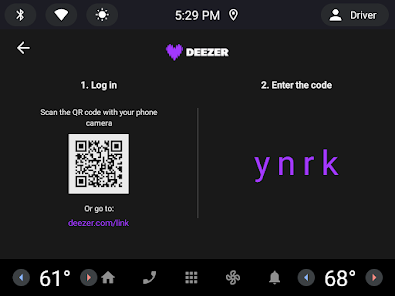
- Cross-device support: smart speakers, wearables, Android TV, and Automotive OS
Derived from recent user review #1 (rating 3) which says 'It can take well over 30 seconds upon selecting a song... Skipping thankfully doesn't have this issue'. A workaround based on user-reported behavior.
How this content was created
Content type: pattern_analysis_of_user_reviews_and_metadata
AI generated: Yes
- Google Play user reviews (12-20 preferred; may be smaller if source data is limited per app), September 2025 – February 2026
- Google Play ratings distribution
- App Store listing metadata
- Review samples are not statistically representative of all user sentiment
- Only 5 recent review entries were available; no other sampling buckets were provided
- Claims labeled 'low confidence' are based on single-review observations only
- No real-world app testing was conducted
- Feature availability may vary by region, device, and app version
- Absence of ratings_distribution limits ability to contextualize sentiment
Pros & Cons
Based on analysis of Google Play user reviews
Pros
- Great sound quality and all features expected from a music/podcast player.
Theme 'Sound quality and features' identified in recent_review #4 and #5.
Evidence (2)
“Fantastic! especially for an "alternative" to Spotify or apple music. Let me pick over 400 artists i listen to, less ads, overall better.”Rating: 4★ February 05, 2026 13 likes“Great music player with good sound quality, and all the features you could want from a music/podcast player!”Rating: 4★ January 26, 2026 8 likes - Personalized Flow feature provides an infinite mix of favorites and new discoveries.
Theme 'Personalized Flow' identified in app description and recent_review #4 which mentions picking over 400 artists.
Evidence (1)
“Flow, your infinite, personalized mix of favorites and new discoveries”Rating: 5★ N/A - Less ads compared to competitors like Spotify, making it a better alternative.
Theme 'Fewer ads' identified in recent_review #4.
Evidence (1)
“Fantastic! especially for an "alternative" to Spotify or apple music. Let me pick over 400 artists i listen to, less ads, overall better.”Rating: 4★ February 05, 2026 13 likes
Cons
- Playback on mobile is frustratingly slow, taking over 30 seconds to start a song.
Theme 'Slow playback' identified in recent_review #1 and #3.
Evidence (2)
“I like the service overall, but playback on mobile is frustratingly slow. It can take well over 30 seconds upon selecting a song for it to even begin to play.”Rating: 3★ February 12, 2026 8 likes“I supposedly downloaded all my favorite tracks and yet, I hit play and it takes 5 mins to play the song I want. I try to change the song, it lags for another 5 minutes and then plays the initial song instead of the new one.”Rating: 1★ February 18, 2026 10 likes - Cannot resume paused playlists after a long pause, forcing restart from beginning.
Theme 'Playlist resume issue' identified in recent_review #2.
Evidence (1)
“But lately I've been having an issue where if I pause a playlist for too long, say overnight, I can't resume it when I come back. I have to start all over again.”Rating: 3★ September 10, 2025 134 likes - Cannot add songs to queue while in shuffle mode, limiting playlist control.
Theme 'Queue limitation in shuffle' identified in recent_review #5.
Evidence (1)
“I don't get why we can't add songs to queue while in shuffle, I have to use the 'play next' option, which is a nice feature, but when I'm playing in shuffle that's when I most want to add songs to my queue.”Rating: 4★ January 26, 2026 8 likes
Recent Reviews
Ginger Music
3★I like the service overall, but playback on mobile is frustratingly slow. It can take well over 30 seconds upon selecting a song for it to even begin to play. Skipping thankfully doesn't have this issue, but when you want to choose the next song yourself, it's a ridiculously long load time for downloaded audio files. I don't have this issue on PC or Mac, just the mobile app. It's my only real complaint, but it's a consistent and intrusive one.
Suzi Conley
3★I recently switched to Deezer premium from Spotify, and I've mostly been enjoying it. But lately I've been having an issue where if I pause a playlist for too long, say overnight, I can't resume it when I come back. I have to start all over again. This is really annoying for me as I like to completely finish a playlist without having to repeat songs. I might have to try another platform if this is going to be a continuous problem.
Kevin Morales
1★I have a low bar for music apps. If I can dl my music, I expect to be able to play that music, else what is the point of wasting my phone space. This app fails that very low bar. I supposedly downloaded all my favorite tracks and yet, I hit play and it takes 5 mins to play the song I want. I try to change the song, it lags for another 5 minutes and then plays the initial song instead of the new one. Earlier, I was trying to listen in my car and it paused at the start of each song. Avec Premium!
Tobias
4★Fantastic! especially for an "alternative" to Spotify or apple music. Let me pick over 400 artists i listen to, less ads, overall better. But you have to get premium for the lyrics to songs. Honestly it's a 4.5 stars for me, I have trouble with knowing what specific word is said, so I use lyrics. Other thing is not so many podcasts, but honestly there's other things you can use for podcasts, this is great for music.
Sawyer Steffen
4★Great music player with good sound quality, and all the features you could want from a music/podcast player! I have only one big issue with it; I don't get why we can't add songs to queue while in shuffle, I have to use the 'play next' option, which is a nice feature, but when I'm playing in shuffle that's when I most want to add songs to my queue. Please let us use the feature in shuffle mode 🙏