By App Discoverer Editorial Team · Updated October 1, 2026
Floor Plan Creator


Overview
Art & Design
Marcin Lewandowski
Free
Sep 30, 2012
3.7.1
6.0
$0.99 - $7.99 per item
No
Apr 8, 2026
Features
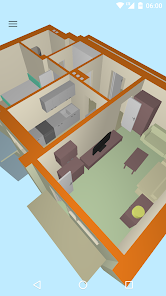
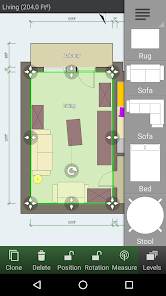
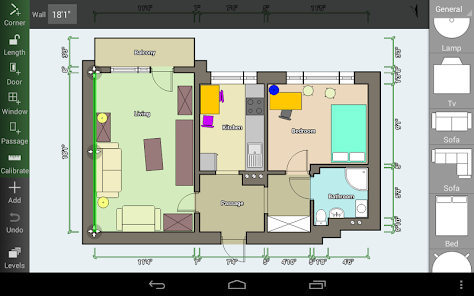
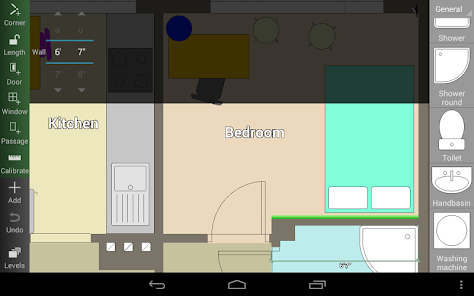
Create detailed and precise floor plans. See them in 3D. Add furniture to design interior of your home. Have your floor plan with you while shopping to check if there is enough room for a new furniture.
Features:
Create detailed and precise floor plans. See them in 3D. Add furniture to design interior of your home. Have your floor plan with you while shopping to check if there is enough room for a new furniture. Features:
Download Floor Plan Creator
Get the official app from the trusted app stores. You will be redirected to the download page.
When you purchase through links on our site, we may earn an affiliate commission. Learn more
Ratings breakdown
131,000 reviewsDeveloper contact
Name
Marcin Lewandowski
Address
Tylna 2a m.27 90-364 Łódź Poland
Website
https://floorplancreator.netSupport
support@floorplancreator.net
Privacy
View policyFrequently Asked Questions
Is the Floor Plan Creator app free to use? high
Yes, the app is free to download and use. It includes a free version that allows you to create detailed floor plans. To unlock features like ad removal and the ability to export or share plans, there is an optional one-time in-app purchase, which users have reported as inexpensive.
Source: app_metadata, user_reviews
Can I use Floor Plan Creator to plan furniture for a move or remodel? high
Yes, user reviews consistently state that the app is very effective for planning furniture layout and remodeling projects. You can create a floor plan to scale, add furniture from the symbol library, and use the 3D view to visualize how things will fit.
Source: user_reviews, app_metadata
Does Floor Plan Creator support 3D views? high
Yes, the app description explicitly lists a '3D tour mode' as a feature. User reviews confirm that you can view your floor plans in 3D and navigate around the space to check for problems, though one reviewer noted the navigation controls can be tricky.
Source: app_metadata, user_reviews
How to Use
Floor Plan Creator is a free app for creating detailed, precise floor plans and visualizing them in 3D to assist with interior design, remodeling, and furniture layout. (app_description)
Getting Started
Source: app_description_and_user_feedback_noted
- Step 1: Download and open the Floor Plan Creator app on your Android device.
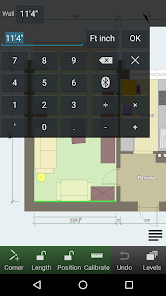
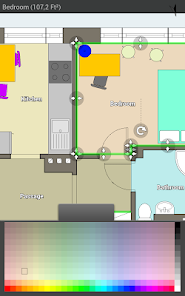
- Step 2: Start a new project and use the drawing tools to trace walls and create rooms of any shape (straight walls only). The app will automatically calculate room area and perimeter.
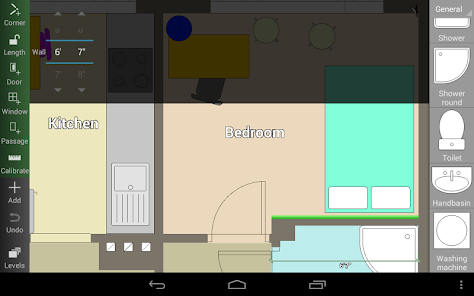
- Step 3: Add furniture, doors, and windows from the built-in symbol library to design your interior layout.
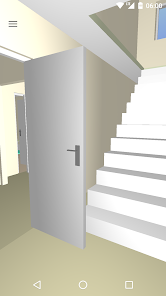
- Step 4: Use the '3D tour mode' to walk through your plan and check for spatial problems. Adjust items as needed.
Key Features (from app listing)
Source: app_description
- Multi-floor projects with rooms of any shape (straight walls).
- Automatic calculation of room area, wall area, level area, and perimeter.
- 3D tour mode for navigation.
- Comprehensive symbol library including doors, windows, and furniture.
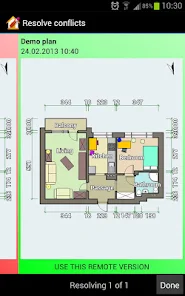
- Cloud synchronization for backup and sharing between devices (paid feature).
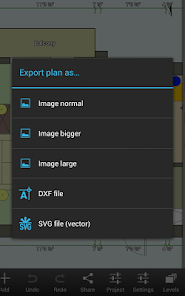
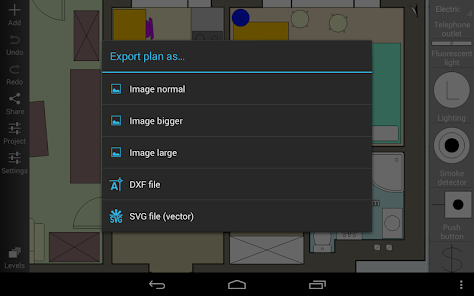
- Export plans as image, PDF, DXF, or SVG, and print to scale (paid feature).
- Support for metric and imperial units.
- Compatibility with Bluetooth laser meters from Bosch, Leica, Stabila, and others.
This tip is directly responsive to a verified user pattern from recent_user_review #1 which praises the app for its free core functionality and its 'ONE TIME purchase' model for extras, contrasting it with subscription-based services.
How this content was created
Content type: pattern_analysis_of_user_reviews_and_metadata
AI generated: Yes
- Google Play user reviews (5 reviews (only recent_reviews were available) per app), May 02, 2025 to March 20, 2026
- Google Play ratings distribution
- App Store listing metadata
- The entire analysis is based on only 5 recent reviews, which is not statistically representative.
- No high-engagement negative reviews or mixed reviews were available to balance the analysis.
- Claims labeled 'high confidence' are based on a pattern within 3 out of 5 reviews of a single bucket, not across multiple buckets.
- No real-world app testing was conducted.
- Feature availability may vary by region, device, and app version.
Pros & Cons
Based on analysis of Google Play user reviews
Pros
- Free version is very capable, allowing full floor plan creation without paying.
Theme 'Generous free version' identified in recent_review #1 and #4
- One-time purchase for full version is affordable and fairly priced.
Theme 'Fair one-time pricing' identified in recent_review #1 and #5
- 3D walkthrough feature helps visualize and plan furniture placement and remodeling.
Theme 'Useful 3D visualization' identified in recent_review #2, #4, and #5
Cons
- 3D render lacks contrast and color options, making it hard to distinguish elements.
Theme 'Poor 3D render quality' identified in recent_review #5
- Navigation controls in 3D view are unintuitive, with inverted controls as default.
Theme 'Unintuitive 3D controls' identified in recent_review #3
- Limited variety of furniture and item types in the symbol library.
Theme 'Limited symbol library' identified in recent_review #2
Recent Reviews
Amanda
5★Incredible respect for any app that lets you do everything you need for free nowadays. You do have to pay to get rid of ads or share plans, but it's a ONE TIME purchase. I downloaded the app just to make a basic floor plan of the house I'm moving into so I could plan out where to put furniture, so everything I needed was already in the free version. I still paid the $8 for the Full version just to support the devs. You guys are awesome.
Elliott Fechter
5★This app is a game changer for a homeowner who's DIYing a whole remodel. Being able to see how things will fit to scale is fabulous. Using this app changed my entire bathroom remodel plan for the better. I love that it's not AI slop. I do wish there were more options for the type of items but I'm not hamstrung by the limitations by any means. I did pay for the full version and feel the price was fair.
Daymo Sams
3★so I'm really liking this app so far. there are some cool things I like the 3D feature of the one thing I'm struggling on and is slowing me down is the maneuver controls to to move around inside and outside and see the different views. I think if you guys were trying to make your app more user-friendly you would want to go with like a video game RPG first person shooter type walk around. and the inverted controls should not be default. I only know cuz I video played games as a kid. but diging it
Sebastian Greenholtz (greenmntmagpie)
5★By far the easiest to use software for not only floor plans, but diagrams of all types. Syncs across accounts to multiple devices, share plans to collaborate with others, a ton is included in the free version and the paid version is very inexpensive. I am getting ready to move and this app has been a complete game changer when trying to decide with my partner where furniture should go!
Betsy B
5★A.M.A.Z.I.N.G. I generally use SketchUp, but I've been looking for something a little faster & less labor intensive. I shopped for PC programs, then decided to look at apps. I am very glad I did. With FPC I get a quick & easy walk-through to see problems before I start counting outlets & inches. It really is amazing. I was happy to pay $7.99 for the full version. My only critique is that the 3D render has very little contrast. It would be nice if I could add color and maybe shadows. THANKS!