By App Discoverer Editorial Team · Updated October 1, 2026

Chase Mobile


Overview
Finance
JPMorgan Chase
Free
Nov 19, 2010
4.712
11
No
Feb 21, 2026
Features
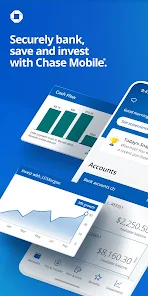
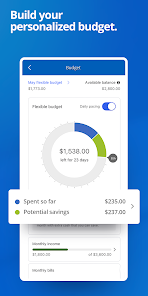
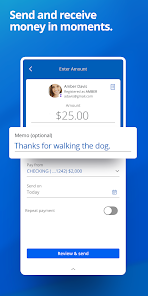
Bank securely with the Chase Mobile® app: send and receive money with Zelle®, deposit checks, monitor credit score, budget and track income & spend. Use J. P. Morgan Wealth Management to plan, invest, & set and track long-terms goals with Wealth Plan.
Manage your accounts
Payments: Convenient ways to pay
Bank securely with the Chase Mobile® app: send and receive money with Zelle®, deposit checks, monitor credit score, budget and track income & spend. Use J. P. Morgan Wealth Management to plan, invest, & set and track long-terms goals with Wealth Plan. Manage your accounts
Download Chase Mobile
Get the official app from the trusted app stores. You will be redirected to the download page.
When you purchase through links on our site, we may earn an affiliate commission. Learn more
Ratings breakdown
1,970,000 reviewsDeveloper contact
Name
JPMorgan Chase Bank, National Association
Address
1111 Polaris Pkwy Columbus, OH 43240-2050 United States
Website
http://www.Chase.com/mobilePhone
+1 929-815-8821
Support
chasemobilesupport@emailonline.chase.com
Privacy
View policyFrequently Asked Questions
Is the Chase Mobile app free to use? high
Yes, the Chase Mobile app is free to download and use. Standard message and data rates from your mobile carrier may apply, but there is no cost to use the app itself. Some features, like using Zelle, require an eligible Chase account.
Source: app_metadata
Does the Chase app have a credit score check? high
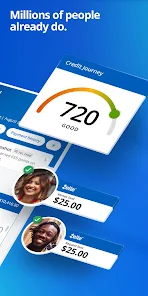
Yes, the app includes Chase Credit Journey, which provides free access to your credit score, identity monitoring, and credit score goals. This feature is mentioned in the app description.
Source: app_metadata
Can I deposit checks with the Chase Mobile app? high
Yes, you can deposit checks using the Chase QuickDeposit feature within the app. Funds are typically available by the next business day, and deposit limits apply. The feature is available on select mobile devices.
Source: app_metadata
Why can't I pay my credit card pending balance in the app? medium
Recent user reviews (February 2026) report a bug where the app does not allow payment on pending credit card balances. Users have reported that pressing the 'Pay Now' or 'Schedule Later' buttons does nothing. If you encounter this issue, you may need to use the full Chase website to make the payment as a temporary workaround.
Source: user_reviews
How do I find past transactions in the Chase app? low
Some recent users have reported that finding past transactions is difficult because you cannot search by merchant name or keyword. Instead, you need to know the exact transaction amount. This is a known complaint from recent updates.
Source: user_reviews
How to Use
The Chase Mobile app allows you to manage your Chase accounts, deposit checks, send money with Zelle, pay bills, and monitor your credit score, all from your phone. (app_description)
Getting Started
Source: app_description_and_user_feedback_noted
- Download the Chase Mobile app from the Google Play Store.
- Log in using your existing Chase online banking username and password, or enroll in online banking if you are a new customer.
- Verify your identity if prompted (e.g., via SMS code or fingerprint/face ID).
- Familiarize yourself with the main navigation; note that recent reviews indicate key features like transaction search may be less intuitive after updates.
Key Features (from app listing)
Source: app_description
- Deposit checks using Chase QuickDeposit.
- Send and receive money with Zelle.
- Pay bills and transfer money between accounts.
- Access free credit score and identity monitoring with Chase Credit Journey.
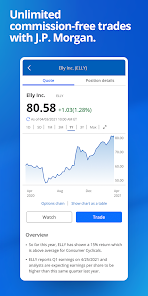
- Invest through J.P. Morgan Wealth Management with commission-free trades.
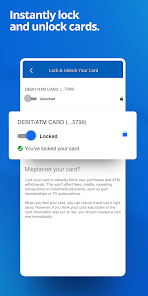
- Lock or unlock your debit/credit cards in real-time.
- Track and redeem Chase rewards and offers.
This tip directly responds to a verified user complaint from two recent reviews (recent_reviews #2 and #5) that the in-app payment function for pending balances is broken and that users resort to the website.
How this content was created
Content type: pattern_analysis_of_user_reviews_and_metadata
AI generated: Yes
- Google Play user reviews (12-20 preferred; may be smaller if source data is limited per app), February 12, 2026 to February 24, 2026
- Google Play ratings distribution
- App Store listing metadata
- Review samples are not statistically representative of all user sentiment
- Only recent_reviews (5 reviews) were available, which may not reflect overall app sentiment given the 4.7 rating
- Claims labeled 'low confidence' are based on single-review observations only
- Claims labeled 'medium confidence' are based on two-review agreement
- No real-world app testing was conducted
- Feature availability may vary by region, device, and app version
Pros & Cons
Based on analysis of Google Play user reviews
Pros
- App has great features like mobile check deposit and Zelle integration.
Theme 'Great features' identified in recent_review #1
Evidence (1)
“The app has great features, but the transaction search is frustrating.”Rating: 2★ February 23, 2026 6 likes - Provides free credit score monitoring and identity protection.
Theme 'Credit monitoring' identified in app description
Evidence (1)
“Get free credit score, Take control of your credit, know where you stand, & set score goals”Rating: 5★ February 23, 2026 - Allows locking and unlocking cards directly from the app for security.
Theme 'Card lock/unlock' identified in app description
Evidence (1)
“Lock & unlock cards in the app”Rating: 5★ February 23, 2026
Cons
- Transaction search cannot be done by merchant name or keyword, only by exact amount.
Theme 'Poor transaction search' identified in recent_review #1
Evidence (1)
“You can’t search by merchant/keyword (e.g., “Potato”)—you have to know the exact amount.”Rating: 2★ February 23, 2026 6 likes - Bug prevents paying credit card balances with pending transactions.
Theme 'Payment bug for pending balances' identified in recent_review #2, #5
Evidence (2)
“There is a bug where users cannot apply a payment towards a chase credit card with a pending balance.”Rating: 1★ February 18, 2026 25 likes“I used to be able to make payments on pending purchases without any issues. Now, I get an option for pay today or pay later, neither which work.”Rating: 1★ February 19, 2026 14 likes - App interface is cluttered with ads for Chase products, making navigation difficult.
Theme 'Cluttered with ads' identified in recent_review #3, #4
Evidence (1)
“Be prepared to click yourself through a bunch of fluff and ads for their own products.”Rating: 2★ February 24, 2026
Recent Reviews
steve kennedy
2★The app has great features, but the transaction search is frustrating. You can’t search by merchant/keyword (e.g., “Potato”)—you have to know the exact amount. That makes it hard to find past transactions and much less useful than apps from most major banks. chase basically forces their customers to share their private banking data with third-party providers because it's the only way to do it.
Chris Polanco
1★There is a bug (I assume it's a bug) where users cannot apply a payment towards a chase credit card with a pending balance. Entering the amount of the pending balance would allow me to pay the card right away in the past. Now hitting any of the buttons (Pay now or schedule later) does nothing and the payment can't be made. I submitted a bug report regarding this like a month or two ago and yet still this bug remains. Fix this asap please.
a ly
1★Significant enpoopification going on with this app. Seeing your transactions or collecting your rewards are now hidden significantly behind unintuitive and nonsensical menus and multiple clicks. I'm computer savvy and had to eventually give up and use search to find out how to find my transactions. it seems better to just go directly to the website at this point. But hey, if you want to buy more of their stupid products you don't need, that's on the front page. DO BETTER.
Ruben Schoenefeld
2★It's functional. Be prepared to click yourself through a bunch of fluff and ads for their own products. Oh, you are trying to transfer money to the Treasury or Robinhood? You should instead invest with Chase, stuff like that. The information you need and want is available but there's way too much other stuff in the way for you to click through first.
Chris OBrien
1★This used to be an awesome app. Recently, it's been updated and not for the better. I used to be able to make payments on pending purchases without any issues. Now, I get an option for pay today or pay later, neither which work. With that being said, I now have to log into their full website to make a payment. Very disappointed with Chase.