By AppHub Editorial Team · Updated August 3, 2026

Microsoft Excel: Spreadsheets

Overview
Productivity
Microsoft Corporation
Free
Jan 6, 2015
$1.00 - $129.99 per item
No
Users Interact, Digital Purchases
Feb 20, 2026
Features
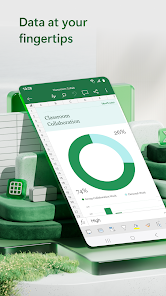
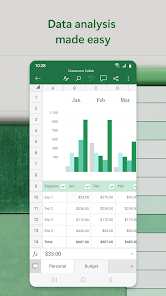
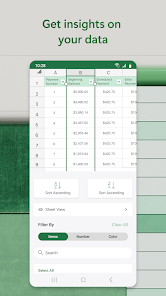
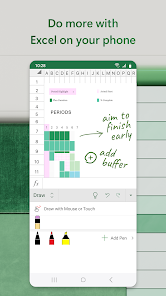
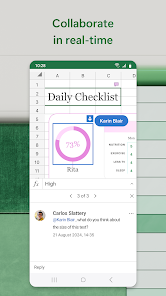
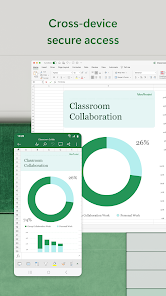
Budgeting, chart creation, data analytics and more – all at your fingertips. The Excel spreadsheet and budgeting app lets you create, view, edit and share files, charts and data. Excel’s built-in file editor lets you manage your finances with on-the-go budget and expense tracking integration. We make it easy to review and analyze data, edit templates, and more.
With Excel you can confidently edit documents, track expenses, and compile charts and data . Create charts directly from your phone for...
Budgeting, chart creation, data analytics and more – all at your fingertips. The Excel spreadsheet and budgeting app lets you create, view, edit and share files, charts and data. Excel’s built-in file editor lets you manage your finances with on-the-go budget and expense tracking integration. We make it easy to review and analyze data, edit templates, and more. With Excel you can confidently edit documents, track expenses, and compile charts and data . Create charts directly from your phone for convenient data analysis, accounting, and financial management. Access to spreadsheets, pivot tables and chart makers make budgeting in Excel easy. Make spreadsheets and data files with robust formatting tools and features that boost your productivity. Build charts and sheets that meet specific needs with Excel’s wide array of worksheet resources. Spreadsheets, business collaboration, charts and data analysis tools all on your phone with Microsoft Excel. Microsoft Excel Features: Spreadsheets & Calculations
Download Microsoft Excel: Spreadsheets
Get the official app from the trusted app stores. You will be redirected to the download page.
When you purchase through links on our site, we may earn an affiliate commission. Learn more
Ratings breakdown
8,460,000 reviewsData Safety
- This app may share these data types with third parties Location and Device or other IDs
- This app may collect these data types Location, Personal info and 6 others
- Data isn’t encrypted
- You can request that data be deleted
Permissions
- find accounts on the device
- add or remove accounts
- find accounts on the device
- read your contacts
- read the contents of your USB storage
- modify or delete the contents of your USB storage
- read the contents of your USB storage
- modify or delete the contents of your USB storage
- take pictures and videos
- record audio
- view Wi-Fi connections
- view network connections
- create accounts and set passwords
- pair with Bluetooth devices
- measure app storage space
Developer contact
Name
Microsoft Corporation
Address
1 Microsoft Way Redmond, WA 98052 United States
Website
https://products.office.comPhone
+1 800-642-7676
Support
officeand@microsoft.com
Privacy
View policyFrequently Asked Questions
Is Microsoft Excel: Spreadsheets free to download? high
Yes. The app metadata lists Microsoft Excel: Spreadsheets as free, with in-app purchases $1.00 - $129.99 per item
Source: app_metadata
What do sampled users complain about in Microsoft Excel: Spreadsheets? high
Microsoft Excel: Spreadsheets has sampled reports of account access, login, or privacy concerns. 3 sampled reviews support this theme, indicating a consistent pattern. For example, one reviewer says: "App has lots of bugs. Data randomly disappears, & I cant find a reason behind it. at least once a month, the app says I "
Source: user_reviews
Is Microsoft Excel: Spreadsheets worth downloading in 2026? medium
Based on 5 sampled reviews spanning February 15, 2026 to June 25, 2025, Microsoft Excel: Spreadsheets has a 4.8/5 overall rating from 8.5M total reviews. Sampled reviews show 0 praised themes and 2 complaint themes. As with any app, experiences vary by device and use case.
Source: user_reviews, app_metadata, ratings_data
How to Use
Budgeting, chart creation, data analytics and more – all at your fingertips. (app_description)
Getting Started
Source: app_description_and_user_feedback_noted
- Install Microsoft Excel: Spreadsheets from the Google Play Store or Apple App Store.
- Open the app and begin with the free experience to explore its core functionality.
- Review the main features described in the app listing to understand what this app offers.
- Be aware of sampled user-reported issues: the app has sampled reports of account access, login, or privacy concerns..
Key Features (from app listing)
Source: app_description
- Create charts, budgets, task lists, accounting & financial analysis with Excel's modern templates.
- Use an accounting calculator, data analysis tools & familiar formulas to run calculations on spreadsheets.
- Workbook sheets and charts are easier to read and use with rich features & formatting options.
- Budget Template: Spreadsheets & charts help calculate budget needs.
- Budget Planner: Budget templates & tools to help you drill down to your finance needs.
- Budget Tracker: Track expenses & save money.
How this content was created
Content type: pattern_analysis_of_user_reviews_and_metadata
AI generated: Yes
- Google Play user reviews (12-20 preferred; may be smaller if source data is limited per app), February 15, 2026 to June 25, 2025
- Google Play ratings distribution
- App Store listing metadata
- Review samples are not statistically representative of all user sentiment
- High-engagement negative reviews can overrepresent complaints
- Claims labeled 'low confidence' are based on single-review observations only
- No real-world app testing was conducted
- Feature availability may vary by region, device, and app version
Pros & Cons
Based on analysis of Google Play user reviews
Pros
- The app has no ads, providing an uninterrupted user experience.
Theme 'No ads' identified in recent_review #5
Evidence (1)
“PROS: There are NO ADS!”Rating: 5★ February 15, 2026 4 likes - The app supports all core spreadsheet functions and auto-saves work.
Theme 'Core spreadsheet functionality' identified in recent_review #5
Evidence (1)
“It does everything a spreadsheet is supposed to do. ... it will automatically open and then just exit, and it will save automatically.”Rating: 5★ February 15, 2026 4 likes - The app allows pinning spreadsheets to the home screen for quick access.
Theme 'Home screen pinning' identified in recent_review #5
Evidence (1)
“The spreadsheet that I work on often can be pinned, added to the home screen”Rating: 5★ February 15, 2026 4 likes
Cons
- The app frequently causes data loss by corrupting files or making them disappear.
Theme 'Data loss and file corruption' identified in recent_review #1
Evidence (3)
“Data randomly disappears, & I cant find a reason behind it.”Rating: 1★ June 25, 2025 741 likes“Excel fails to stage file saves, so when exiting and edited file, it tries to save .... but occasionally the app is prevented by the Android OS or other unknown reason. So BAMM!!! The entire file is corrupted and shows 0 bytes.”Rating: 1★ September 20, 2025 200 likes“Whole spreadsheets will go missing from the app and are only available on desktop”Rating: 2★ September 24, 2025 63 likes - The app frequently signs users out, requiring repeated logins and causing save failures.
Theme 'Frequent sign-out issues' identified in recent_review #1
Evidence (3)
“at least once a month, the app says I don't have permission to make edits. The only fix is to uninstall & reinstall the app”Rating: 1★ June 25, 2025 741 likes“Out of nowhere, every time I close the app, it signs me out.”Rating: 1★ December 07, 2025 47 likes“I get kicked out of my profile. I get told there's no account associated with my email.”Rating: 2★ September 24, 2025 63 likes - The app has poor color selection for fonts and highlights, differing from standard options.
Theme 'Poor color selection' identified in recent_review #5
Evidence (1)
“CON: Poor color selection for fonts/highlights. They are different from the standard like blue looks like sky blue.”Rating: 5★ February 15, 2026 4 likes
Recent Reviews
Sherri J
1★App has lots of bugs. Data randomly disappears, & I cant find a reason behind it. at least once a month, the app says I don't have permission to make edits. The only fix is to uninstall & reinstall the app, which is not efficient. Every few days, all of my spreadsheets are locked out on my phone, & I have to log in again, although it shows I am logged in. Everything else Office365 and One drive still work, but excel locks up. This happens also happens when its in use. File just vanishes.
Adam Diaz
1★App used to work fine. Out of nowhere, every time I close the app, it signs me out. Tried all troubleshooting steps, still doesn't work. Tried to use the 365 app to login there, didn't work. Now every time I try and make any change, even while logged in, it cannot save because I'm not signed in. Sick of trying to get this to do the basic function. When I'm told I need to login in order to login, you've put me into a death loop that causes me to delete the app. Downloading Google Sheets instead
David Chien
1★Has an Extremely serious bug that results in data loss! Excel fails to stage file saves, so when exiting and edited file, it tries to save .... but occasionally the app is prevented by the Android OS or other unknown reason. So BAMM!!! The entire file is corrupted and shows 0 bytes. All data lost. Full data loss occurred multiple times! HORRIBLE APP!!!
Ginesha Robinson
2★I switched from using Sheets to Excel because I like Excel's desktop functionality and I thought the app would be great for on the go use. However, I've had problem after problem. I get kicked out of my profile. I get told there's no account associated with my email. The desktop data doesn't always transfer to the app/web version. Whole spreadsheets will go missing from the app and are only available on desktop even though I used the app before. I may go back to using Sheets.
USERgame
5★PROS: There are NO ADS! It does everything a spreadsheet is supposed to do. There is a little learning curve, but it is easy to learn. The spreadsheet that I work on often can be pinned, added to the home screen, and it will automatically open and then just exit, and it will save automatically. CON: Poor color selection for fonts/highlights. They are different from the standard like blue looks like sky blue. I have to copy and paste the right color from another app to get it right. RECOMMENDED