By AppHub Editorial Team · Updated August 3, 2026

Microsoft Word: Edit Documents


Overview
Productivity
Microsoft Corporation
Free
Jan 6, 2015
$0.99 - $129.99 per item
No
Users Interact, Digital Purchases
Feb 20, 2026
Features
The document editor that you can take with you on the go – Microsoft Word.
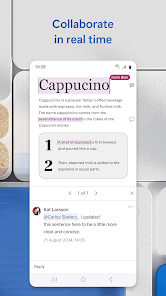
Write and create documents on your mobile device much like you do on your PC. Edit docs, share notes, convert to PDF documents, craft a powerful cover letter, and collaborate on projects using your mobile device.
Documents are easy to create, read, edit and share with Microsoft Word. Simplify on-the-go document collaboration and editing with our easy-to-use Word app features. Convert to PDF from Word and vice versa. Fro...
The document editor that you can take with you on the go – Microsoft Word. Write and create documents on your mobile device much like you do on your PC. Edit docs, share notes, convert to PDF documents, craft a powerful cover letter, and collaborate on projects using your mobile device. Documents are easy to create, read, edit and share with Microsoft Word. Simplify on-the-go document collaboration and editing with our easy-to-use Word app features. Convert to PDF from Word and vice versa. From doc editing to collaboration and beyond, Microsoft Word is one of the best free writing apps for writing on the go. Access files, documents and make edits with ease using the Word app. Read documents and open attachments with built-in docs viewer. Edit a PDF using Word’s PDF converter feature easily. Share files, documents and notes in the format you’d like. Create documents on the go with Word’s expert editing tools anytime, anywhere. Read, edit docs and create a document for any need. Resume templates, newsletters, brochures and more are accessible in the template gallery. Select the documents you would like and get started. Blogger, writer, journalist, columnist or project manager: the Microsoft Word writing app moves with you. Easy document editing, at your fingertips. Write a letter, create templates, read Word documents, edit docs and collaborate with your team anywhere! Get the docs and PDF app that can do it all. Create Documents
Download Microsoft Word: Edit Documents
Get the official app from the trusted app stores. You will be redirected to the download page.
When you purchase through links on our site, we may earn an affiliate commission. Learn more
Ratings breakdown
15,500,000 reviewsData Safety
- This app may share these data types with third parties Location and Device or other IDs
- This app may collect these data types Location, Personal info and 7 others
- Data isn’t encrypted
- You can request that data be deleted
Permissions
- find accounts on the device
- add or remove accounts
- find accounts on the device
- read your contacts
- read the contents of your USB storage
- modify or delete the contents of your USB storage
- read the contents of your USB storage
- modify or delete the contents of your USB storage
- take pictures and videos
- record audio
- view Wi-Fi connections
- view network connections
- create accounts and set passwords
- pair with Bluetooth devices
- measure app storage space
Developer contact
Name
Microsoft Corporation
Address
1 Microsoft Way Redmond, WA 98052 United States
Website
https://products.office.comPhone
+1 800-642-7676
Support
officeand@microsoft.com
Privacy
View policyFrequently Asked Questions
Is Microsoft Word: Edit Documents free to download? high
Yes. The app metadata lists Microsoft Word: Edit Documents as free, with in-app purchases $0.99 - $129.99 per item
Source: app_metadata
What do sampled users complain about in Microsoft Word: Edit Documents? low
Microsoft Word: Edit Documents has sampled complaints about payment, subscriptions, trials, or pricing. Only 1 sampled review supports this theme, so confidence is low. For example, one reviewer says: " or I don't have a subscription. So I look and I DO have my subscription current and it"
Source: user_reviews
Is Microsoft Word: Edit Documents worth downloading in 2026? medium
Based on 5 sampled reviews spanning January 20, 2026 to September 09, 2025, Microsoft Word: Edit Documents has a 4.8/5 overall rating from 15.5M total reviews. Sampled reviews show 0 praised themes and 1 complaint themes. As with any app, experiences vary by device and use case.
Source: user_reviews, app_metadata, ratings_data
How to Use
The document editor that you can take with you on the go – Microsoft Word.Write and create documents on your mobile device much like you do on your PC. (app_description)
Getting Started
Source: app_description_and_user_feedback_noted
- Install Microsoft Word: Edit Documents from the Google Play Store or Apple App Store.
- Open the app and begin with the free experience to explore its core functionality.
- Review the main features described in the app listing to understand what this app offers.
- Be aware of sampled user-reported issues: the app has sampled complaints about payment, subscriptions, trials, or pricing..
Key Features (from app listing)
Source: app_description
- Use Microsoft Word as a cover letter creator by leveraging our beautiful templates
- Document editor keeps formats & layouts looking great.
- Docs app with templates for resumes, cover letters, forms & more.
- Documents are easily created for any writing task.
- Editing with rich formatting & layout.Read, Write and Edit Documents
- Read docs, letters, PDFs & scripts on your device in Reading View.
How this content was created
Content type: pattern_analysis_of_user_reviews_and_metadata
AI generated: Yes
- Google Play user reviews (12-20 preferred; may be smaller if source data is limited per app), January 20, 2026 to September 09, 2025
- Google Play ratings distribution
- App Store listing metadata
- Review samples are not statistically representative of all user sentiment
- High-engagement negative reviews can overrepresent complaints
- Claims labeled 'low confidence' are based on single-review observations only
- No real-world app testing was conducted
- Feature availability may vary by region, device, and app version
Pros & Cons
Based on analysis of Google Play user reviews
Pros
- Familiar and powerful document editing tools that produce high-quality output when used correctly.
Theme 'Reliable document creation' identified in recent_review #5.
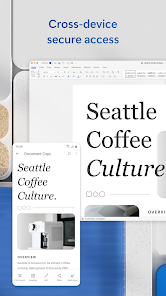
- Integration with OneDrive for cloud storage and access across devices.
Theme 'OneDrive integration' identified in app description and recent_review #4.
- Template gallery for resumes, newsletters, and brochures to quickly start documents.
Theme 'Template gallery' identified in app description.
Cons
- Documents can be lost or deleted without warning, even with autosave enabled, causing data loss.
Theme 'Document loss' identified in recent_review #1.
- Mobile interface is difficult to navigate with confusing menus and poor touch controls for basic tasks.
Theme 'Poor mobile UI' identified in recent_review #2 and #3.
- Frequent login and subscription verification issues prevent documents from saving properly.
Theme 'Subscription verification issues' identified in recent_review #4.
Recent Reviews
Nicole Sweet
1★I was in the middle of editing a document that was already saved. I have autosave on and I had been working on it for a couple of days. I opened the file and was editing, when I got a text from a friend. With the app and the document still open, I switched to my messenger app to text them back and then switched back to MS Word. It closed my file and brought me back to my list of files. My file was no longer there. In fact, any files from the whole week...gone. I can't trust this app now.
Tiara Terry
2★Word is not bad if you're using it on your laptop or computer. However, if you're using it on your phone, it's a pain in the butt. It's hard to perform basic things like stroll all the way down to continue working, correct changes, type up words, ect. I also don't like that when operating the app over the phone, you have to keep logging in.
Beth
1★Has gotten awful to interact with. New arrangements with menus can get impossible to navigate. Give me a side bar drop down to see all of my menus at once and choose between them, not this ridiculous clicking around the bottom in hopes of finding the right one, and then wasting time getting back to the main text menu.
Amanda Kespohl
2★Ever since I was forced to start using Word separately as an app on my phone and not Microsoft 365 or whatever it was, it won't save my documents properly. It keeps saying I'm not logged into one or more accounts or I don't have a subscription. So I look and I DO have my subscription current and it is still showing me as logged into OneDrive. And yet, I cannot get any documents to save. I am so tired of this. I think it's BS to have to buy all these subscriptions that don't even work.
Lysia Vomhof
4★this is the app I go to to create documents. 4 stars because I do often get "lost" trying to print files or save in the right spot or save with similar files or find file later, BUT that could very easily be ME and my lack of know-how. Still, it'd be great if it were so easy and obvious that even i could reliably navigate. When I do click all the right things at the right times, Word produces the product i want. its good!