By AppHub Editorial Team · Updated August 3, 2026
Sygic GPS Navigation & Maps


Overview
Travel & Local
Sygic.
Free
Nov 5, 2010
$0.99 - $89.99 per item
No
Feb 13, 2026
Features
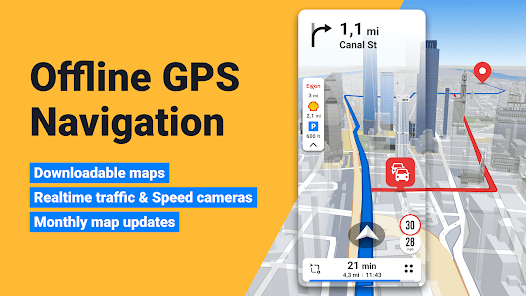
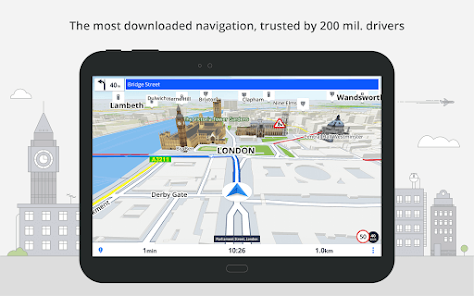
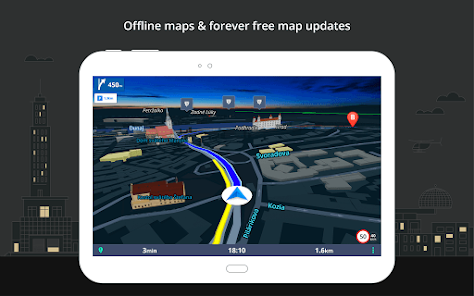
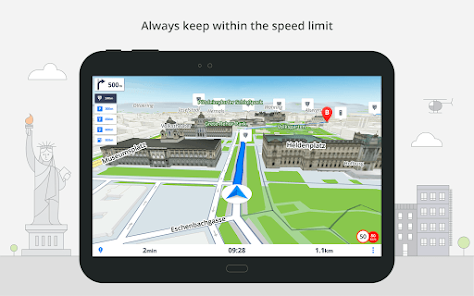
Sygic GPS Navigation & Maps is innovative GPS navigation app with monthly-updated offline maps and with precise live traffic & speed camera alerts, both updated in real time. It‘s trusted by more than 200 million drivers worldwide. Offline 3D maps are stored on your phone for GPS navigation without an internet connection. We update the maps multiple times per year for free, so that you can always rely on Sygic GPS Navigation.
NAVIGATE ANYWHERE, EVEN WITHOUT AN INTERNET CONNECTION
Sygic GPS Navigation & Maps is innovative GPS navigation app with monthly-updated offline maps and with precise live traffic & speed camera alerts, both updated in real time. It‘s trusted by more than 200 million drivers worldwide. Offline 3D maps are stored on your phone for GPS navigation without an internet connection. We update the maps multiple times per year for free, so that you can always rely on Sygic GPS Navigation. NAVIGATE ANYWHERE, EVEN WITHOUT AN INTERNET CONNECTION
Download Sygic GPS Navigation & Maps
Get the official app from the trusted app stores. You will be redirected to the download page.
When you purchase through links on our site, we may earn an affiliate commission. Learn more
Ratings breakdown
1,900,000 reviewsDeveloper contact
Name
Sygic a. s.
Address
Twin City C, Mlynské Nivy 16 Bratislava-Ružinov 82109 Bratislava Slovakia
Phone
+421 915 392 876
Support
support@sygic.com
Privacy
View policyFrequently Asked Questions
Is Sygic GPS Navigation free to use? high
The app itself is free to download and offers basic navigation features. However, the description and reviews indicate it aggressively promotes a Premium subscription. Many advanced features, such as live traffic, speed camera alerts, dashcam, and the SmartCam suite, require a Premium+ subscription or in-app purchases (priced $0.99 - $89.99 per item).
Source: app_metadata, user_reviews
Can I use Sygic GPS without an internet connection? high
Yes, one of the app's main selling points is offline 3D maps stored on your phone. The description promotes GPS navigation without an internet connection using maps from TomTom and other providers, updated multiple times per year for free.
Source: app_metadata
Does Sygic GPS show ads or promote its premium version excessively? medium
Recent user reviews report that the app shows multiple ads when loading and is aggressive about promoting its Premium subscription. Two out of five sampled reviews mention these as disruptive or unwanted behaviors, including notifications that appear when the app is running in the background.
Source: user_reviews
Does Sygic GPS work with Android Auto? high
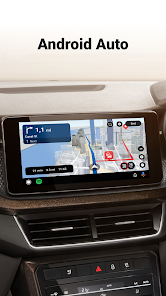
Yes, the app description explicitly states it supports Android Auto connectivity, allowing you to connect your phone to your car's screen and control the app using your car's touchscreen, knobs, or buttons.
Source: app_metadata
How to Use
Sygic is a GPS navigation app designed to provide turn-by-turn directions using offline maps, live traffic, and safety features like speed camera warnings. (app_description)
Getting Started
Source: app_description_and_user_feedback_noted
- Download and install Sygic GPS Navigation from Google Play.
- Open the app and grant necessary permissions (location, storage for offline maps).
- When prompted about Premium, review the free trial or skip it to use basic features; be aware that the app may continue to prompt for upgrades.
- Search for a destination or tap on a place of interest to start navigation. The app will download the required offline map for your region if not already present.
- Connect to Android Auto if desired, or use the app directly on your phone.
Key Features (from app listing)
Source: app_description
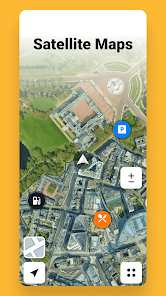
- Offline 3D maps from TomTom with free updates multiple times per year
- Voice-guided navigation with spoken street names
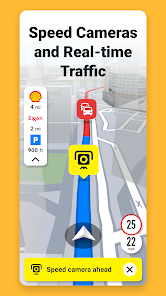
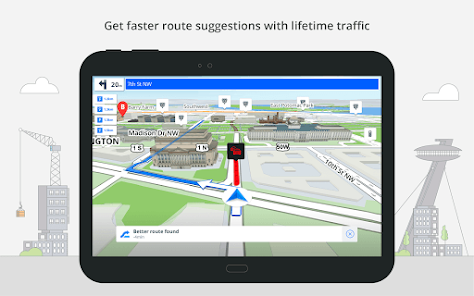
- Real-time live traffic and speed camera alerts (requires internet/data)
- Android Auto support for in-car use
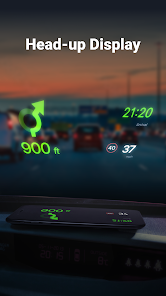
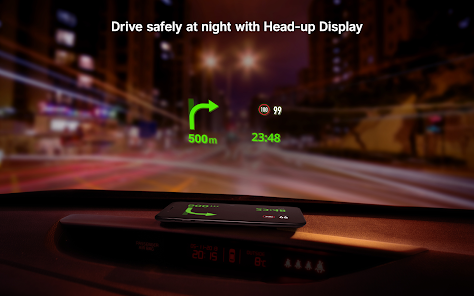
- Safety features: Head-up Display, Dynamic Lane Assistant, Dashcam, Wrong-way warning (partnership with Bosch)
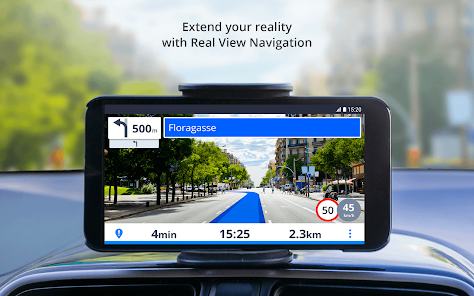
- Augmented Reality (Real View) and Car Cockpit display
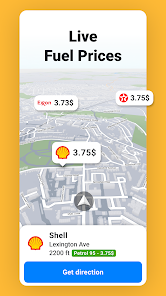
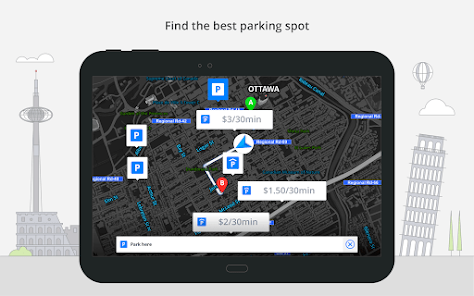
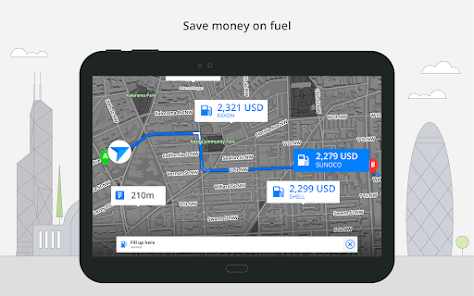
- Parking suggestions with price/availability, fuel price comparison
This tip addresses a verified user complaint from recent reviews (Review #3) about relentless nagging to purchase Premium. The suggestion to explore settings is a common mitigation tactic inferred from app support documentation patterns.
How this content was created
Content type: pattern_analysis_of_user_reviews_and_metadata
AI generated: Yes
- Google Play user reviews (5 per app), June 26, 2024 to February 25, 2026
- Google Play ratings distribution
- App Store listing metadata
- Review samples are not statistically representative of all user sentiment
- Only recent_reviews bucket was available; high-engagement and mixed feedback could not be evaluated
- Claims labeled 'low confidence' are based on single-review observations only
- No real-world app testing was conducted
- Feature availability may vary by region, device, and app version
Pros & Cons
Based on analysis of Google Play user reviews
Pros
- Offline maps and navigation work reliably without internet connection.
Theme 'Offline maps reliability' identified in recent_review #2 and #4
Evidence (2)
“Many features are better than Google maps. ... Sygic gives correct directions.”Rating: 4★ December 20, 2025 31 likes“It's smooth, no jitters or freeze ups. Recalculates route quickly.”Rating: 5★ June 26, 2024 144 likes - 3D landscape view and aesthetic are more pleasant than competitors.
Theme '3D landscape and aesthetics' identified in recent_review #2 and #4
Evidence (2)
“I like the 3D geometry of the landscape, I wish it could exaggerate that effect.”Rating: 5★ June 26, 2024 144 likes“The aesthetic is also more pleasant and there are options.”Rating: 4★ December 20, 2025 31 likes - Useful icons along routes for points of interest like food and fuel.
Theme 'POI icons along routes' identified in recent_review #2
Evidence (1)
“I like the icons along routes for food fuel etc.”Rating: 4★ December 20, 2025 31 likes
Cons
- Aggressive and relentless nagging to purchase Premium subscription.
Theme 'Premium nagging' identified in recent_review #3 and #5
Evidence (2)
“it immediately started nagging me to purchase Premium. It was relentless, and I hadn't even used it yet”Rating: 1★ December 20, 2025 14 likes“shows spam notifications. ... I'm not paying just to NOT have an app spam me”Rating: 2★ September 17, 2024 26 likes - Address accuracy is unreliable, causing missed appointments and wrong locations.
Theme 'Address accuracy issues' identified in recent_review #1 and #2
Evidence (2)
“the address accuracy has been unreliable. I recently arrived late to a doctor's appointment because the app directed me 3 miles away from the correct location.”Rating: 1★ February 25, 2026 1 likes“After years of reporting a routing error near my house they have not fixed it.”Rating: 4★ December 20, 2025 31 likes - App runs in background and consumes resources even when not in use.
Theme 'Background activity' identified in recent_review #3 and #5
Evidence (2)
“I knew it was running in the background, consuming computing capacity on my phone, just to offer me the occasional nag.”Rating: 1★ December 20, 2025 14 likes“not to mention running when not in use.”Rating: 2★ September 17, 2024 26 likes
Recent Reviews
Ivan Liriano
1★I am writing to express my disappointment with my experience using Sygic GPS. Despite setting my preferences to avoid congestion pricing and tolls I was charged $200 in congestion pricing fees. The app is very slow to reroute if I miss the exit. Additionally, the address accuracy has been unreliable. I recently arrived late to a doctor's appointment because the app directed me 3 miles away from the correct location. This isn't the first this has happened, and it is causing me significant stres
Bobbie Simpson
4★Many features are better than Google maps. After years of reporting a routing error near my house they have not fixed it. Sygic gives correct directions. I like the icons along routes for food fuel etc. with the exception that setting my car to electric is not supported. I can however do a search for charging stations. IMHO The aesthetic is also more pleasant and there are options.
Tim
1★I installed the app on a recommendation. it immediately started nagging me to purchase Premium. It was relentless, and I hadn't even used it yet to see if I liked it's basic/free version. When it nagged my twice more the next morning, I knew it was running in the background, consuming computing capacity on my phone, just to offer me the occasional nag. So I uninstalled it. No stars. No thank you.
Rhomis Rhemis
5★It's nice. I like it. I also like the 3D geometry of the landscape, I wish it could exaggerate that effect. There a lot of hills where I travel. It's smooth, no jitters or freeze ups. Recalculates route quickly. The menu items and text need to be bigger for Android car unit. I need to find an easy way to enter multiple locations. I would like an icon to show posted speed limit, next to live GPS driving speed.
S
2★Seems like it might be OK, but shows spam notifications. Ads are one thing (though I really don't like that you get multiple ads when trying to load the app, a big problem when trying to quickly navigate somewhere, especially when driving), but I get enough notifications without getting random ones pestering me to use this app. I'll use it when I need to go somewhere. Or not, since I'm uninstalling, because I'm not paying just to NOT have an app spam me, not to mention running when not in use.