By AppHub Editorial Team · Updated August 3, 2026

OsmAnd — Maps & GPS Offline
Overview
Travel & Local
OsmAnd
Free
Aug 16, 2010
5.2.13
7.0
$1.63 - $69.99 per item
No
Apr 4, 2026
Features
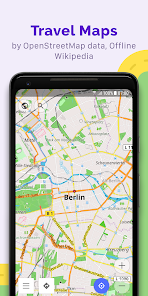
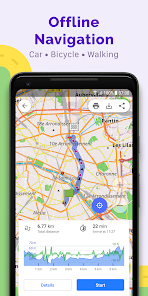
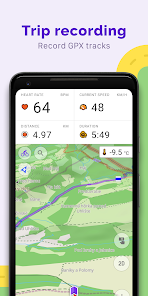
OsmAnd is an offline world map application based on OpenStreetMap (OSM), which allows you to navigate taking into account the preferred roads and vehicle dimensions. Plan routes based on inclines and record GPX tracks without an internet connection. OsmAnd is an open source app. We do not collect user data and you decide what data the app will have access to.
Main features:
Map view
OsmAnd is an offline world map application based on OpenStreetMap (OSM), which allows you to navigate taking into account the preferred roads and vehicle dimensions. Plan routes based on inclines and record GPX tracks without an internet connection. OsmAnd is an open source app. We do not collect user data and you decide what data the app will have access to. Main features: Map view
Download OsmAnd — Maps & GPS Offline
Get the official app from the trusted app stores. You will be redirected to the download page.
Official Links
When you purchase through links on our site, we may earn an affiliate commission. Learn more
Ratings breakdown
238,000 reviewsDeveloper contact
Name
OsmAND B.V.
Address
Logger 41 1186 RM Amstelveen Netherlands
Website
https://osmand.netPhone
+31 6 19804549
Support
support@osmand.net
Privacy
View policyFrequently Asked Questions
Does OsmAnd require an internet connection for navigation? high
No. OsmAnd is a fully offline navigation app that uses maps from OpenStreetMap. You can download entire regions or countries and navigate without any data connection. This is confirmed by the app description.
Source: app_metadata
How much does OsmAnd cost and what are the paid features? high
OsmAnd is free to download and use. Premium features are available via a subscription or one-time purchase. Common pricing mentioned in recent reviews: $2.99/month, $29.99/year, or a one-time fee of $39.99. Paid features include Android Auto support, unlimited map downloads, contour lines, nautical depths, offline Wikipedia, and more, as listed in the app description. In-app purchases range from $1.63 to $69.99 per item.
Source: app_metadata, user_reviews
Does OsmAnd work with Android Auto? medium
Yes, but Android Auto support is a paid feature. It requires the Maps+ in-app purchase or a subscription. One recent reviewer complained that this feature is behind a paywall, costing $5.99/month according to their review.
Source: app_metadata, user_reviews
Is OsmAnd open source and does it respect privacy? high
Yes, OsmAnd is an open source app. The app description states: 'We do not collect user data and you decide what data the app will have access to.' This is a verified claim from the official listing.
Source: app_metadata
How to Use
OsmAnd is an offline GPS navigation app using OpenStreetMap data for map viewing, route planning, and GPX track recording without an internet connection. (app_description)
Getting Started
Source: app_description_and_user_feedback_noted
- Install OsmAnd from Google Play and open the app.
- Download offline maps for your region or areas of interest. Go to 'Menu' > 'Download maps' and select the country or region.
- Configure navigation settings. Go to 'Settings' > 'Navigation settings' and choose your profile: car, bicycle, pedestrian, or others.
- Search for a destination: tap the search icon to search by address, name, coordinates, or category. Note: some users report address search may be imprecise.
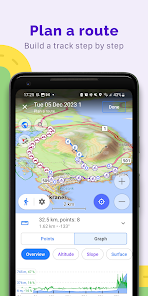
- Plan a route: either search for a single point or use 'Plan a route' to add multiple waypoints manually. You can also import or record GPX tracks.
Key Features (from app listing)
Source: app_description
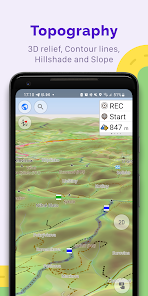
- Offline maps with multiple styles (touring, nautical, ski, topographic, etc.)
- Turn-by-turn GPS navigation with customizable profiles (car, bike, pedestrian, boat, etc.)
- Route planning and GPX track recording and management
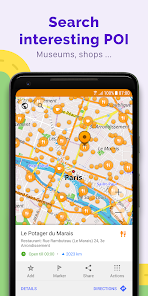
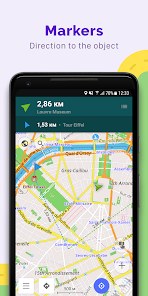
- Points of interest: favorites, markers, audio/video notes
This tip directly responds to a verified user complaint from a recent 1-star review that states: 'I am being required to pay for Pro if I want to use this app with Android Auto. I wouldn't even mind paying like $2.99 / month for the feature, but I can't afford it at the price they're asking.'
How this content was created
Content type: pattern_analysis_of_user_reviews_and_metadata
AI generated: Yes
- Google Play user reviews (5 per app), September 14, 2020 to October 14, 2024 (with one review dated February 21, 2026 which may be a future date)
- Google Play ratings distribution
- App Store listing metadata
- Review samples are not statistically representative of all user sentiment
- Only 5 reviews were available, all from the recent_reviews bucket; no other buckets were provided
- Claims labeled 'low confidence' are based on single-review observations only
- No real-world app testing was conducted
- Feature availability may vary by region, device, and app version
Pros & Cons
Based on analysis of Google Play user reviews
Pros
- Pricing model receives explicit praise for being fair and developer-friendly low
Theme 'fair pricing' identified in a single recent 5-star review that praises the app's pricing model as better than competitors.
Evidence (1)
“To use premium features, it will cost you $2.99/month, $29.99/yr, for a one-time fee of $39.99. I've already blacklisted other apps.”Rating: 5★ November 02, 2025 72 likes - The app is described as powerful and feature-rich for free offline navigation low
Theme 'powerful free app' appears in one 4-star recent review that acknowledges its offline capabilities and turn-by-turn guidance.
Evidence (1)
“Powerful free app with turn by turn guidance. The interface isn't the most intuitive, but it's very customizable.”Rating: 4★ September 14, 2020 43 likes
Cons
- Billing issues are a recent concern, with one reviewer reporting continued charges after upgrading low
Theme 'billing errors' identified in 1 recent 1-star review describing being charged for both a monthly and annual subscription simultaneously.
Evidence (1)
“However, after I clicked on a special offer within the app to upgrade to the Pro annual subscription (a pop-up banner at the top of the screen), they continued to charge me for the monthly subscription as well—every month, for the entire year.”Rating: 1★ October 14, 2024 32 likes - The cost for Android Auto support is seen as too high by at least one user low
Theme 'Android Auto paywall complaint' identified in 1 recent 1-star review that states being required to pay for Pro to use Android Auto feels unaffordable.
Evidence (1)
“Incredibly disappeared that I am being required to pay for Pro if I want to use this app with Android Auto. I wouldn't even mind paying like $2.99 / month for the feature, but I can't afford it at the price they're asking. $5.99/month is a lot on top of all of the other monthly subscriptions”Rating: 1★ February 21, 2026 4 likes - Address search accuracy and map data freshness are reported as lacking by one reviewer low
Theme 'address search inaccuracies' identified in 1 recent 3-star review that states the app often fails to find exact street numbers and includes non-existent roads.
Evidence (1)
“It's good, but lacks refinement with address searching. Doesn't find exact street number, often doesn't find streets due to mis-spellings in the map itself. Directions often go down non-connected streets or those that no longer exist for years.”Rating: 3★ May 08, 2021 45 likes - User interface is described as unintuitive by one reviewer low
Theme 'non-intuitive interface' identified in 1 recent 4-star review that acknowledges the app is powerful but notes the interface isn't the most intuitive.
Evidence (1)
“The interface isn't the most intuitive, but it's very customizable.”Rating: 4★ September 14, 2020 43 likes
Recent Reviews
Slade
5★I have yet to try fully try the app out. I'm still setting it up. That said, they've already scored major points with me. other developers need to take notes on this. To use premium features, it will cost you $2.99/month, $29.99/yr, for a one-time fee of $39.99. I've already blacklisted other apps, regardless of their usefulness, for only giving me the option to purchase a one-year subscription. Good job, guys. 👍😎
Digital Alchemy
1★The app itself is great. However, after I clicked on a special offer within the app to upgrade to the Pro annual subscription (a pop-up banner at the top of the screen), they continued to charge me for the monthly subscription as well—every month, for the entire year. I emailed customer support, and they told me there was nothing they could do and wouldn't issue a refund. Unethical...
Alias-ZZZ
1★Incredibly disappeared that I am being required to pay for Pro if I want to use this app with Android Auto. I wouldn't even mind paying like $2.99 / month for the feature, but I can't afford it at the price they're asking. $5.99/month is a lot on top of all of the other monthly subscriptions we're forced to pay for in life
CJ C
3★It's good, but lacks refinement with address searching. Doesn't find exact street number, often doesn't find streets due to mis-spellings in the map itself. Directions often go down non-connected streets or those that no longer exist for years. Can find some things by name, like schools, but is only about 75% accurate. Doesn't account for traffic. Features are good here, though. I like the overlay option and the offline maps, and setting parking spots, but interface takes getting used to.
Hung Wasson
4★Powerful free app with turn by turn guidance. The interface isn't the most intuitive, but it's very customizable. I wish you could easily "skip next waypoint", but it seems you must go into your route and manually delete it. That is a bit of a pain if you're navigating a complicated route and don't come near enough to a waypoint to clear it automatically.