By AppHub Editorial Team · Updated August 3, 2026

Tuya - Smart Life,Smart Living




Overview
Lifestyle
Tuya Smart Inc.
Free
Nov 11, 2015
7.6.2
7.0
$0.49 - $259.99 per item
No
Apr 7, 2026
Features
Tuya — Your AI Assistant for Life
Tuya is your all-in-one AI assistant that makes smart living simple. Seamlessly control all your connected devices, stay on top of household tasks, and get personalized lifestyle tips — all in one place. Discover a smarter, more comfortable way to live.
Why Tuya:
Tuya — Your AI Assistant for LifeTuya is your all-in-one AI assistant that makes smart living simple. Seamlessly control all your connected devices, stay on top of household tasks, and get personalized lifestyle tips — all in one place. Discover a smarter, more comfortable way to live. Why Tuya:
Download Tuya - Smart Life,Smart Living
Get the official app from the trusted app stores. You will be redirected to the download page.
When you purchase through links on our site, we may earn an affiliate commission. Learn more
Ratings breakdown
500,000 reviewsDeveloper contact
Name
Tuya Smart Inc.
Address
160 Greentree Dr Ste 101 Dover, DE 19904-7620 United States
Website
http://www.tuya.comPhone
+1 888-884-8059
Support
support@tuya.com
Privacy
View policyFrequently Asked Questions
Does the Tuya Smart Life app work with Google Home or Alexa? medium
Yes, the Tuya app supports integration with Google Home and other smart home platforms. However, recent user reviews report that after app updates, devices may show as 'offline' in Google Home even when the Tuya app itself shows them as connected. If you rely on voice control through Google Home, you may experience intermittent disconnections after Tuya app updates.
Source: user_reviews, app_metadata
Is the Tuya Smart Life app free? high
Yes, the app is free to download. It offers in-app purchases ranging from $0.49 to $259.99 per item. There are no subscription requirements listed in the app description.
Source: app_metadata
Does the Tuya app support robot vacuum cleaners with water tanks? low
The app is designed to work with a wide range of smart devices including robot vacuums. However, a recent review of the BR151 vacuum/mop combo reports that the low water level alert feature – which the manufacturer says the app should have – is not found or functional in the app. This may vary by device model and firmware version.
Source: user_reviews, app_metadata
Are there any privacy concerns with the Tuya app? low
One recent reviewer reported that after an update, the app suddenly required consent for personal information collection, which made them distrust the app. The app has a 'Everyone' content rating and collects data as typical for smart home apps. No broader privacy issues were confirmed in the available sample beyond this one user's concern.
Source: user_reviews, app_metadata
How to Use
Tuya is an all-in-one AI assistant app for controlling smart home devices, automating routines, managing home security and energy usage, and accessing AI-powered life tools like fitness tracking and meal planning. (app_description)
Getting Started
Source: app_description_and_user_feedback_noted
- Step 1: Download the app from Google Play and create a Tuya account or sign in.
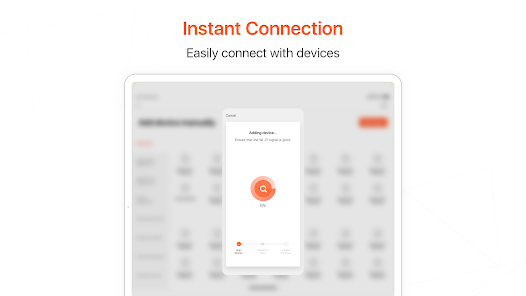
- Step 2: Add your smart devices by tapping the '+' icon and following the in-app pairing instructions for compatible devices (lights, plugs, sensors, cameras, appliances).
- Step 3: Organize devices into rooms or groups for easier control.
- Step 4: If you experience device disconnection after a future update, try re-adding the device or checking for a newer version of the app that may fix the issue.
- Step 5: Explore scenes, automations, and other features from the main dashboard.
Key Features (from app listing)
Source: app_description
- Smart Home Control: Manage connected devices via tap or voice command.
- Automated Routines: Create custom automations based on time, weather, or device status.
- Home Security: Real-time monitoring with instant alerts via connected cameras and sensors.
- Energy Insights: Track usage and receive recommendations to reduce costs and environmental impact.
- Family Planner: Shared to-do lists, reminders, and task assignments.
- AI-Powered Life Tools: Fitness, meal planning, meeting notes, pet care, visual recognition, and translation assistance.
- Multi-Language Support: Use the app and translate text on the go.
Based on a user complaint in recent_reviews (Review #1, July 2025) who had 96 likes, describing that after each app update, Google Home shows devices as offline. This tip is responsive to a verified user problem.
How this content was created
Content type: pattern_analysis_of_user_reviews_and_metadata
AI generated: Yes
- Google Play user reviews (5 per app), February 2026 to March 2026 (4 reviews) and July 2025 (1 review)
- Google Play ratings distribution
- App Store listing metadata
- Only 5 recent reviews were available; the sample is not statistically representative of all users.
- No high-engagement negative or positive reviews were provided, which limits the ability to distinguish between typical complaints and amplified sentiment.
- The negative skew in the sample may reflect recency bias (users who recently experienced problems leave reviews) rather than general app quality.
- Claims labeled 'low confidence' are based on single-review observations only.
- No real-world app testing was conducted.
- Feature availability may vary by region, device, and app version.
- Ratings distribution was not available, removing crucial context for understanding overall user satisfaction.
Pros & Cons
Based on analysis of Google Play user reviews
Pros
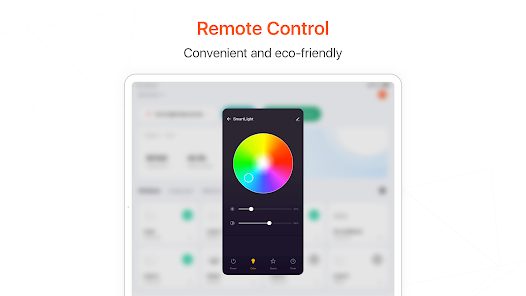
- App allows manual control of smart devices like lights directly from the interface.
Theme 'Manual device control' identified in recent_review #5
Evidence (1)
“only thing that works is making the lights manually do something”Rating: 1★ March 19, 2026 5 likes - App integrates with a wide range of smart home devices from various manufacturers.
Theme 'Device compatibility' identified in app description and recent_review #3
Evidence (1)
“Connect and manage a wide range of smart devices with just a tap or a simple voice command”Rating: 5★ N/A - App provides AI-powered lifestyle tools like fitness tracking and meal planning.
Theme 'AI lifestyle tools' identified in app description
Evidence (1)
“Get help with fitness goals, meal planning, meeting notes, pet care, visual recognition, and everyday tips”Rating: 5★ N/A
Cons
- App updates frequently break functionality, causing devices to show offline or become unresponsive.
Theme 'Update-related bugs' identified in recent_review #1 and #4
Evidence (2)
“Every time this app updates, functionality plummets. On Google Home, everything shows as offline.”Rating: 2★ July 12, 2025 96 likes“Ever since new update the app keeps freezing up to much and not responding. and shutting down every single time I open app.”Rating: 1★ March 23, 2026 3 likes - Automation features like scenes and schedules rarely work as intended or fail entirely.
Theme 'Broken automations' identified in recent_review #5 and #3
Evidence (2)
“every single "scene" does not function whatsoever, but there is not one functioning part”Rating: 1★ March 19, 2026 5 likes“the low and high function won't change when I click on it”Rating: 1★ February 20, 2026 5 likes - App fails to provide critical device status updates like low water level for robot vacuums.
Theme 'Missing device alerts' identified in recent_review #2
Evidence (1)
“the app is supposed to tell me when the water level is low. I can't find any option for this.”Rating: 3★ March 11, 2026 4 likes
Recent Reviews
Vixen Fox
2★Every time this app updates, functionality plummets. On Google Home, everything shows as offline. The Tuya app can't tell if something is off or on, so you have to hit power until it figures it out. I have one light that fully disconnects every other day. I have to manually turn it off and back on to reconnect. Of course this means none of the group settings or timers work. Removing all bulbs in my house from the app and reconnecting them in hopes it works multiple times a year isn't convenient.
jill lough
3★Just purchased a BR151 vacuum/mop combo. the app is supposed to tell me when the water level is low. I can't find any option for this. thats one of the most important things so its not just going with an empty tank and I'm unaware. Manufacturer states the app should have it. really frustrating as I've "dry" mopped twice now because I didn't know it ran out. Very close to returning it just because of this app. if someone at Tuya could fix this, it would be great
Sarah Allbee
1★I have a fireplace on the app, the app functions work for about a day and then I try to control temperature and a few minutes later it goes back to the lowest temperature. the low and high function won't change when I click on it. I Uninstalled the fireplace and re added, it worked for the night then the next day doing the same thing. very dissapointing!
Gregory Madison
1★Ever since new update the app keeps freezing up to much and not responding. and shutting down every single time I open app. It's like the app went back to when it was first came out. To much not responding crashing app. Now when i open it wants me to agree for my personal info. Don't trust app now. Also even at low alert I wake up with fake alerts of just bug or wind. You would think at low alert it wouldn't send me everything. The camera on motion has never gone up/down. Just sideways
Retro
1★A terrible app all together, not only does every single "scene" not function whatsoever, but there is not one functioning part, only thing that works is making the lights manually do something, you can't automate anything whatsoever. I got these from an arcade of all places, so I shouldn't be surprised that it's just more cheap slop to fill their shelves.