By AppHub Editorial Team · Updated August 3, 2026

MEGA







Overview
Productivity
Mega Ltd
Free
Feb 8, 2016
$5.49 - $366.62 per item
No
Feb 8, 2026
Features
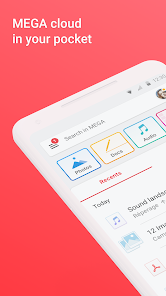
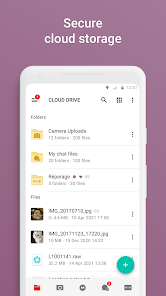
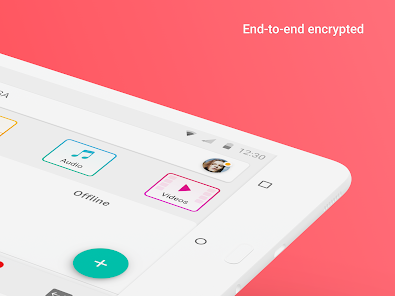
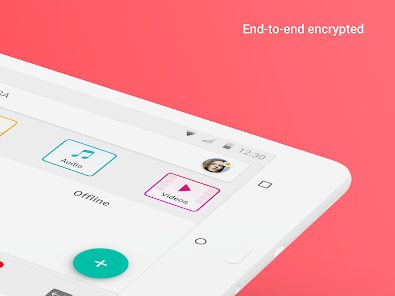
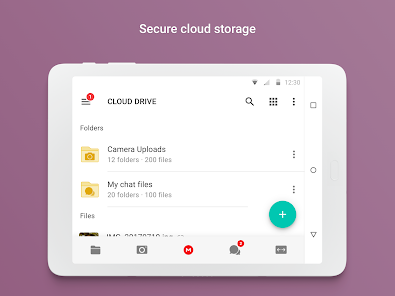
MEGA provides user-controlled encrypted cloud storage that’s accessed with web browsers and dedicated apps for mobile devices. Unlike other cloud storage providers, your data is encrypted and decrypted by your client devices only and never by us.
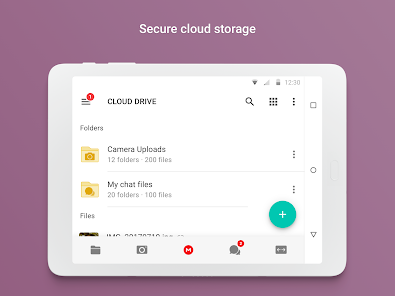
Upload files from your smartphone or tablet, then search, download, stream, view, share, rename or delete them from any device, anywhere. Share folders with your contacts and see their updates in real time.
You can automatically sync your local data w...
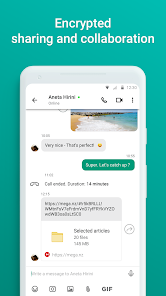
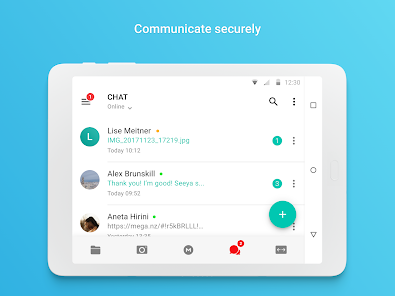
MEGA provides user-controlled encrypted cloud storage that’s accessed with web browsers and dedicated apps for mobile devices. Unlike other cloud storage providers, your data is encrypted and decrypted by your client devices only and never by us. Upload files from your smartphone or tablet, then search, download, stream, view, share, rename or delete them from any device, anywhere. Share folders with your contacts and see their updates in real time. You can automatically sync your local data with your Cloud drive, ensuring your important files are always safe and accessible across all your devices. With our sync functionality, you can back up any local folder on your device to MEGA effortlessly. Additionally, our backup feature allows you to set up a one-way sync by selecting specific folders to back up seamlessly. MEGA’s strong and secure end-to-end encryption means we cannot access or reset your password. You MUST remember the password and make sure to back up your account recovery key. Losing your password and the account recovery key will result in lost access to your files. Enjoy the security and privacy of encrypted one-on-one and group chats and meetings. Our zero-knowledge encryption means that your messages, audio and video calls are safe, secure, and private. Collaborate seamlessly with your team members or friends and family with direct integration with our Cloud drive for sending and receiving encrypted files. MEGA offers generous free storage for all registered users. You can get even more free storage in 5 GB increments through our MEGA Achievements Programme. Subscriptions renew automatically for successive periods of the same duration at the same price as the initial period chosen. To manage your subscriptions, simply tap on the Play Store icon on your device, sign in with your Google ID (if you haven’t already done so), then tap on the MEGA app. All MEGA client-side application code is published on GitHub, for transparency. The code of our Android mobile app is located at: https://github. com/meganz/androidApp permissions (optional):Contacts: MEGA accesses your contacts so you can add them from your device. Microphone: MEGA accesses your microphone when you capture a video, make a call or record voice messages in the app. Camera: MEGA accesses your camera when you capture a video or photo, or make a call in the app. Nearby devices: MEGA accesses nearby devices so you can use Bluetooth devices to join calls in the app. Notifications: MEGA sends notifications about chat messages, calls, transfer progress, contact requests, or incoming shares from other users. Media (photos, videos, music and audio): MEGA accesses your media files when you upload, share through chat and when camera uploads is enabled. Location: MEGA accesses your location when you share it with your contacts in chat. MEGA’s Terms of Service: https://mega.io/termsPrivacy and Data Policy: https://mega.io/privacy
Download MEGA
Get the official app from the trusted app stores. You will be redirected to the download page.
Official Links
When you purchase through links on our site, we may earn an affiliate commission. Learn more
Ratings breakdown
1,570,000 reviewsDeveloper contact
Name
Mega Limited
Address
L 21 Huawei Centre 120 Albert St Auckland Central Auckland 1010 New Zealand
Website
https://mega.ioPhone
+64 9 281 2110
Support
android@mega.nz
Privacy
View policyFrequently Asked Questions
Is MEGA free to use? high
Yes, MEGA offers generous free storage for all registered users. You can earn additional free storage in 5 GB increments through the MEGA Achievements Programme.
Source: app_metadata
Does MEGA have ads? high
No, MEGA does not contain ads.
Source: app_metadata
How do I cancel my MEGA subscription? high
You can manage your subscriptions by tapping the Play Store icon on your device, signing in with your Google ID, then tapping on the MEGA app. However, one reviewer reported difficulty getting a refund after canceling within 3 hours of a charge.
Source: app_metadata, user_reviews
Why can't I sort files in the MEGA app? low
The MEGA mobile app currently lacks sorting options for remote folders (e.g., by size, date). This feature is available on the desktop browser and mobile browser versions.
Source: user_reviews
How do I recover my MEGA account if I forget my password? high
MEGA's end-to-end encryption means the company cannot reset your password. You must remember your password and back up your account recovery key. Losing both will result in permanent loss of access to your files. One reviewer described difficulty with this process.
Source: app_metadata, user_reviews
How to Use
MEGA is a cloud storage service that provides end-to-end encryption for files, chats, and calls, accessible via mobile apps and web browsers. (app_description)
Getting Started
Source: app_description_and_user_feedback_noted
- Step 1: Download the MEGA app from the Google Play Store and create an account. Since MEGA uses end-to-end encryption, you must remember your password and back up your account recovery key to avoid permanent data loss.
- Step 2: Upload files from your smartphone or tablet by selecting the upload option. You can upload photos, videos, music, and other documents.
- Step 3: Share folders with contacts by selecting a folder and choosing the share option. Changes are visible in real time. Sync local folders by enabling the sync feature in settings, but note that some users report issues with syncing non-camera folders.
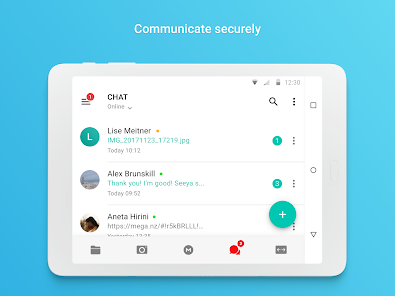
- Step 4: Use the chat and call features for encrypted one-on-one and group conversations. The app will request permissions for microphone, camera, and contacts as needed.
- Step 5: Manage your storage plan via Google Play subscriptions. To cancel or change your plan, go to the Play Store app, sign in with your Google ID, and manage your MEGA subscription there.
Key Features (from app listing)
Source: app_description
- User-controlled end-to-end encryption for files, chats, and calls.
- Upload, download, stream, view, share, rename, and delete files from any device.
- Real-time folder sharing with contacts.
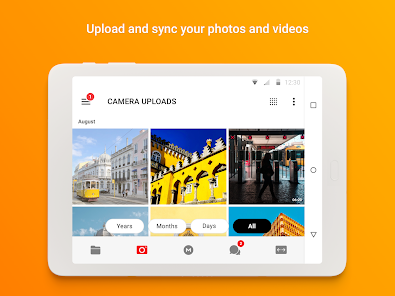
- Automatic sync of local folders and camera uploads.
- Encrypted one-on-one and group chats and calls.
- Generous free storage with additional 5 GB increments via the MEGA Achievements Programme.
- All client-side code is open-source on GitHub for transparency.
This tip is derived from a user complaint in recent_reviews #3, who stated that non-camera synced folders do not work correctly and make the app unresponsive. The tip is responsive to this verified issue.
How this content was created
Content type: pattern_analysis_of_user_reviews_and_metadata
AI generated: Yes
- Google Play user reviews (12-20 preferred; may be smaller if source data is limited per app), April 20, 2024 to December 26, 2025
- Google Play ratings distribution
- App Store listing metadata
- Review samples are not statistically representative of all user sentiment
- High-engagement negative reviews can overrepresent complaints
- Claims labeled 'low confidence' are based on single-review observations only
- No real-world app testing was conducted
- Feature availability may vary by region, device, and app version
- Only one bucket (recent_reviews) with 5 reviews was available, limiting cross-bucket comparisons
Pros & Cons
Based on analysis of Google Play user reviews
Pros
- Provides secure, user-controlled encrypted cloud storage for privacy-conscious users.
Theme 'Secure storage' identified in recent_review #5
Evidence (1)
“The app and service is great.”Rating: 1★ July 31, 2024 10 likes - Works well when functioning, providing reliable cloud storage and file access.
Theme 'Works well when functional' identified in recent_review #2
Evidence (2)
“The only reason I am giving this 3 stars is because WHEN it works it works well.”Rating: 3★ October 18, 2025 16 likes“Overall it's functional”Rating: 1★ April 20, 2024 78 likes - Offers generous free storage for all registered users.
Feature mentioned in app description
Cons
- App frequently freezes, gets stuck on downloads, and fails to load files or folders.
Theme 'App freezing and loading issues' identified in recent_review #2
Evidence (2)
“there are many times where this app will either; completely lock up, start to download a file get stuck and NEVER finish, take forever to load a stored video or image, or even flat out just not load my Cloud Drive folder.”Rating: 3★ October 18, 2025 16 likes“No other synced folders work right and will make the app unresponsive. You can't pause or stop them either. They just get stuck.”Rating: 1★ September 09, 2025 29 likes - Poor customer service with refusal to refund or address issues for paying customers.
Theme 'Poor customer support' identified in recent_review #1
Evidence (2)
“I attempted to cancel within 3 hours of the $57 charge, but they refused to refund or even change my membership to the month-to-month option to retain a customer.”Rating: 1★ December 26, 2025 42 likes“I sent an email to support, but a simple update password via email could have fixed this.”Rating: 1★ July 31, 2024 10 likes - Account recovery is difficult and relies on a passkey file that users may not have saved.
Theme 'Account recovery issues' identified in recent_review #5
Evidence (1)
“Also the whole passkey recovery in a text file is the dumbest thing I ever heard of. I don't remember downloading any such file.”Rating: 1★ July 31, 2024 10 likes
Recent Reviews
Andrea Tulley
1★I had been a pro member for several years, and had to unexpectedly cancel my recurring annual subscription. I attempted to cancel within 3 hours of the $57 charge, but they refused to refund or even change my membership to the month-to-month option to retain a customer. I requested escalation but was disregarded. They do not care about customer loyalty or retention. Highly disappointed. *UPDATE* they requested my ticket information, which I sent, and I never got a follow up from them.
Craig Gardiner
3★The only reason I am giving this 3 stars is because WHEN it works it works well. HOW EVER, there are many times where this app will either; completely lock up, start to download a file get stuck and NEVER finish, take forever to load a stored video or image, or even flat out just not load my Cloud Drive folder. This will even happen on a stable internet connection. Additionally every couple updates some or most of the app features stop working right or they break something.
Dafty Punker
1★Only Camera and secondary media will sync properly. No other synced folders work right and will make the app unresponsive. You can't pause or stop them either. They just get stuck. Please fix this and the app would be great. I'm not uploading logs and filling out a bug report. It takes you all but 5 minutes to actually try it and you'll see it doesn't work. Many users here are saying the same thing. I have a new razr on Android 15 so I imagine it's the same problem for everyone.
xwtfbobx
1★Overall it's functional, but the lack of any ability for sorting remote folders is a deal breaker. It's available in the desktop browser, and even in the mobile browser. But if I'm trying to manage a folder and want to sort by size, date, etc I find it pitiful that I have to open it first through the browser, then sort by whatever it is I want, find the filename and then open the app to manage the file. Why is there no way to do something as simple as filtering and sorting of files.
David Thrift
1★The app and service is great. Recovering account is not. I haven't used this in a long time, but I have been paying a monthly subscription. Now suddenly I don't have my account? Also the whole passkey recovery in a text file is the dumbest thing I ever heard of. I don't remember downloading any such file. It wasn't saved in my email either. Did I ever get one? I sent an email to support, but a simple update password via email could have fixed this.