By App Discoverer Editorial Team · Updated October 1, 2026

Video Maker & Photo Music
Overview
Video Players & Editors
FotoPlay Video Maker
Free
Oct 17, 2019
8.1.1.3
7.0
$0.99 - $24.99 per item
No
Feb 26, 2026
Features
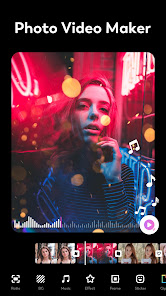
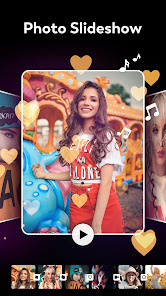
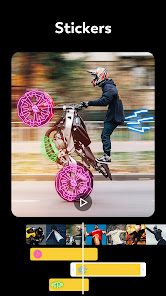
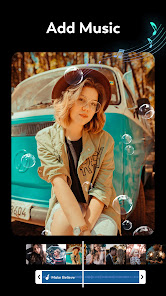
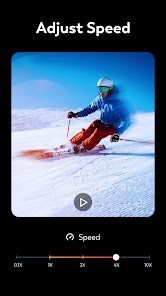
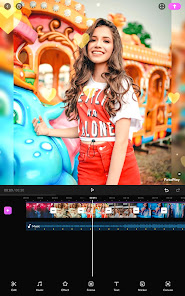
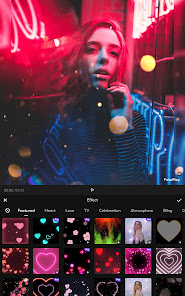
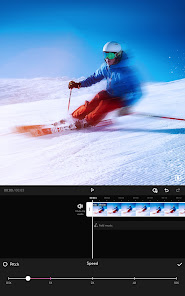
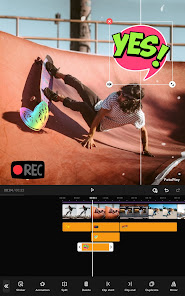
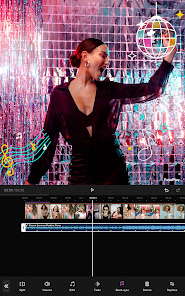
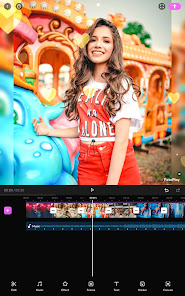
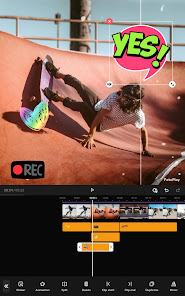
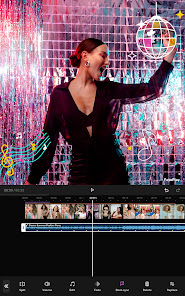
FotoPlay Video Maker is an easy-to-use photo video maker that allows you to merge photos and create slideshows with music. With FotoPlay Video Maker, you can merge photos and add music, video effects, and stickers to create a video that you can share on TikTok, YouTube, Instagram, Facebook, and Twitter.
Create Stunning Photo Slideshows for Free with Music, Video Effects, Animated Emojis, and No Watermark
🏅Key Features of FotoPlay:
FotoPlay Video Maker is an easy-to-use photo video maker that allows you to merge photos and create slideshows with music. With FotoPlay Video Maker, you can merge photos and add music, video effects, and stickers to create a video that you can share on TikTok, YouTube, Instagram, Facebook, and Twitter. Create Stunning Photo Slideshows for Free with Music, Video Effects, Animated Emojis, and No Watermark 🏅Key Features of FotoPlay:
Download Video Maker & Photo Music
Get the official app from the trusted app stores. You will be redirected to the download page.
Official Links
When you purchase through links on our site, we may earn an affiliate commission. Learn more
Ratings breakdown
691,000 reviewsDeveloper contact
Name
淄博优加网络科技有限公司
Address
中国 山东省淄博市 张店区马尚街道办事处华光路188号玉龙大厦B座2011室 邮政编码: 255000
Website
https://www.fotoplayapp.comPhone
+86 158 5338 8959
Support
connect.fotoplay@outlook.com
Privacy
View policyFrequently Asked Questions
Is FotoPlay Video Maker free to use? high
Yes, the app is free to download and use. It offers in-app purchases ranging from $0.99 to $24.99 for premium features like Pro upgrades.
Source: app_metadata
Does the app add a watermark to my videos? high
The app description states it is a 'no watermark video maker', and users in recent reviews have not mentioned watermarks. The app is presented as free to use without watermarks.
Source: app_metadata
Can I use my own music or extract audio from videos? high
Yes. The app description says you can 'add free popular music', 'extract high-quality audio from your favorite videos', and 'add a voiceover'. Recent reviews do not mention these specific features, but the description is clear.
Source: app_metadata
Are there ads in the app? medium
The app metadata says it 'contains_ads: false', but one recent review mentions 'Of course there's ads'. The metadata and review conflict, so ads may exist in some versions. The official answer from the developer is that the app contains no ads.
Source: app_metadata, user_reviews
How to Use
FotoPlay Video Maker is an easy-to-use app that lets you merge photos, add music and effects, and create slideshows for sharing on social media. (app_description)
Getting Started
Source: app_description_and_user_feedback_noted
- Download and open the app. You'll be presented with a simple dashboard to start a new project.
- Select your photos and videos from your gallery to include in your slideshow. The app does not limit the number of files you can add.
- Arrange your media in the desired order. Note: some users report that you cannot rearrange photos after entering the editor, so finalize the order beforehand.
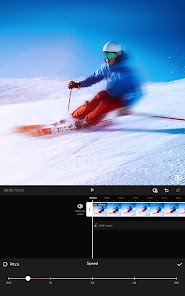
- Choose a theme, transitions, and effects. The app offers a variety of movie-style effects and transitions.
Key Features (from app listing)
Source: app_description
- Easy-to-use photo slideshow maker with no watermark
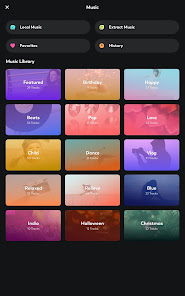
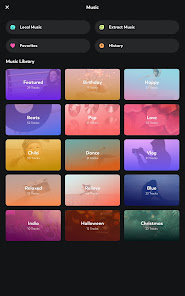
- Add music from built-in library, extract audio from videos, or record voiceover
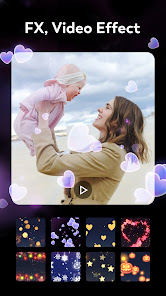
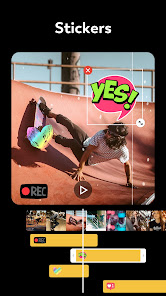
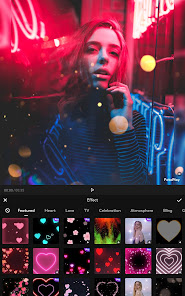
- Apply video effects and animated emoji stickers
- Change video aspect ratio for platforms like YouTube (16:9) and TikTok (9:16)
This tip responds to a verified user complaint in the recent reviews about a video project disappearing after not being backed up. It is a proactive measure derived from a user-reported incident.
How this content was created
Content type: pattern_analysis_of_user_reviews_and_metadata
AI generated: Yes
- Google Play user reviews (5 (only recent_reviews available in this input) per app), August 28, 2020 to July 01, 2025
- Google Play ratings distribution
- App Store listing metadata
- Review samples are not statistically representative of all user sentiment
- Only 5 recent reviews were available; no high-engagement or mixed reviews were analyzed
- Claims labeled 'low confidence' are based on single-review observations only
- No real-world app testing was conducted
- Feature availability may vary by region, device, and app version
Pros & Cons
Based on analysis of Google Play user reviews
Pros
- The app is praised for being easy to use and having a simple dashboard with many features. medium
Theme 'ease of use' and 'simplicity' appears in recent_reviews #1 and #2. Reviewer #1 calls it 'simple, easy-to-use, self-explanatory dashboard' with many features. Reviewer #2 describes it as 'easy and fast to learn.' This is a recent pattern.
Evidence (2)
“Simple, easy-to-use, self-explanatory dashboard, with just a ton of awesome features and effects.”Rating: 5★ July 01, 2025 297 likes“Out of the box it's easy and fast to learn.”Rating: 5★ August 28, 2020 312 likes - The app does not limit the number of photos or videos users can add, unlike some other apps. medium
Theme 'no photo/video limit' appears independently in recent_reviews #2 and #5. Reviewer #2 explicitly says 'It doesn't limit photos and videos you add.' Reviewer #5 contrasts with another app that had limits. This is a cross-review recent pattern.
Evidence (2)
“It doesn't limit photos and videos you add.”Rating: 5★ June 17, 2022 336 likes“Unlike this app where it doesn't have a limit. You can add as many as you want without having to pay for a, "Subscription,"”Rating: 5★ June 06, 2022 292 likes - The app offers good transitions and editing features. medium
Theme 'good transitions' appears in reviews #2 and #5. Reviewer #2 likes the ability to add transitions and control timing. Reviewer #5 states transitions are '10x better' than another app. This is a recent pattern.
Evidence (2)
“You can add transitions.”Rating: 5★ June 17, 2022 336 likes“The transitions they have are 10x better.”Rating: 5★ June 06, 2022 292 likes
Cons
- Projects may be lost if not manually backed up, as reported by 1 recent reviewer. low
Theme 'data loss / project not saving' appears only in recent_reviews #4. The reviewer describes spending hours on a video that later vanished from the app, attributing it to not backing up. This is a single-review observation, not a recurring pattern.
Evidence (1)
“I spent literal hours making a collage... and when I went in to view it today, my video was completely gone! It's my fault for not backing it up sooner, but I guess I thought the app would ho”Rating: 1★ February 08, 2024 51 likes - The editor does not allow users to rearrange photos after adding them, as reported by 1 recent reviewer. low
Theme 'inability to rearrange photos' appears only in recent_reviews #3. The reviewer states this as their only dislike. This is a single-review observation.
Evidence (1)
“Only thing I don't like is unable to rearrange the photos after I'm in the editor. Had to start from scratch a few times”Rating: 5★ August 28, 2020 312 likes
Recent Reviews
Stacy
5★I downloaded this app months ago, and then let it languish in my app drawer - BIG MISTAKE! Started using it yesterday, and I'm already considering upgrading to Pro. Simple, easy-to-use, self-explanatory dashboard, with just a ton of awesome features and effects. Not to mention that upgrading to Pro also provides the option to actually buy the product rather than paying a subscription every month - you just don't get that choice these days. Very impressive tool!
Jodi Schreckengost
5★Yo, this is an amazing app. It doesn't limit photos and videos you add. Of course there's ads, but it's a really good app. You can change how long the photo or video shows. You can add transitions. Now mind you, the more photos you add the longer the video, but as said you can change the time length of the photos and videos. Once you're done you can share the video, and post it on like Facebook, whatever. The more photos and videos the longer the editing process will be.
Brenda Ann Eckels, aMGC
5★Out of the box it's easy and fast to learn. Only thing I don't like is unable to rearrange the photos after I'm in the editor. Had to start from scratch a few times because choosing from thumbnails was a bit hard. Having ability to fade out or closeout frame would be a nice perk. Other than that the free version worked really well, and finished video looked great! Going to try a couple more, but if it holds up, I'll definitely consider an upgrade to paid version or to tablet version!
Marissa Herrera
1★I spent literal hours making a collage for my daughter's first year of life. I waited a while (my fault, I guess!!) to put final touches, music, etc., and when I went in to view it today, my video was completely gone! It's my fault for not backing it up sooner, but I guess I thought the app would hold it. Beware if you are putting any actual effort into making something.
Gabby Henderson
5★I originally used an app called YouCut, and it was irritating how they would limit you to photos and videos unlike this app where it doesn't have a limit. You can add as many as you want without having to pay for a, "Subscription," and the transitions they have are 10x better. I highly recommend this app to anyone I know, or meet. It's over all a great app, and very simple.