By App Discoverer Editorial Team · Updated October 1, 2026
Link to Windows





Overview
Productivity
Microsoft Corporation
Free
Dec 16, 2015
1.26011.92.0
10
No
Feb 2, 2026
Features
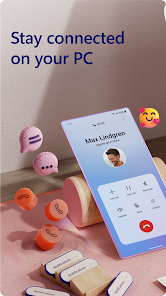
You love your phone. So does your PC. Get instant access to everything you love on your phone, right from your PC. To get started, install the Link to Windows app on your Android phone and connect it with the Phone Link on your Windows PC.
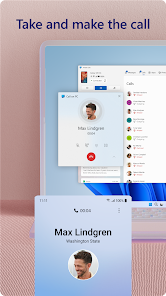
Link your Android phone and PC to view and reply to text messages, make and receive calls
Make emailing yourself photos a thing of the past as you share your favorite images between your phone and PC. Copy, edit, and even...
You love your phone. So does your PC. Get instant access to everything you love on your phone, right from your PC. To get started, install the Link to Windows app on your Android phone and connect it with the Phone Link on your Windows PC. Link your Android phone and PC to view and reply to text messages, make and receive calls
Download Link to Windows
Get the official app from the trusted app stores. You will be redirected to the download page.
When you purchase through links on our site, we may earn an affiliate commission. Learn more
Ratings breakdown
1,140,000 reviewsData Safety
- No data shared with third parties Learn more about how developers declare sharing
- This app may collect these data types Personal info, App activity and 2 others
- Data is encrypted in transit
- You can request that data be deleted
Permissions
- find accounts on the device
- add or remove accounts
- find accounts on the device
- read your contacts
- approximate location (network-based)
- precise location (GPS and network-based)
- read your text messages (SMS or MMS)
- send SMS messages
- read call log
- read phone status and identity
- read the contents of your USB storage
- modify or delete the contents of your USB storage
- read the contents of your USB storage
- modify or delete the contents of your USB storage
- take pictures and videos
- record audio
- view Wi-Fi connections
- read phone status and identity
- view network connections
- create accounts and set passwords
- pair with Bluetooth devices
- access Bluetooth settings
Developer contact
Name
Microsoft Corporation
Address
1 Microsoft Way Redmond, WA 98052 United States
Website
http://www.microsoft.comPhone
+1 800-642-7676
Support
ltwfeedback@microsoft.com
Privacy
View policyFrequently Asked Questions
Is Link to Windows free to use? high
Yes, the Link to Windows app is completely free to download and use. It is developed by Microsoft and includes no ads.
Source: app_metadata
Does Link to Windows work with non-Samsung phones? high
The app works with all Android phones, but some exclusive features like drag-and-drop, Phone screen, and using multiple apps require a compatible Samsung, HONOR, or Microsoft Duo device. Basic features like viewing notifications and replying to texts should work on most Android phones running Android 7.0 or higher.
Source: app_metadata
Why are my files not syncing or transferring with Link to Windows? high
Based on recent user reviews, file syncing and transfer is a common and recurring point of frustration. Multiple users report it works inconsistently or not at all, with sync processes taking hours. This appears to be a known issue with the app, not necessarily a user error.
Source: user_reviews
Can I make and receive calls from my PC using Link to Windows? high
Yes, the app allows you to make and receive calls from your PC. However, this feature requires your Windows 10 PC to have Bluetooth capability, as per the app description.
Source: app_metadata
Does the Link to Windows app drain my phone's battery? low
At least one recent reviewer reports significant battery drain associated with the app, though they noted it might be specific to their device (Galaxy Fold 7). This is not a widely confirmed issue in the limited sample, but it is a potential concern for some users.
Source: user_reviews
How to Use
Link to Windows allows you to connect your Android phone to your Windows PC to view notifications, send messages, make calls, and access files directly from your computer. (app_description)
Getting Started
Source: app_description_and_user_feedback_noted
- Download and install the 'Link to Windows' app on your Android phone from the Google Play Store.
- On your Windows PC, open the pre-installed 'Phone Link' app (formerly 'Your Phone' on Windows 10 and 11).
- Follow the on-screen instructions to pair your phone to your PC by scanning a QR code with the Link to Windows app.
- Grant the necessary permissions on your phone (e.g., for notifications, contacts, phone calls, and media) to enable all features.
- Once paired, you can access your phone's notifications, messages, photos, and apps directly from your PC.
Key Features (from app listing)
Source: app_description
- Make and receive calls from your PC (requires Bluetooth).
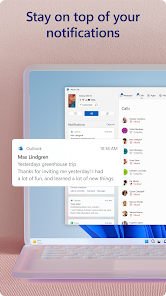
- View and manage Android phone notifications on your PC.
- Access and run your mobile apps on your PC (requires compatible Samsung, HONOR, or Microsoft Duo device, Android 11+, and 8GB RAM on PC).
- Read and reply to text messages from your PC.
- Drag and drop files between your PC and phone (requires compatible device).
- Copy and paste content between your PC and phone (requires compatible device).
- Instantly view and access photos from your phone on your PC.
Troubleshooting Common Issues (from recent reviews)
Source: app_description_and_user_feedback_noted
- If file syncing or transfer stops working, try restarting both your phone and PC, then re-establish the Bluetooth or Wi-Fi connection.
- For connection drops, ensure both devices are on the same Wi-Fi network and that Bluetooth is enabled on your PC.
- If the phone screen or app window becomes unresponsive on your PC, minimize and reopen the app on your phone, then refresh the connection in the Phone Link app on your PC.
- Check for updates for both the 'Link to Windows' app on your phone and the 'Phone Link' app on your PC to ensure you have the latest fixes.
Derived from app description (mentions integration with specific Microsoft, Samsung, and HONOR phones for better experience) and indirect responses to user complaints about unreliability (which updates aim to fix).
How this content was created
Content type: pattern_analysis_of_user_reviews_and_metadata
AI generated: Yes
- Google Play user reviews (5 per app), November 25, 2024 to February 20, 2026
- Google Play ratings distribution
- App Store listing metadata
- Review sample is not statistically representative; it is limited to 5 recent reviews.
- No high-engagement or supplementary reviews were available to balance recent sentiment.
- Claims labeled 'low confidence' are based on single-review observations only.
- No real-world app testing was conducted.
- Feature availability may vary by region, device, and app version.
Pros & Cons
Based on analysis of Google Play user reviews
Pros
- Convenient for viewing and replying to text messages and notifications from a PC.
Theme 'Notification and messaging convenience' identified in recent_review #2
Evidence (2)
“I keep a phone window 'maximized' on the left side of my desktop for ease of messaging”Rating: 4★ November 30, 2024 639 likes“While I love the convenience of this app in getting notifications for texts, emails and apps”Rating: 3★ February 17, 2026 5 likes - Useful for accessing mobile apps and playing games on a larger PC screen.
Theme 'App and game access on PC' identified in recent_review #2
Evidence (1)
“to play games while still using my computer”Rating: 4★ November 30, 2024 639 likes - Works well when the connection is stable and features are functioning.
Theme 'Works well when stable' identified in recent_review #1
Evidence (2)
“When it works, works well.”Rating: 2★ November 25, 2024 922 likes“Overall, this is a nice way to access your mobile on your computer.”Rating: 4★ November 30, 2024 639 likes
Cons
- Frequent and sporadic sync and connection issues disrupt usability.
Theme 'Connection and sync issues' identified in recent_review #1
Evidence (3)
“Problem is it will work fine then sporadically have sync or connection issues for no reason.”Rating: 2★ November 25, 2024 922 likes“Rarely works especially with file syncing.”Rating: 3★ February 16, 2026 7 likes“Unreliable.”Rating: 1★ February 20, 2026 29 likes - File sharing and copy-paste features are unreliable and often stop working.
Theme 'File transfer unreliability' identified in recent_review #1
Evidence (2)
“File share worked about 3 times then stopped.”Rating: 2★ November 25, 2024 922 likes“Copy and paste to and from my laptop, incredibly unreliable.”Rating: 1★ February 20, 2026 29 likes - Significant battery drain on the phone, even when idle overnight.
Theme 'Battery drain' identified in recent_review #4
Evidence (1)
“I can go to bed with my phone at 95% battery and wake up 7 hours later with it at 70%. The activity on phone battery app shows the main drain was caused by this app”Rating: 3★ February 17, 2026 5 likes
Recent Reviews
Jared Nunemacher
2★This app does well in representing everything that is wrong with modern software development practices and their consequences. When it works, works well. Problem is it will work fine then sporadically have sync or connection issues for no reason. File share worked about 3 times then stopped. App updates frequently, but no idea what for. Developer changing code to show they worked on something for the week? I'm sure it connects to 18 cloud services for no reason. Please just work correctly.
Lance Frazier
4★Overall, this is a nice way to access your mobile on your computer. I keep a phone window 'maximized' on the left side of my desktop for ease of messaging and to play games while still using my computer. Some apps need to be minimized then reopened to work properly. Occasionally the phone window will not load and the app will need to be closed completely then reopen, allowed to load, then retry the phone window for your desktop. Might just be a glitch, but it's annoying. Overall, a nice app.
Kaitlyn Abele
3★Rarely works especially with file syncing. It will sometimes allow me to transfer files but then it spends hours trying to sync, unsuccessfully. I generally can only get one file to transfer without issue. I used to be able to cast my phone to my computer and haven't been able to do that since switching to a pixel phone. I also do not like the interface on the computer - why is there not an empty tab I can switch to so my text messages, call History, or photos aren't displayed at all times.
Steve Davis
3★While I love the convenience of this app in getting notifications for texts, emails and apps, I don't like it's limited interface. For example, I can't delete texts. The other negative aspect of this app is battery drain. Maybe it's something unique to my Galaxy Fold 7 but I can go to bed with my phone at 95% battery and wake up 7 hours later with it at 70%. The activity on phone battery app shows the main drain was caused by this app with fractional drain caused by others.
Nathan Golter
1★Unreliable. Going out of my way to write this. Using with a windows 11 laptop. Copy and paste to and from my laptop, incredibly unreliable. App is not intuitive and is very lacking. Could be so much better. It's useful until it's not, which is basically more than half the time. Disappointed. Just noticed there is a button on the app, "Rate it 5 stars." Now dropping from 2 stars to 1.