By AppHub Editorial Team · Updated August 3, 2026

Amazon Photos: Photo & Video










Overview
Photography
Amazon Mobile LLC
Free
Nov 2, 2012
10
$0.99 - $11.99 per item
No
Feb 26, 2026
Features
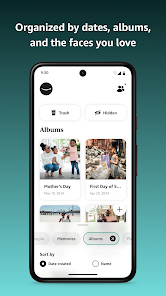
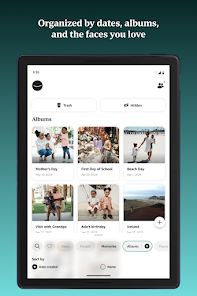
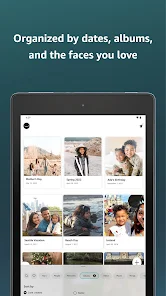
Amazon Photos lets you store and share full-resolution photos, keeping favorite moments secure and in the spotlight. Prime members get free prints delivery (US only) and unlimited photo storage (available in US, UK, CA, DE, FR, IT, ES and JP) for a lifetime of memories. Not a Prime member? All Amazon Photos customers have 5 GB full-resolution photo and video storage.
Amazon Photos for all Amazon customers
Amazon Photos lets you store and share full-resolution photos, keeping favorite moments secure and in the spotlight. Prime members get free prints delivery (US only) and unlimited photo storage (available in US, UK, CA, DE, FR, IT, ES and JP) for a lifetime of memories. Not a Prime member? All Amazon Photos customers have 5 GB full-resolution photo and video storage. Amazon Photos for all Amazon customers
Download Amazon Photos: Photo & Video
Get the official app from the trusted app stores. You will be redirected to the download page.
Official Links
When you purchase through links on our site, we may earn an affiliate commission. Learn more
Ratings breakdown
1,060,000 reviewsDeveloper contact
Name
Amazon.com, Inc.
Address
410 Terry Ave N Seattle, WA 98109-5210 United States
Website
http://www.amazon.com/CloudDrivePhone
+1 206-266-1000
Support
clouddrive-android-feedback@amazon.com
Privacy
View policyFrequently Asked Questions
Is Amazon Photos free? high
Yes, all Amazon customers get 5 GB of free full-resolution photo and video storage. Prime members get unlimited photo storage plus 5 GB for videos. There are also paid subscription plans starting at $1.99 per month for additional storage.
Source: app_metadata
Does Amazon Photos back up photos automatically? high
Yes, the app has an Auto-Save feature in Settings that automatically backs up every photo and video you take. This is described in the app's feature list.
Source: app_metadata
How do I find photos by location? medium
The app's description mentions you can search by location. However, two recent user reviews (September 2025 and June 2025) report that location information is missing or metadata is dropped during upload, making this feature unreliable for some users. This issue may vary by device or upload method.
Source: app_metadata, user_reviews
Can I delete photos from my phone after backing up to Amazon Photos? medium
The app description states you can safely delete photos from your phone after cloud backup to free up space. However, one recent review notes that the app no longer allows you to 'connect to your phone so you could delete things from your phone as well,' suggesting this feature may have changed or is not working as expected for some users.
Source: app_metadata, user_reviews
How to Use
Amazon Photos provides cloud storage for full-resolution photos and videos with automatic backup, cross-device access, and optional print ordering for US Prime members. (app_description)
Getting Started
Source: app_description_and_user_feedback_noted
- Download the Amazon Photos app from the Google Play Store and sign in with your Amazon account.
- Enable Auto-Save in Settings to automatically back up all photos and videos from your device to the cloud.
- Use the 5 GB free storage (or unlimited if you are a Prime member) to store full-resolution images.
- Access your photos on other devices like Echo Show, Fire TV, and Fire tablet by signing into the same account.
Key Features (from app listing)
Source: app_description
- Free 5 GB combined photo and video cloud storage for all Amazon customers
- Full-resolution backup preserving original image quality
- Auto-Save for automatic backup of new photos and videos
- View photos on Echo Show and Fire TV with customizable displays
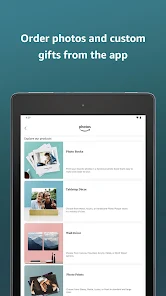
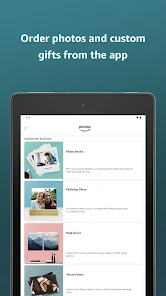
- Order prints and custom gifts (US only for Prime members)
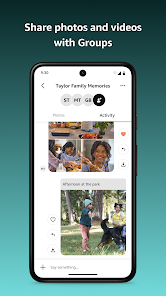
- Private sharing via Groups with commenting
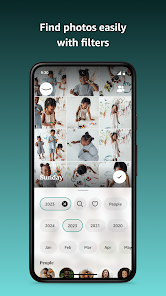
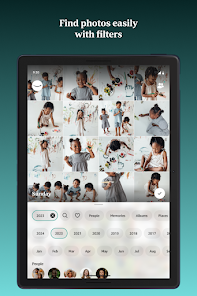
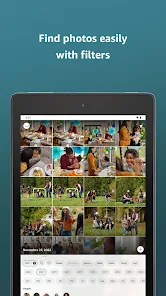
- Search by date or location
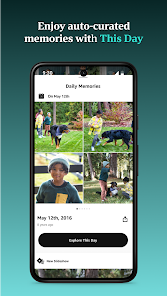
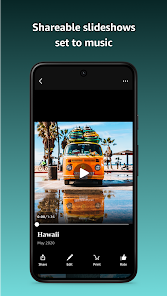
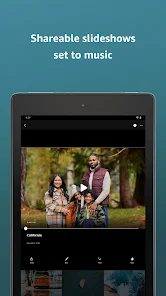
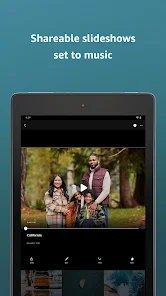
- Re-live Memories with curated slideshows set to music
- Alexa voice control on supported devices
- Subscription plans starting at $1.99/month for additional storage
This tip directly addresses the metadata loss complaint reported in two recent user reviews (missing location and date taken). The suggestion to check camera settings is a common workaround for metadata issues.
How this content was created
Content type: pattern_analysis_of_user_reviews_and_metadata
AI generated: Yes
- Google Play user reviews (12-20 preferred; may be smaller if source data is limited per app), February 16, 2026 to June 01, 2025
- Google Play ratings distribution
- App Store listing metadata
- Review samples are not statistically representative of all user sentiment
- High-engagement negative reviews can overrepresent complaints
- Claims labeled 'low confidence' are based on single-review observations only
- No real-world app testing was conducted
- Feature availability may vary by region, device, and app version
Pros & Cons
Based on analysis of Google Play user reviews
Pros
- Provides reliable cloud backup for photos, accessible from multiple devices.
Theme 'Reliable backup' identified in recent_review #3 and #4.
Evidence (2)
“It is handy for saving pictures. I can access them without a hitch from many different places.”Rating: 5★ February 16, 2026 43 likes“This app has ALL my photos saved from when I initially signed up over 10yrs ago. I've seen pictures I thought were lost/deleted bcz google didnt have them. PTL!”Rating: 3★ January 20, 2026 23 likes - Useful for recovering lost or deleted photos that other services don't have.
Theme 'Photo recovery' identified in recent_review #4.
Evidence (1)
“I've seen pictures I thought were lost/deleted bcz google didnt have them. PTL!”Rating: 3★ January 20, 2026 23 likes - Offers free prints delivery for Prime members in the US.
Feature mentioned in app description, not in reviews.
Cons
- Metadata (e.g., date taken) is often dropped during upload, making photo organization difficult.
Theme 'Metadata loss' identified in recent_review #1 and #2.
Evidence (2)
“I am having a lot of trouble with Amazon dropping Metadata on photos when uploading them, so the pictures don't have date taken data attached. This makes it extremely frustrating to find photos”Rating: 1★ June 01, 2025 435 likes“There is no information about the photos. No location info specifically.”Rating: 3★ September 21, 2025 255 likes - App is slow, glitchy when scrolling, and lacks basic features like batch delete or landscape viewing.
Theme 'Slow and glitchy' identified in recent_review #4 and #5.
Evidence (2)
“It's slow, glitchy when scrolling, slow to open pics individually, no option to select multiple pictures at once to be deleted,etc.”Rating: 3★ January 20, 2026 23 likes“App won't let you rotate the phone to view photos/videos in landscape. Often the daily memory won't load.”Rating: 2★ December 26, 2025 24 likes - Limited functionality for organizing and searching photos, lacking location and folder info.
Theme 'Poor organization features' identified in recent_review #1.
Evidence (1)
“I search my photos most often by location but without location information, folder location on phone, or any other identifying factors, it is literally just a back up of my images.”Rating: 3★ September 21, 2025 255 likes
Recent Reviews
Ronda Bernstein
3★There is no information about the photos. No location info specifically. It used to connect to your phone so you could delete things from your phone as well and now it doesn't do that either. Also, you can't see the daily photos individually, just as a grid. I search my photos most often by location but without location information, folder location on phone, or any other identifying factors, it is literally just a back up of my images. Which is fine, just could be better.
Denise Smith
1★I am having a lot of trouble with Amazon dropping Metadata on photos when uploading them, so the pictures don't have date taken data attached. This makes it extremely frustrating to find photos and see them associated with other pictures from the same date & time period. I've spoken to customer service & they don't have a fix for it. I've done research and without paying for additional apps to download to and then upload from, I have yet to find an easy fix. I'm not impressed!
John Beedle
5★It is handy for saving pictures. I can access them without a hitch from many different places. Getting gifts with them is more challenging than I would like. The options of either saving the picture right away or not at all is inconvenient. Trying to take more than one picture at a time as the camera slows down has cause problems more than once.
Angie Gigglez
3★It's slow, glitchy when scrolling, slow to open pics individually, no option to select multiple pictures at once to be deleted,etc. This app has ALL my photos saved from when I initially signed up over 10yrs ago. I've seen pictures I thought were lost/deleted bcz google didnt have them. PTL! I The videos have a limited space in the free version, then there are several options to buy more storage.
Kelly DeProspo
2★App won't let you rotate the phone to view photos/videos in landscape. Often the daily memory won't load. Also wish I could edit the layout of photos in the daily memory frame (zoom in/out, adjust where it cuts off, etc.). Considering this is just an app for viewing photos, it leaves a lot to be desired.