By App Discoverer Editorial Team · Updated October 1, 2026

Google Wallet

Overview
Finance
Google LLC
Free
Jun 24, 2011
9
No
Users Interact, Shares Info
Feb 26, 2026
Features
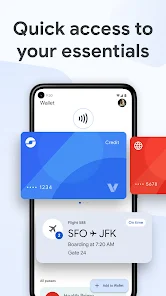
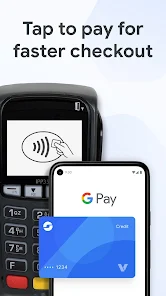
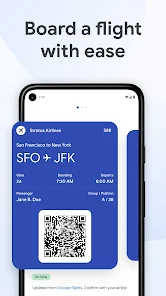
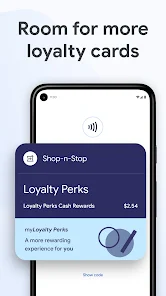
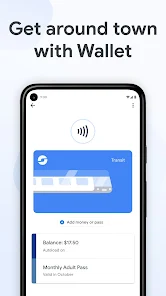
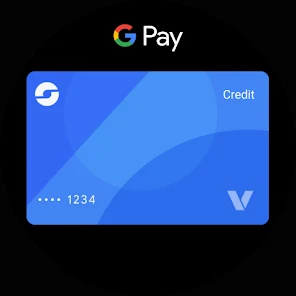
Google Wallet gives you fast, secure access to your everyday essentials. Tap to pay everywhere Google Pay is accepted, board a flight, go to a movie, and more – all with just your phone. Keep everything protected in one place, no matter where you go.
CONVENIENT
Get what you need fast
+ Three quick ways for accessing your everyday essentials: use your phone’s quick settings for fast access, open the Wallet app from your homescreen or use Google Assistant when your hands are busy.
Access Googl...
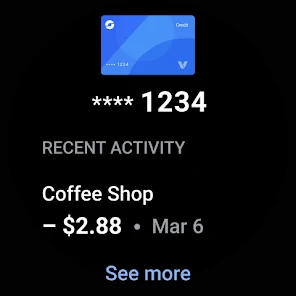
Google Wallet gives you fast, secure access to your everyday essentials. Tap to pay everywhere Google Pay is accepted, board a flight, go to a movie, and more – all with just your phone. Keep everything protected in one place, no matter where you go. CONVENIENTGet what you need fast+ Three quick ways for accessing your everyday essentials: use your phone’s quick settings for fast access, open the Wallet app from your homescreen or use Google Assistant when your hands are busy. Access Google Wallet from your Wear OS watch+ Get instant access to Wallet on the Wear OS main watch face with complications. Carry cards, tickets, passes, and more+ Catch a train, see a concert, or earn rewards at your favorite stores with a digital wallet that carries more+ [US Only] Unlock the world around you with a digital wallet that carries your drivers license and digital car keysWhat you need, right when you need it+ Your Wallet can suggest what you need, right when you need it. Get a notification for your boarding pass on the day of travel, so you’ll never have to fumble in your bag again. HELPFULKeep track of receipts+ Easily find transaction details in Wallet, including smart details like location pulled from Google MapsSeamless integration across Google+ Sync your Wallet to keep your Calendar and Assistant up to date with the latest info like flight updates and event notifications+ Shop smarter by seeing your point balances and loyalty benefits in Maps, Shopping, and moreGet started in a snap+ Set up is seamless with the ability to import cards, transit passes, loyalty cards and more that you’ve saved on Gmail. Stay in the know on the go+ Make boarding flights a breeze with the latest information pulled from Google Search. Google Wallet can keep you posted on gate changes or unexpected flight delays. SAFE & PRIVATEA secure way to carry it all+ Security and privacy are built into every part of Google Wallet to keep all your essentials protected. Android security you can count on+ Keep your data and essentials secure with advanced Android security features like 2-Step Verification, Find My Phone, and remotely erasing data. Tap to pay keeps your card secureALT: + When you tap to pay with your Android phone, Google Pay doesn’t share your real credit card number with the business, so your payment info stays safe. You’re in control of your data+ Easy to use privacy controls allow you to opt-in to sharing information across Google products for a tailored experience. Google Wallet is available on all Android phones (Pie 9.0+), Wear OS and Fitbit devices. Not all features are available for supervised accounts. Learn more about Wallet for supervised accounts here: https://support. google. com/wallet? p=about_wallet_supervised. Still have questions? Head over to support. google. com/wallet.
Download Google Wallet
Get the official app from the trusted app stores. You will be redirected to the download page.
When you purchase through links on our site, we may earn an affiliate commission. Learn more
Ratings breakdown
2,110,000 reviewsData Safety
- This app may share these data types with third parties Personal info, Financial info and 2 others
- This app may collect these data types Location, Personal info and 9 others
- Data is encrypted in transit
- You can request that data be deleted
- Independent security review
Permissions
- find accounts on the device
- find accounts on the device
- read your contacts
- approximate location (network-based)
- precise location (GPS and network-based)
- read phone status and identity
- read the contents of your USB storage
- modify or delete the contents of your USB storage
- read the contents of your USB storage
- modify or delete the contents of your USB storage
- take pictures and videos
- view Wi-Fi connections
- read phone status and identity
- view network connections
- pair with Bluetooth devices
- access Bluetooth settings
- measure app storage space
Developer contact
Name
Google LLC
Address
1600 Amphitheatre Pkwy Mountain View, CA 94043 United States
Website
https://pay.google.com/aboutPhone
+1 650-253-0000
Support
google-payments@google.com
Privacy
View policyFrequently Asked Questions
Is Google Wallet free to use? high
Yes, Google Wallet is free to download and use. It is a free app developed by Google LLC with no in-app purchases listed.
Source: app_metadata
Does Google Wallet work for contactless payments? low
Yes, in most cases. However, a recent review from February 2026 reports that the latest update broke contactless payments on some devices, causing terminals to display an error message. This may be an isolated bug, but if you rely on tap-to-pay, be aware of potential issues after updating.
Source: user_reviews, app_metadata
Can I store loyalty cards and tickets in Google Wallet? high
Yes, Google Wallet supports storing payment cards, loyalty cards, transit passes, boarding passes, event tickets, and more. The app description highlights that you can carry 'cards, tickets, passes, and more' in one digital wallet.
Source: app_metadata
How do I quickly access Google Wallet? high
You can access Google Wallet in three ways: via your phone's quick settings, through the Wallet app on your home screen, or by using Google Assistant hands-free. It also works on Wear OS watches via complications on the main watch face.
Source: app_metadata
How to Use
Google Wallet is a digital wallet app that lets you store and quickly access payment cards, loyalty cards, tickets, and passes for tap-to-pay, travel, and everyday use, with built-in security features. (app_description)
Getting Started
Source: app_description_and_user_feedback_noted
- Download and open Google Wallet on your Android device (requires Android 9.0+).
- Import existing cards and passes from Gmail or manually add new payment cards via the app's interface. The app description says setup is seamless with the ability to import cards, transit passes, and loyalty cards saved on Gmail.
- Choose your preferred quick access method: set up a quick settings tile, place the Wallet app on your home screen, or enable Google Assistant for hands-free use.
- For tap-to-pay, ensure NFC is enabled on your phone. Note that some recent reviews report contactless payment issues after a February 2026 update; if you encounter problems, check for further updates or contact support.
Key Features (from app listing)
Source: app_description
- Tap-to-pay using NFC everywhere Google Pay is accepted; your real card number is not shared with businesses.
- Carry and manage payment cards, loyalty cards, transit passes, boarding passes, event tickets, and in the US, driver's licenses and digital car keys.
- Integration with Google services: sync with Calendar, Assistant, Maps, and Shopping for flight updates, event notifications, point balances, and loyalty benefits.
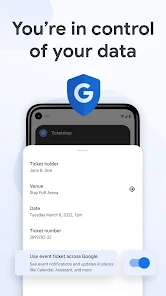
- Security features: advanced Android security like 2-Step Verification, Find My Phone, remote data erasure, and easy-to-use privacy controls to manage data sharing across Google products.
Derived from recurring user complaints in recent_reviews #1, #3, and #5 about the horizontal carousel being slow and difficult to manage. Quick settings access is mentioned in the app description as one of three quick access methods.
How this content was created
Content type: pattern_analysis_of_user_reviews_and_metadata
AI generated: Yes
- Google Play user reviews (5 (limited sample) per app), April 30, 2025 to February 25, 2026
- Google Play ratings distribution
- App Store listing metadata
- Review samples are not statistically representative of all user sentiment
- Only 5 recent reviews were available, severely limiting the sample
- Claims labeled 'low confidence' are based on single-review observations only
- No real-world app testing was conducted
- Feature availability may vary by region, device, and app version
- No ratings distribution was provided to contextualize overall satisfaction
Pros & Cons
Based on analysis of Google Play user reviews
Pros
- Easy to add and manage cards and loyalty cards within the app.
Theme 'Usability for card management' identified in recent_review #1
Evidence (1)
“Overall, the app is good. It's easy to add cards and find your loyalty cards.”Rating: 2★ February 25, 2026 1,348 likes - App provides useful features like notifications for boarding passes and flight updates.
Theme 'Helpful notifications' identified in recent_review #1 and app description
Evidence (1)
“Get a notification for your boarding pass on the day of travel, so you’ll never have to fumble in your bag again.”Rating: 5★ February 25, 2026 - Security features like fingerprint confirmation are appreciated for protecting cards.
Theme 'Security' identified in recent_review #4
Evidence (1)
“I appreciate that security is important when it comes to my cards.”Rating: 2★ September 15, 2024 1,827 likes
Cons
- Card navigation is slow and frustrating due to horizontal carousel instead of vertical list.
Theme 'Slow card navigation' identified in recent_review #1, #3, #5
Evidence (2)
“The only thing I wish could be changed is the ability to sort through your cards vertically rather than horizontally.”Rating: 2★ February 25, 2026 1,348 likes“The carousel method to choose a card hasn't been improved at all. It's still much slower than previously...”Rating: 2★ April 30, 2025 1,753 likes - Recent update broke contactless payments, causing 'try again' errors at terminals.
Theme 'Contactless payment broken' identified in recent_review #2
Evidence (1)
“Since its latest update in February, the app does no longer work for contactless payments.”Rating: 1★ February 14, 2026 117 likes - Frequent and inconsistent fingerprint re-authentication slows down payments.
Theme 'Annoying re-authentication' identified in recent_review #4
Evidence (1)
“3 out of four times I need to reconfirm with fingerprint, it's slow, inconsistent and often times I end up spending extra 30 seconds...”Rating: 2★ September 15, 2024 1,827 likes
Recent Reviews
Haarden Shah
2★Overall, the app is good. It's easy to add cards and find your loyalty cards. There are no issues on usability. The only thing I wish could be changed is the ability to sort through your cards vertically rather than horizontally. Sometimes, it takes a while to swipe to the card I want to use. Instead, move the loyalty cards to the left/right swipe and allow your payment cards to be scrolled through vertically.
Hartmut Ziche
1★Since its latest update in February, the app does no longer work for contactless payments. It still seems to communicate something to the payment terminals, because they immediately reply with "try again" or something along those lines, but no payment can be made. I wish one could roll back the update, because the app worked flawlessly before.
Simon G
2★The interface for managing items is horrible. It would help if they can be grouped eg. Loyalty cards, payment cards, train tickets, flights. And a simple way to archive or delete items e.g by swiping them left or right, or even getting a context menu would be great rather than clicking into each one, scrolling down and clicking another button.
Juha Iso-Sipilä
2★I appreciate that security is important when it comes to my cards. The recent update, however, has made the use of cards very annoying, so much that I'll probably start using my physical cards. 3 out of four times I need to reconfirm with fingerprint, it's slow, inconsistent and often times I end up spending extra 30 seconds to make a small payment. It's far from clear when I need to reconfirm and when not.
Adrian Gurney
2★A year later update: the carousel method to choose a card hasn't been improved at all. It's still much slower than previously to go through cards as you need to wait for the animation to complete each time. If you frequently use different cards (I travel a lot), then it's very frustrating. It used to be so much better with just a simple list of cards on the app. At least the reliability got better.